Project Automation and Plan Automation: What to Automate and What Not To
The question is not whether to automate project work, but which parts, and at what level. Automate the arithmetic and the copying; keep the judgment. This guide gives a map.
Project automation uses software to do repetitive project work: generating plans, deriving status, flagging risk, balancing workload, triaging intake and producing reports. Plan automation specifically generates, structures and audits the plan itself. Automate detection and drafting freely; keep approval of scope, budget and schedule changes with a person.
- Three layers: plan automation (create, structure, audit), run automation (status, risk, capacity) and communication automation (reports, intake).
- Four levels: detect, draft, apply with approval, execute autonomously on narrow safe work.
- Keep human: approvals of scope, budget and schedule changes, and stakeholder decisions.
- Start small: replace one manual routine, measure it, then add the next.
Three Layers of Project Automation
| Layer | What can be automated | In CoMng.AI |
|---|---|---|
| Plan automation | Creating, structuring and auditing the plan | Plans from documents, AI Task Builder, Structure Tasks, dependency suggestions, Verify Plan Coverage, Optimize Timeline |
| Run automation | Status, risk detection, capacity, assignment | Status derived from tasks, Pulse, milestone flags, Resource Planner, Smart Assign, priority scoring |
| Communication automation | Reports, intake, notifications | Studio reports and presentations, inbound email capture, one-click shares, assignee nudges |
Plan Automation: From Blank Page to Audited Plan
- Generate the framework and tasks from a document or description.
- Structure tasks into a hierarchy; let AI suggest and then confirm dependencies and milestone dependencies.
- Score priorities, tag and assign.
- Run Verify Plan Coverage against goals, scope and requirements.
- Optimise the timeline, as an approved change request if the plan is already committed.
See Automated WBS Generation and AI Project Timeline Optimization.
One Pattern Everywhere: Auto Apply or Change Request
The same safety choice appears across CoMng.AI's AI generators. When you run the AI Task Builder, AI Brief or Optimize Timeline, you choose how the result is handled: Auto Apply writes it into the project immediately, while Change Request (or Create Change Request) saves it as a pending request for review and approval. Import Tasks always takes the change-request route. Use Auto Apply for low-risk work on a draft plan, and the change-request mode once the plan is committed.
The Automation Ladder: Choose the Level
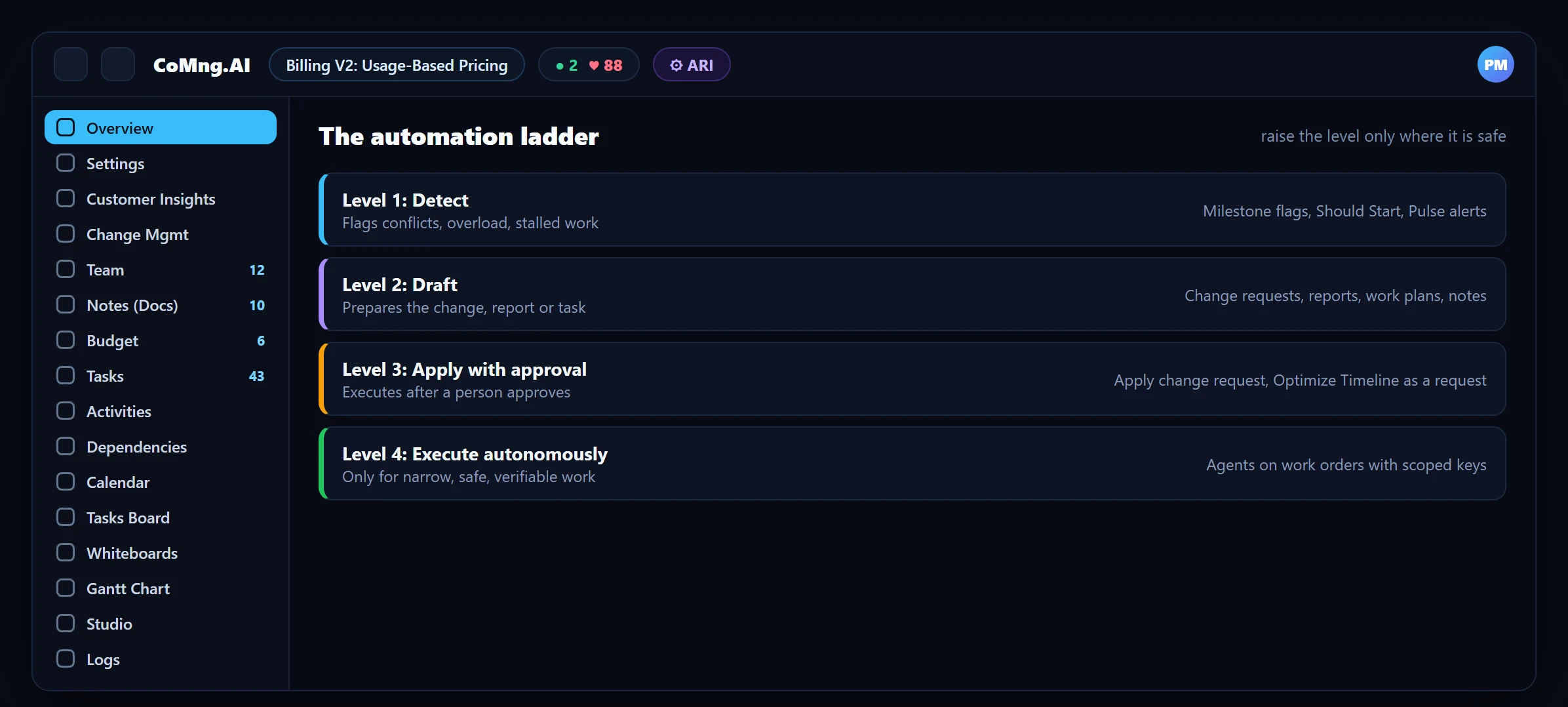
Most value sits at levels 1 and 2 (detect and draft), where the cost of a mistake is low because a person still decides. Level 3 (apply after approval) is where governance matters: sandbox preview, approval and audit. Level 4 is for narrow, verifiable work, such as an agent implementing a task against clear acceptance criteria with a scoped key.
What to Keep Human
- Approving changes to scope, budget and schedule.
- Negotiating with stakeholders and making trade-offs.
- Judging whether a forecast is credible.
- Anything irreversible or customer-facing that you have not reviewed.
This is also why AI-drafted changes in CoMng.AI are requests, and why bulk edits are flagged in code. See AI Governance and Safety Gates.
A Sensible Order to Automate
Reporting
Replace the weekly status compilation with the Pulse briefing and a generated report.
Capacity checks
Use the heatmap instead of a spreadsheet.
Intake
Route customer feedback and emails into the inbox and convert with one click.
Plan quality
Add coverage audits and dependency scans.
Agents
Brief agents with work orders for well-specified tasks.
For concrete examples, see Examples of AI Workflows in Project Management.
- Manual compiling, chasing and re-keying
- Automation that acts without review
- No measure of time saved
- Repetitive work automated in layers
- Approval at the level where it matters
- Time saved measured against a baseline
About CoMng.AI
CoMng.AI is an AI-native project management platform that generates a project's plan, tasks, risks and budget from a description or document, monitors project health in real time, and gives both human teams and AI coding agents live access to the same project data, with a person approving every AI-generated change.
Try it on one real project, free
Create a free project, import or generate a plan, and see Pulse, milestone flags and capacity in the first hour.
Frequently Asked Questions
What is project automation?
Using software to perform repetitive project work such as generating plans, deriving status, flagging risk, balancing workload, triaging intake and producing reports.
What is plan automation?
Automating the creation, structuring and auditing of the project plan: generating tasks from a document, organising them into a hierarchy, suggesting dependencies, checking coverage against goals and scope, and optimising the timeline.
What should not be automated?
Approvals of scope, budget and schedule changes, stakeholder negotiation and trade-off decisions. Automation should propose; a person decides.
Where should a team start?
With the weekly status report, then capacity checks, then intake, then plan quality, and last agent execution.
Is automation safe for committed plans?
Yes if it works through approvals: for example Optimize Timeline can save its suggestions as a change request rather than applying them directly.
Related reading
See the full guide: AI Project Management Strategy & Buying Guide