MS Project Alternative: Migrate Without Data Loss
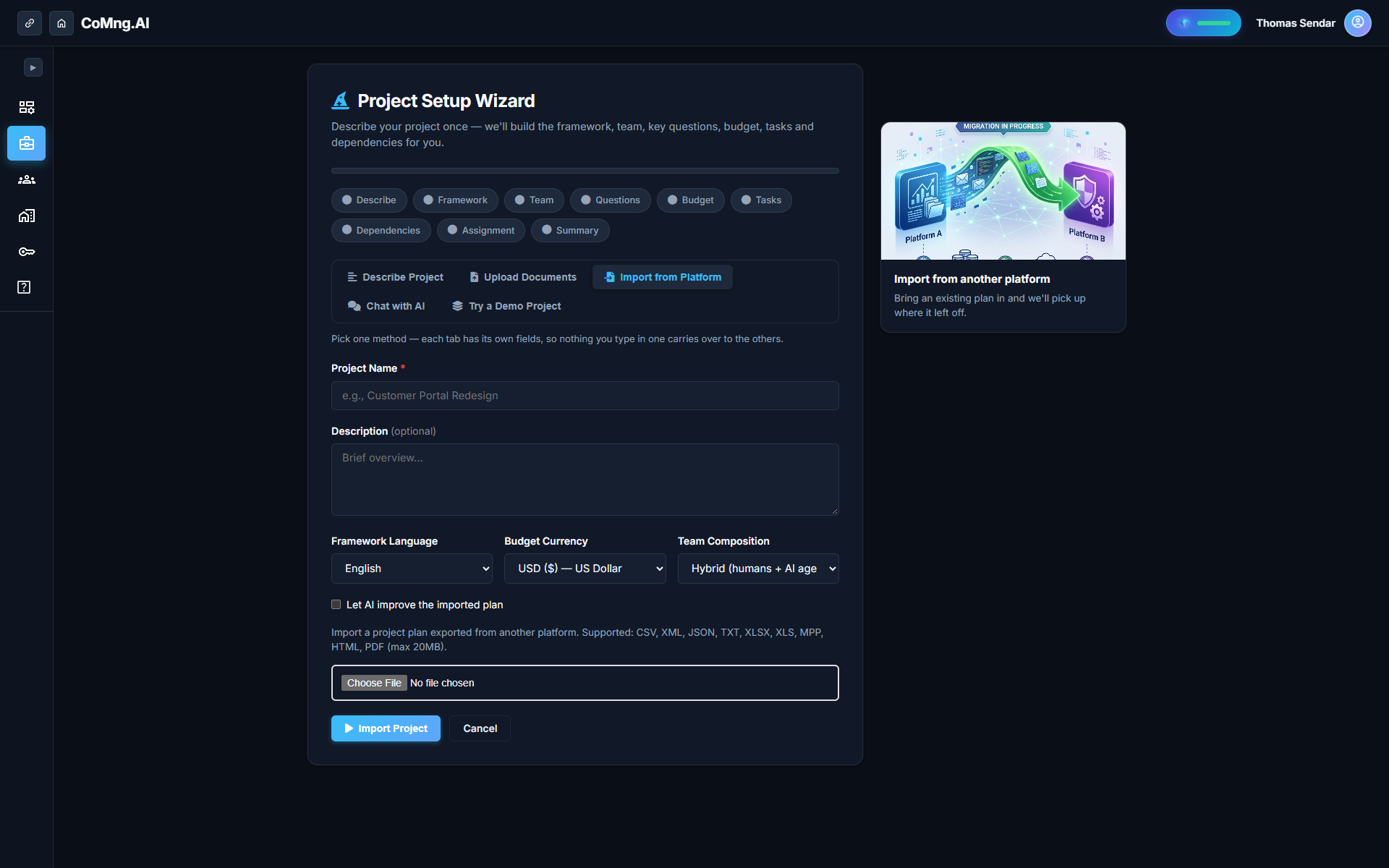
Looking for an MS Project alternative? Import XML, MPP, CSV or XLSX with hierarchy, percent complete, assignees and costs intact, and export back out any time.
- Vendor Lock-In Cost: Three years of schedules and baselines locked in proprietary formats represent an enormous operational vulnerability ahead of legacy software sunsets.
- Zero Data Loss Import: CoMng.AI imports MS Project XML, MPP (partial), CSV, and XLSX, preserving full WBS hierarchy, percent-complete values, and predecessor links.
- True Round-Trip Freedom: Export back to MS Project-compatible XML or self-contained HTML at any time with zero vendor lock-in.
- Active Intelligence Upgrade: Transforms static desktop files into an active nervous system with 5-Dimension Pulse, team collaboration, and MCP agent integration.
The Real Cost of Staying with Legacy Scheduling Tools
Three years of schedules, baselines and assignments live in a file only one tool can open. That is the real cost of staying.
For decades, Microsoft Project served as the calculation engine for enterprise scheduling. But as PMOs transition to modern cloud workflows, desktop tools become disconnected data islands. When teams evaluate alternatives, fear of losing historical WBS indentations and predecessor links stalls modernization. CoMng.AI solves this with **Zero-Drift Migration**.
What is a good MS Project alternative?
A good alternative imports your existing schedules with their hierarchy, dependencies, percent complete and costs intact, adds collaboration and AI planning, and lets you export back to a standard format. Test it by importing one real project and checking the numbers line by line.
What Transfers, Format by Format
| File Format | Hierarchy & WBS | Dependencies | Progress & Baselines | Best Practice Recommendation |
|---|---|---|---|---|
| MS Project XML | Full 10-level indentation | FS, SS, FF, SF links with lag/lead | Preserved to exact decimals | Highest fidelity; recommended route |
| MS Project MPP | Standard task tree | Critical path links imported | Baseline dates preserved | Supported partially; export to XML for best results |
| Spreadsheet (XLSX / CSV) | Structured by indent column | Mapped if predecessor column exists | Percent complete ingested | Ideal for migrating tabular trackers |
| Document (PDF / DOCX) | Synthesized by Genesis Engine | Derived via CPM algorithm | Estimated from scope text | Best for raw contracts without schedules |
Zero Drift: What the Importer Preserves
When you import an MS Project XML file, CoMng.AI preserves your source statuses, assignees, and financial figures exactly as authored. Even with the optional **AI Improve** toggle enabled (which refines descriptions and infers missing dates), historical progress values remain strictly unaltered.
A Safe Migration in Five Steps
Follow this battle-tested migration blueprint:
1. **Pilot One Project:** Select a representative active project rather than migrating your entire portfolio at once. 2. **Export to XML:** In MS Project, save the schedule as an XML file. 3. **Upload to CoMng.AI:** Ingest the file in the Import Wizard in under 60 seconds. 4. **Reconcile Ten Sample Tasks:** Verify predecessor links, percent-complete figures, assignees, and cost numbers. 5. **Run in Parallel for One Sprint:** Validate live collaboration and telemetry, then retire the desktop MPP file.
Leaving Again is Just as Easy: Zero Lock-In
CoMng.AI believes your data belongs to you. You can export your full project state back to MS Project-compatible XML or download a self-contained HTML snapshot at any time.
Ready to Experience True Project Intelligence?
Try CoMng.AI today with zero setup drag. Ingest contracts, manage hybrid teams, and simulate change impacts with 5-Dimension Telemetry.
Frequently Asked Questions
Can I import an MS Project file directly?
Yes. Exporting your schedule to XML preserves 100% of WBS hierarchy, dependencies, and percent-complete values; MPP is also supported partially.
Will costs and assignees survive the migration?
Yes. Statuses, assignees, and financial metrics are preserved exactly as imported.
Can I export my plan back to MS Project if needed?
Yes. Export to XML is fully compatible with Microsoft Project and other enterprise schedulers.
Can I also import from Jira or Asana?
Yes. CoMng.AI ingests standard export files from Jira, Asana, Monday.com, Trello, and Excel.