Self-Service Security: Enterprise Trust and IP Audit Readiness
Security reviews ask the same questions: who can access what, from where, and how do we prove it afterward? These are the controls an admin can configure without opening a ticket.
CoMng.AI security controls an admin can configure themselves include role-based access, API keys scoped by project and action with rate limits, expiry dates and IP whitelists, read-only share links managed in one panel, and filterable audit logs of meaningful actions.
- Role-based access: Admin, Project Manager and Member roles; only Admins create and view API keys.
- Keys with real limits: per-action permissions, project scope, rate limits, expiry dates and IP whitelists.
- Everything is traceable: filterable Audit Logs record meaningful actions and who took them.
- Sharing is controlled: external links are read-only and managed from one control panel.
What a Security Review Actually Asks
- Who can see and change project data, and who administers access?
- From where can integrations and agents connect?
- How much can a credential do if it leaks?
- What happened, and can we prove it, after an incident or during an audit?
- How is AI governed when it touches project data?
Access Control
Users have roles. Only Admins and Project Managers can create projects; only Admins can create or view API keys, which keeps credential management with the people accountable for it. Project data is isolated by organization, and external people never need a login: clients, vendors and executives can be given read-only links instead.
API Keys: Scope, Limits, Expiry, IP Whitelist
Every integration, script and AI agent authenticates with an API key, and each key is configured individually:
| Control | What it does |
|---|---|
| Project scope | Specific projects, or all projects |
| Access level and actions | Read only, insert only or read and insert, refined by per-action checkboxes (for example list tasks but not delete tasks) |
| Rate limit | Per key; exceeding it returns HTTP 429 |
| Expiry date | After it, the key is rejected even if not revoked |
| IP whitelist | Requests from other addresses are rejected with HTTP 403 |
| Revoke or disable | Instantly, without deleting the record |
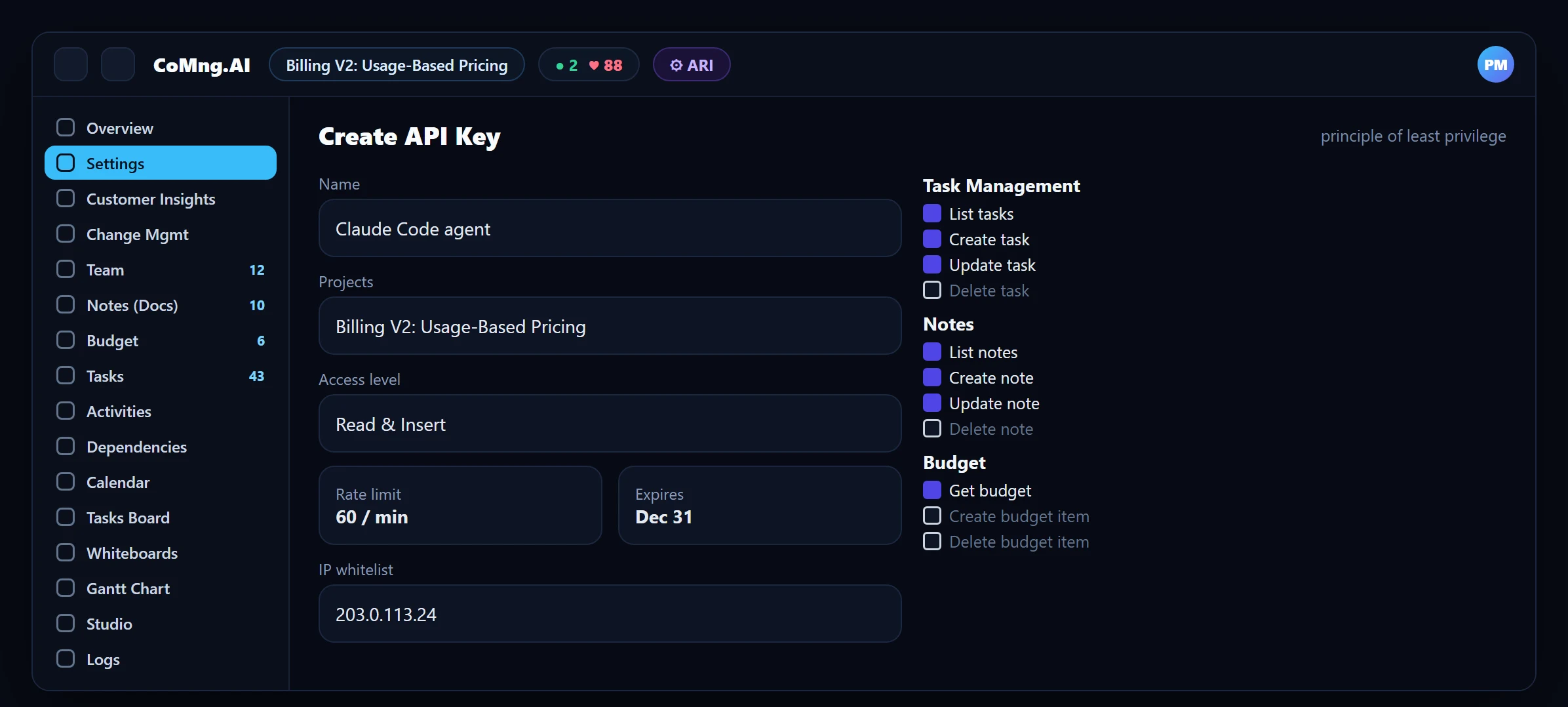
Keys are shown once in full at creation and stored masked afterward. For fixed-IP hosts such as CI servers, an IP whitelist is the single most effective safeguard against a leaked key. Security alerts in API Management highlight failed authentication attempts, such as repeated invalid-key requests from one address.
Audit Readiness
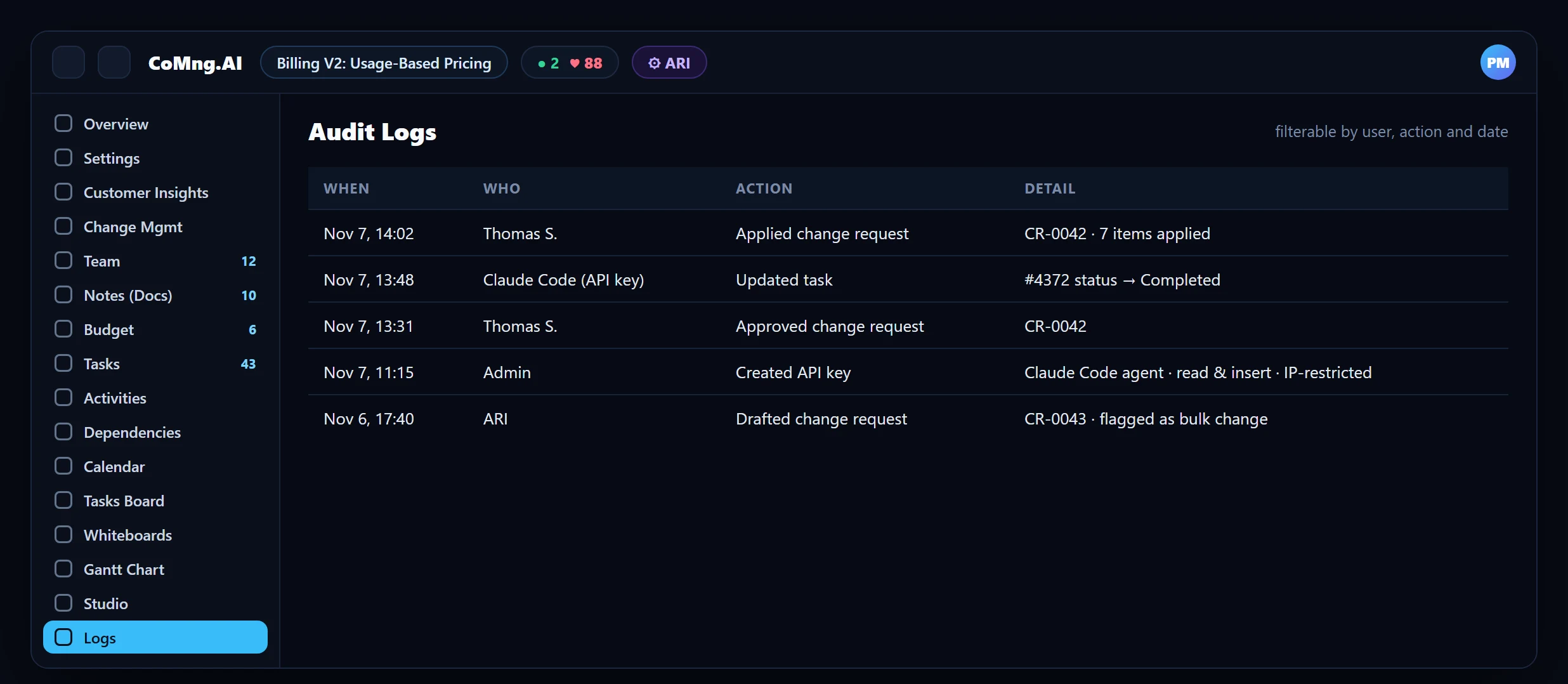
The Audit Logs page is a full, filterable trail of meaningful actions in a project: who did what, and when. Change requests add their own trail: classification, source, impact assessment, approval and who applied it. When an auditor asks "who approved this budget change?", the answer is a record, not a recollection.
Controlled Sharing and Governed AI
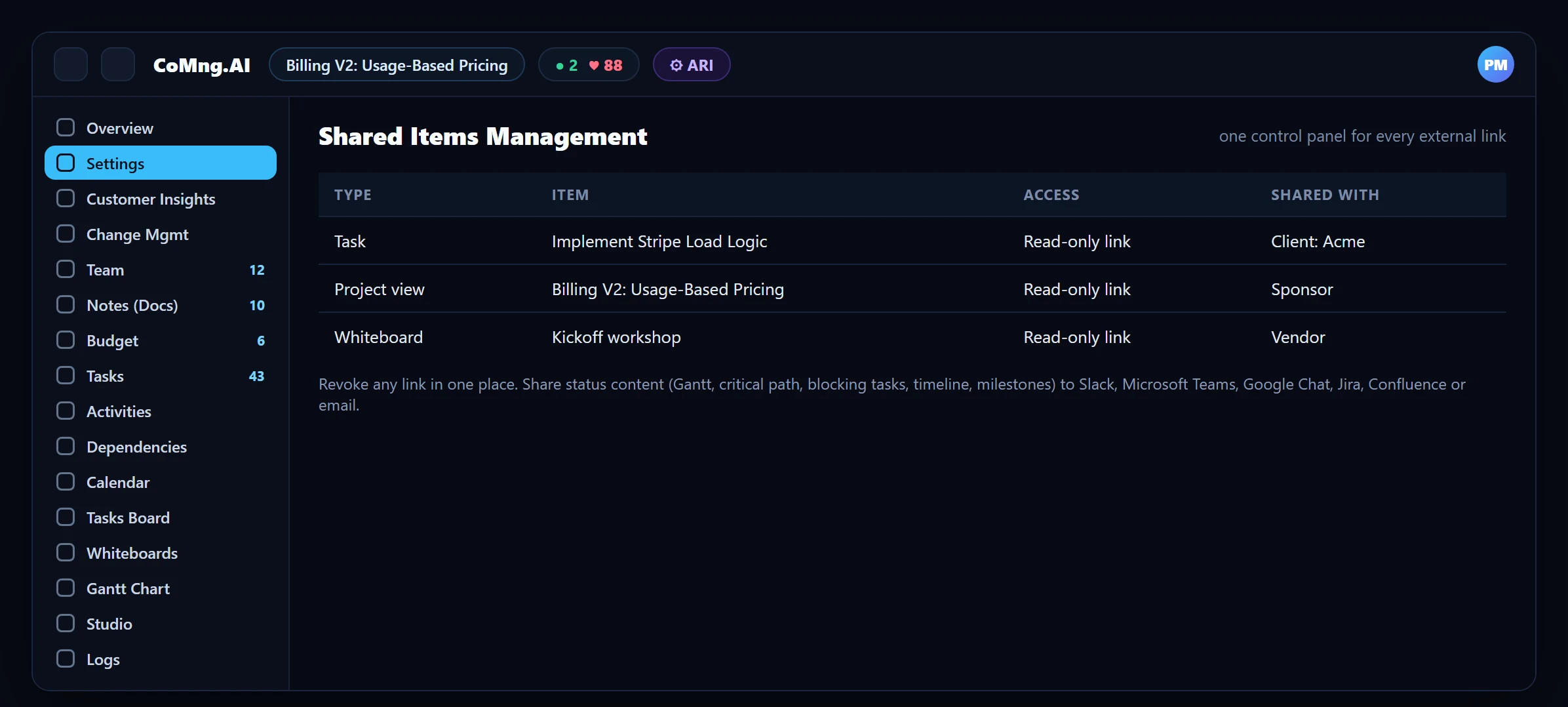
External access goes through four read-only share mechanisms (task, note, whiteboard, project view), all managed from one Shared Items control panel where links can be reviewed and revoked.
AI is governed rather than trusted: changes are proposed as change requests with a sandbox preview, approvals are human, and bulk or destructive requests are flagged by code. See AI Governance and Safety Gates. On data handling, CoMng.AI states that customer data is not used to train LLMs; as with any vendor, confirm this in your contract and data processing terms.
A One-Hour Hardening Checklist
- Review who holds the Admin role and remove what is not needed.
- Create one API key per integration or agent, never shared.
- Tick only the actions each key needs; scope it to specific projects.
- Add IP whitelists for fixed-IP hosts and expiry dates for temporary access.
- Review Shared Items and revoke stale links.
- Review the Audit Logs for the last month to confirm the trail answers your auditor's questions.
- One shared super-key
- Access reviews by memory
- Audit evidence assembled by hand
- A scoped, revocable key per integration
- Access reviewed in two panels
- Evidence from filterable logs
About CoMng.AI
CoMng.AI is an AI-native project management platform that generates a project's plan, tasks, risks and budget from a description or document, monitors project health in real time, and gives both human teams and AI coding agents live access to the same project data, with a person approving every AI-generated change.
See every project, person and risk in one place
Start with the free plan, connect your projects and open the portfolio views your leadership will actually use.
Frequently Asked Questions
Can I restrict API access by IP address?
Yes. Each API key can have an IP whitelist; requests from other addresses are rejected with HTTP 403. It is recommended for server-to-server integrations with fixed IPs.
Who can create API keys?
Only Admins. Project Managers and Members cannot create or view keys.
What does the audit log record?
A filterable trail of meaningful actions in a project: who did what and when, including applied change requests and API actions.
How do I share with clients without giving them a login?
Use the read-only share links for a task, note, whiteboard or the project view, managed from the Shared Items panel.
Is my data used to train AI models?
CoMng.AI states that customer data is not used to train LLMs. As with any vendor, ask for this commitment in your contract or data processing terms.
Related reading
See the full guide: Migration & Enterprise Guide