Create a Project Plan From a Document in Minutes
Upload a SOW or charter and get goals, milestones, risks, KPIs and a work breakdown structure in about a minute. See how it works and what to check.
- Ending the Blank-Page Drag: The slowest part of starting a project is turning a statement of work into a plan. CoMng.AI reads up to three documents (PDF, DOC, DOCX or TXT, 20 MB combined).
- Automated Framework Synthesis: Extracts the project definition and builds the framework: goals, milestones, KPIs, risks, scope, requirements, tasks and team structure.
- Rapid Generation: Processing takes under a minute for most projects, allowing managers to edit an audit-ready draft instead of writing from zero.
- Human Governance: Everything generated is editable, nothing is locked, and re-running the generator requires a logged reason for full transparency.
The Blank-Page Drag in Modern Project Kickoff
The SOW is signed. The kickoff is Monday. The plan is still a blank page.
Every delivery lead and agency director knows the feeling. You have just closed a 40-page contract, and before anyone can start work, you face 15 hours of manual transcription—copying milestones, guessing subtask dependencies, and setting up initial schedules. CoMng.AI ends this blank-page drag by transforming raw documents into structured project frameworks in under sixty seconds.
How do you turn a SOW into a project plan with AI?
Upload the SOW, charter or business case to your project planning software, and AI extracts goals, scope, milestones, risks and requirements and builds the task structure from them. You review and edit the draft instead of writing it, which cuts setup from days to minutes.
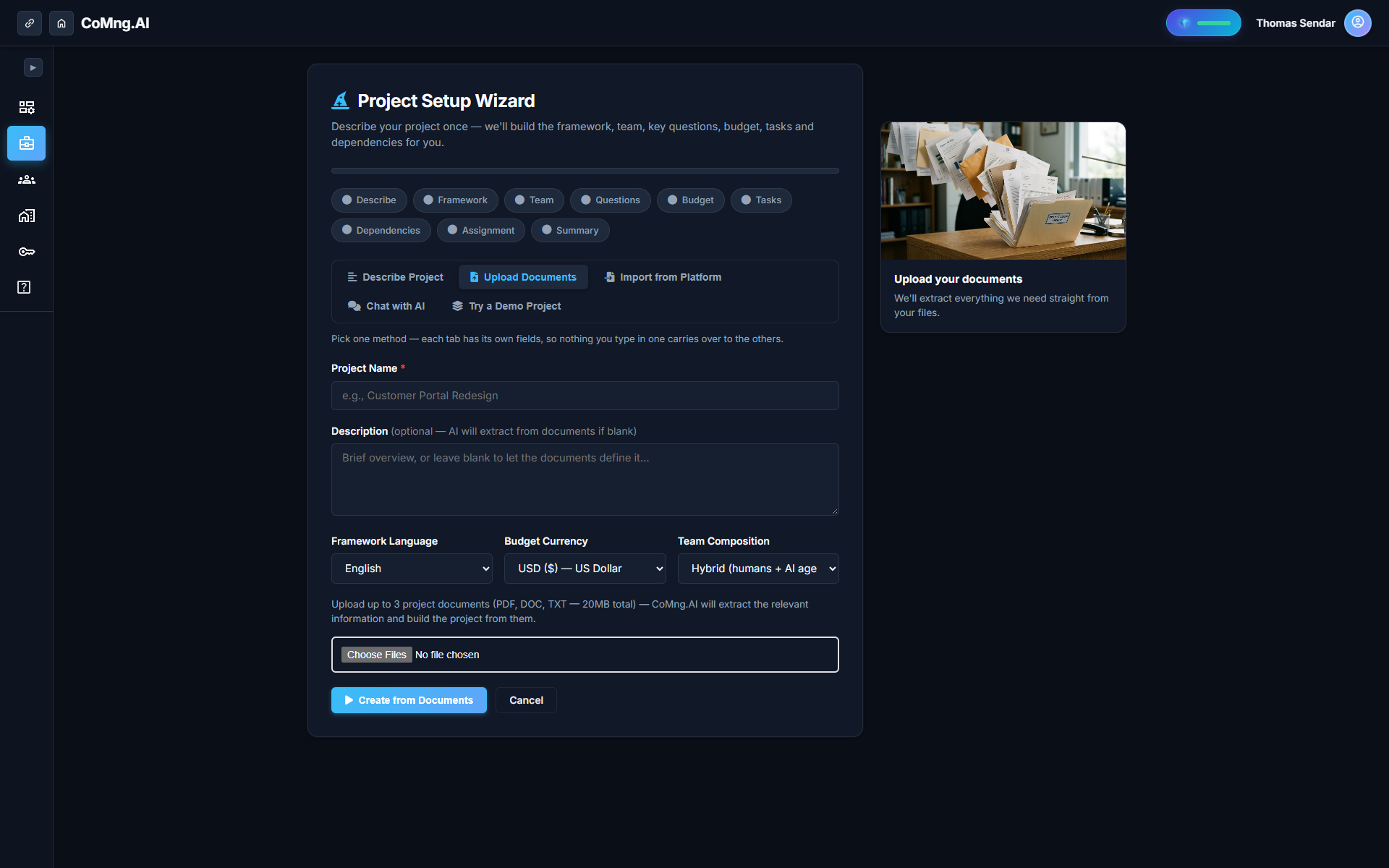
What Goes In, What Comes Out
| Input Source / Format | AI Extraction & Output Artifacts |
|---|---|
| Up to 3 Files (PDF, DOC, DOCX, TXT, 20MB combined) | 3–6 Core Strategic Goals aligned with contract objectives |
| Guided Input Form (Natural Language Brief) | Milestones with target dates & acceptance criteria |
| Platform Import (Jira, Asana, MS Project) | Key Performance Indicators (KPIs) & quantifiable metrics |
| Conversational Interactive Brief with ARI | Active Risks and Constraints register with mitigations |
| Raw Scope Notes & Bulleted Charters | Explicit In-Scope vs. Out-of-Scope boundaries |
| Multi-Modal Technical Specs | Functional & Non-Functional Requirements ledger |
| Team Profile Roster & Roles | Complete WBS task hierarchy & preliminary team structure |
From Framework to Work Breakdown Structure
The generated plan is not a flat list of tasks. CoMng.AI constructs an audit-ready Work Breakdown Structure visible in both interactive WBS tree and Outline views.
Dependencies are wired mathematically using the Critical Path Method (CPM), highlighting zero-float paths that control your delivery end date. Additionally, the platform evaluates project readiness across the five standard IPEMC stages: Initiation, Planning, Execution, Monitoring, and Closure.
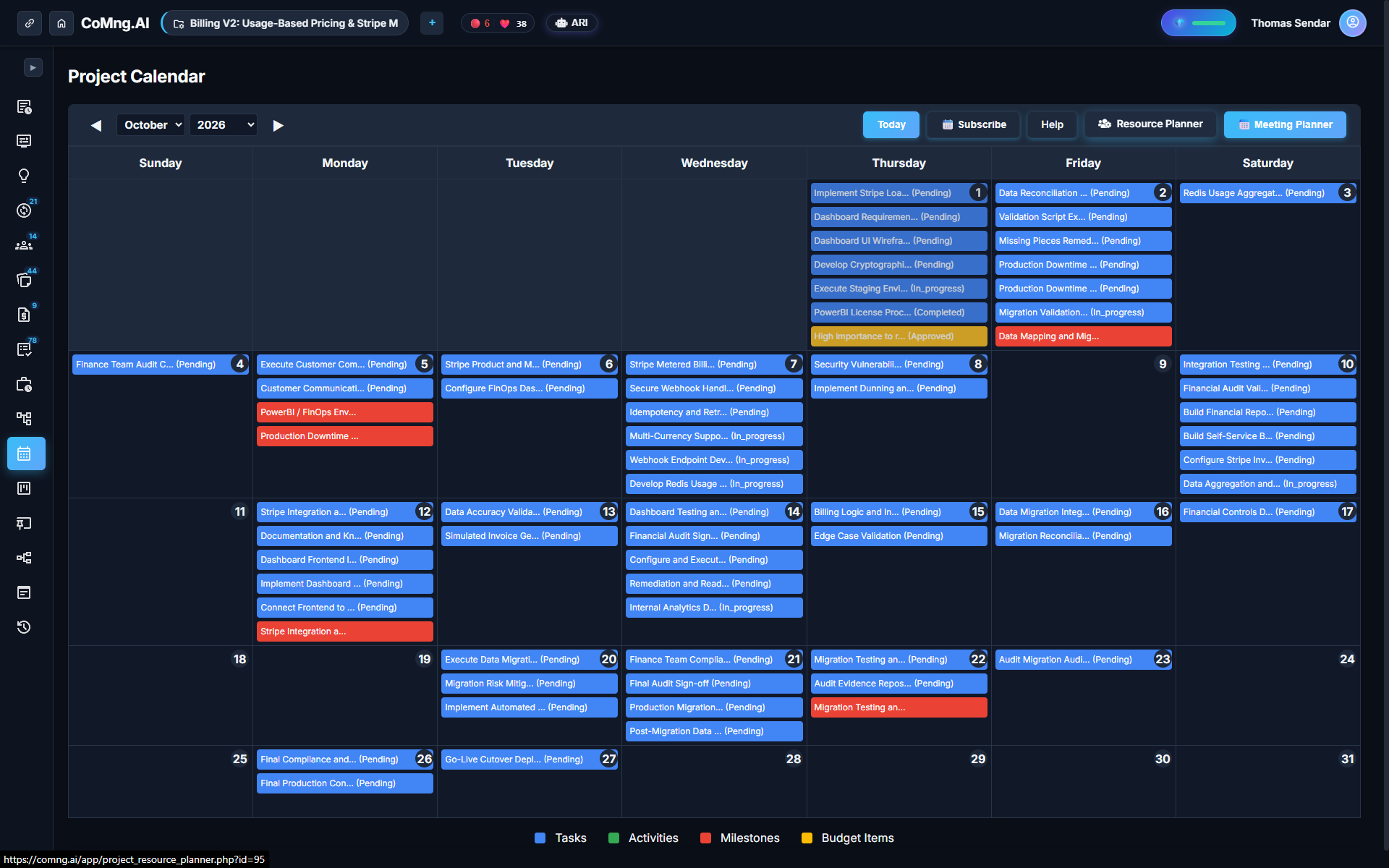
The Ten-Minute Review: Finding What's Missing
Before publishing the plan, run **Find What's Missing**. In seconds, the auditor flags:
- Unassigned tasks that lack an owner - Tasks with no due dates or missing estimates - Milestones that have no linked operational tasks - Undocumented risks mentioned in the SOW but omitted from the register - Unpaid or unallocated budget lines
Fixing the top five gaps ensures your draft is airtight before team kickoff.
Why You Stay in Control
Everything generated by CoMng.AI is 100% editable. Nothing is locked or hidden in a black box. If you choose to re-run the generator, the system logs a formal reason—such as scope change, updated client brief, or stakeholder request—preserving complete governance.
*Honest boundary:* The AI plan is only as good as the source document. A vague or contradictory SOW will produce a vague plan, which is why human review remains vital.
Practical Value: Preparing a Document the AI Can Use
To achieve maximum precision on the first pass, prepare your input document with this checklist:
- Clearly name all contractual deliverables and milestones - Explicitly state hard deadlines, budget caps, and team constraints - List known external risks and dependencies - Remove duplicate drafts or conflicting clauses before uploading
Ready to Experience True Project Intelligence?
Try CoMng.AI today with zero setup drag. Ingest contracts, manage hybrid teams, and simulate change impacts with 5-Dimension Telemetry.
Frequently Asked Questions
What documents can I upload?
You can upload up to three PDF, DOC, DOCX or TXT files (20 MB combined), including charters, business cases, statements of work, or draft task lists.
How long does processing take?
Processing takes under a minute for most projects. Allow an additional 5–10 minutes to review and fine-tune the generated draft.
Can I change the plan the AI creates?
Yes. Everything generated is fully editable, reorderable, and customizable. Nothing is locked.
Does it work in my language?
CoMng.AI natively generates and localizes plans in 20 languages, configured by your project's framework language setting.