Project Planning Template (Free) + AI-Generated Plans
A planning template is only useful if it forces the questions that sink projects. Here is a nine-part skeleton you can copy right now, and how to have it filled in, and kept current, by the platform.
A usable project plan has nine parts: goals and success metrics, scope (in and out), requirements, milestones, a work breakdown with owners, effort and dates, risks, budget, team responsibilities, and dependencies and assumptions. Copy the free template below, or have CoMng.AI generate the same structure from a document or description.
- Nine sections: goals, scope, requirements, milestones, WBS, risks, budget, team and dependencies cover what a usable plan must answer.
- Copy it today: the skeleton below works in any tool, including a plain document.
- Or generate it: CoMng.AI builds the same structure from a description, a document or an import.
- Keep it live: a plan that is not connected to execution is stale by Friday; here the plan is the live data.
The Nine-Part Project Plan Template
Copy this outline into whatever you use. Each section ends with the question it must answer; if you cannot answer it, the plan is not ready.
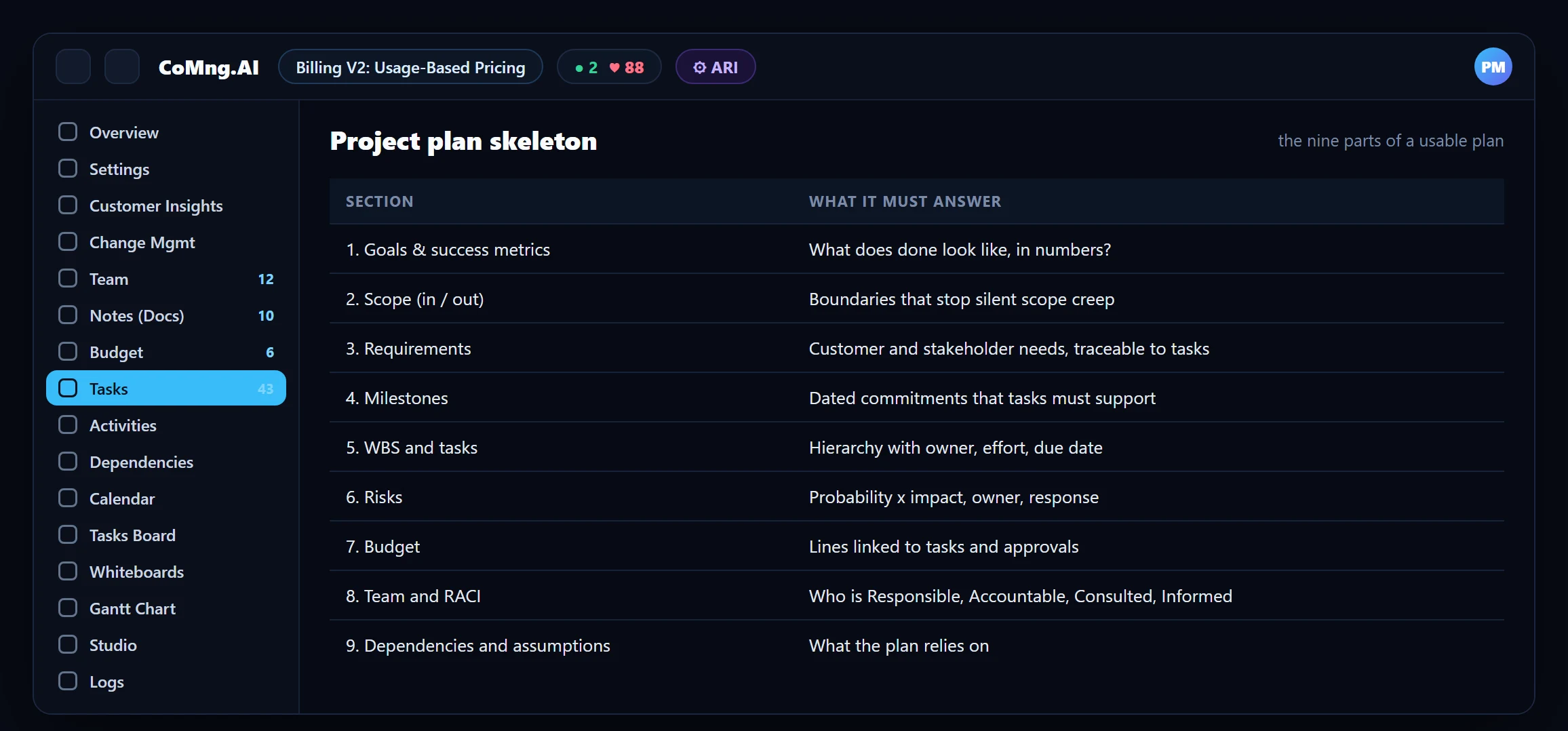
- Goals and success metrics. What does "done" look like, in numbers? Write 3 to 5 goals and a metric for each.
- Scope, in and out. List what is included and, just as important, what is explicitly excluded.
- Requirements. Customer and stakeholder needs, each traceable to at least one task.
- Milestones. Dated commitments, each with the tasks it needs.
- Work breakdown and tasks. A hierarchy down to tasks one person can own, with owner, effort and due date.
- Risks. Threats and opportunities with probability, impact, owner and response.
- Budget. Cost lines linked to tasks and to approvals.
- Team and responsibilities. Who does the work, and a RACI for who decides.
- Dependencies and assumptions. What the plan relies on, and what you decided when the facts were unclear.
Five Mistakes This Template Prevents
- No out-of-scope list. Without it, every request is arguably in scope.
- Milestones with no linked tasks. You cannot tell whether a milestone is achievable.
- Tasks without effort. Capacity planning becomes guesswork.
- Risks without owners. A risk nobody owns is a surprise with a delay.
- Assumptions left implicit. They become disputes when they turn out wrong.
The Same Template, Generated
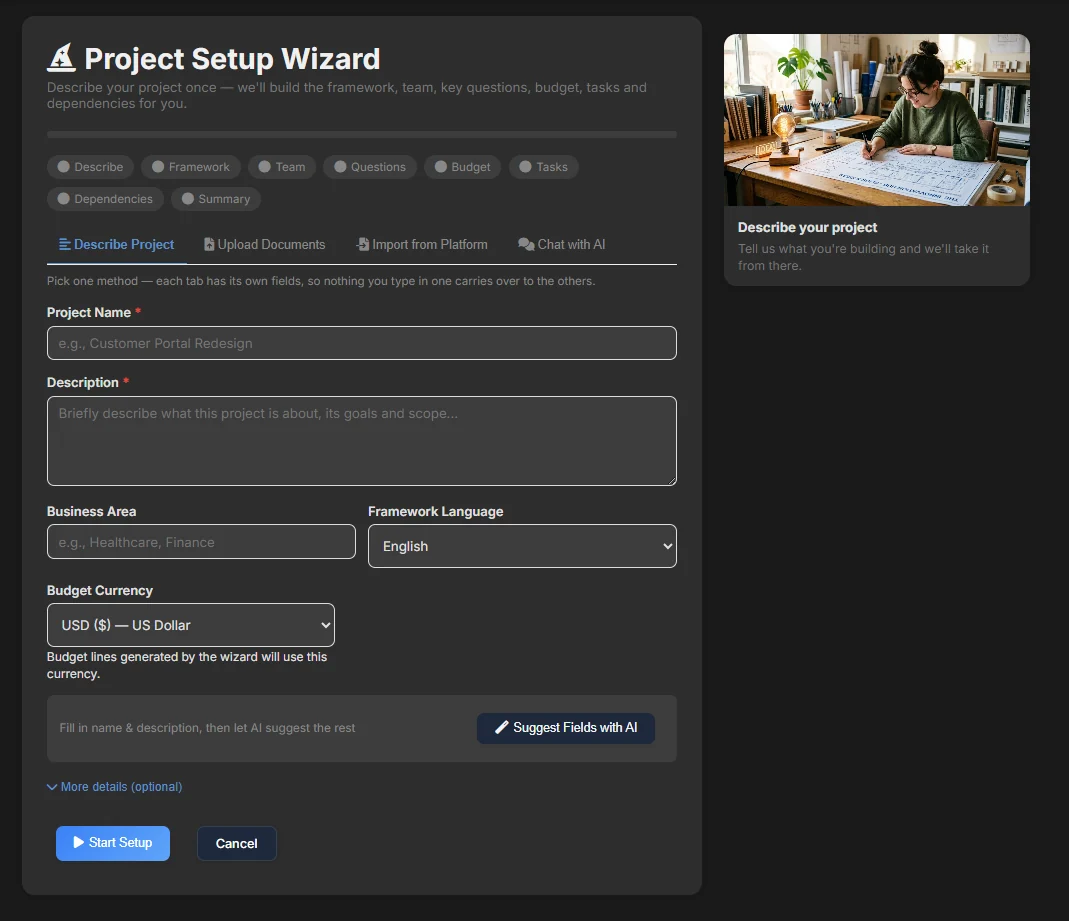
CoMng.AI's framework generator fills in sections 1 to 4 and 6 to 9 from a short description, an uploaded document or an import, and the task generator builds section 5. You review instead of authoring. See Create a Project Plan From a Document for the four ways to start.
| Template section | Where it lives in CoMng.AI |
|---|---|
| Goals, metrics, scope, requirements, risks, assumptions | Project Settings (11 tabs, including a full risk register with probability x impact scoring) |
| Milestones and their tasks | Project Settings > Milestones, with Milestone Dependencies |
| WBS and tasks | Tasks (Outline, List, WBS Tree views), Kanban, Gantt, Calendar |
| Budget | Budget ledger with approvals, payments and CPI/CV/EAC cards |
| Team and RACI | Project Team directory and the RACI Matrix |
| Formal plan documents | Plan Maker: 20+ plan types generated from live project data |
Why a Live Plan Beats a Template in a Doc
A template in a document is stale the first time someone changes a date. In CoMng.AI the plan is the working data: tasks, milestones, budget and risks are the same records the team updates daily, so the health score, alerts and reports always reflect the current plan. Plan Maker then produces formal plan documents, such as a project management plan or a risk plan, from that live data when a stakeholder asks for a document.
- Plan in a document that goes stale
- Reports retyped from the tracker
- Risks reviewed when someone remembers
- Plan is the live project data
- Reports and plans generated from current data
- Risk register, Pulse and milestones watch the plan continuously
About CoMng.AI
CoMng.AI is an AI-native project management platform that generates a project's plan, tasks, risks and budget from a description or document, monitors project health in real time, and gives both human teams and AI coding agents live access to the same project data, with a person approving every AI-generated change.
Turn your SOW into a reviewed project plan today
Upload a charter, SOW or proposal and review a structured plan with tasks, milestones and risks, with a person approving every AI-generated change.
Frequently Asked Questions
What should a project plan include?
At minimum: goals and success metrics, scope (in and out), requirements, milestones, a work breakdown with owners, effort and dates, risks, budget, team responsibilities, and dependencies and assumptions.
Is there a free project planning template?
Yes, the nine-part skeleton in this article is free to copy into any tool. CoMng.AI can also generate the same structure from a description or document.
How do I generate a project plan with AI?
Create a project in CoMng.AI from a form, an uploaded document, an import from another tool, or a chat with the AI assistant. The framework and tasks are generated for you to review and edit.
Can I generate formal plan documents?
Yes. Plan Maker generates 20+ formal project and business plan types from live project data.
How often should a project plan be updated?
Continuously. A plan that is the working data is updated as the team works; a plan in a document should be reviewed at least weekly.
Related reading
See the full guide: Planning, Scope & Change Control Guide