AI Project Management vs Excel: When a Spreadsheet Stops Being Enough
Almost every project plan starts as a spreadsheet, and many should stay one. The question is where the spreadsheet stops being enough and what you gain by moving.
Excel is excellent for small, simple plans and quick analysis, but it does not track dependencies, workload or changes by itself. AI project management is better once a project has milestones, several people, a budget or frequent changes, because the platform monitors those links continuously. You can import an existing spreadsheet plan to try it.
- Spreadsheets win when: the project is small, short-lived and owned by one person.
- They break at links: dependencies, capacity, budget-to-progress and change history need relationships a sheet does not enforce.
- AI adds monitoring: continuous checks for milestone conflicts, overload and stalled work, plus drafted changes.
- Moving is cheap: import the spreadsheet (XLSX or CSV), review the rebuilt project and keep the file as a reference.
What Spreadsheets Do Well
- Flexible: any layout, any formula, instantly.
- Familiar: everyone can open it.
- Great for one-off analysis, estimates and small plans.
- No setup and no cost.
For a two-week project with three tasks, a spreadsheet is the right tool, and adding a platform would be over-process.
Where Spreadsheets Break
| Need | Spreadsheet | AI project platform |
|---|---|---|
| Task dependencies | Manual columns; nothing stops a successor starting early | Dependencies drive sequencing and blocked-task detection; AI can suggest them |
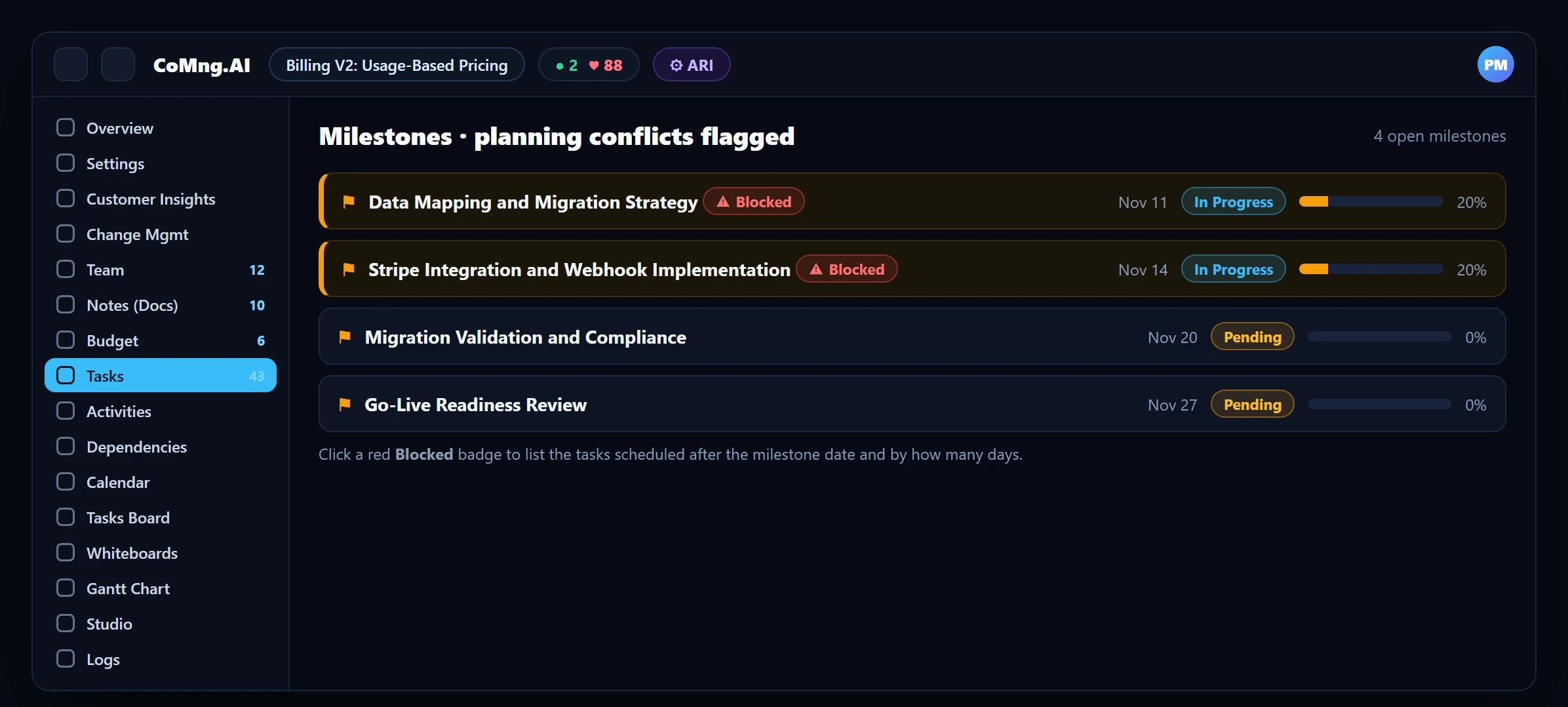
| Milestone risk | Someone compares dates by eye | Blocked and Milestone Blocker flags appear when a required task is dated after its milestone |
| Capacity | A separate sheet per person, updated occasionally | Weekly heatmap from task effort and dates |
| Budget vs progress | Cost and progress in different tabs | Budget lines linked to tasks; CV, CPI and EAC from task progress |
| Change history | Overwritten cells, version suffixes | Change requests with impact preview and audit log |
| Collaboration | Merge conflicts and stale copies | One live project, per-task discussion |
| Reporting | Retype into a deck | Reports and presentations generated from live data |
What AI Adds Beyond a Normal Tracker
- Generation: turn a document or a description into a structured plan instead of typing rows.
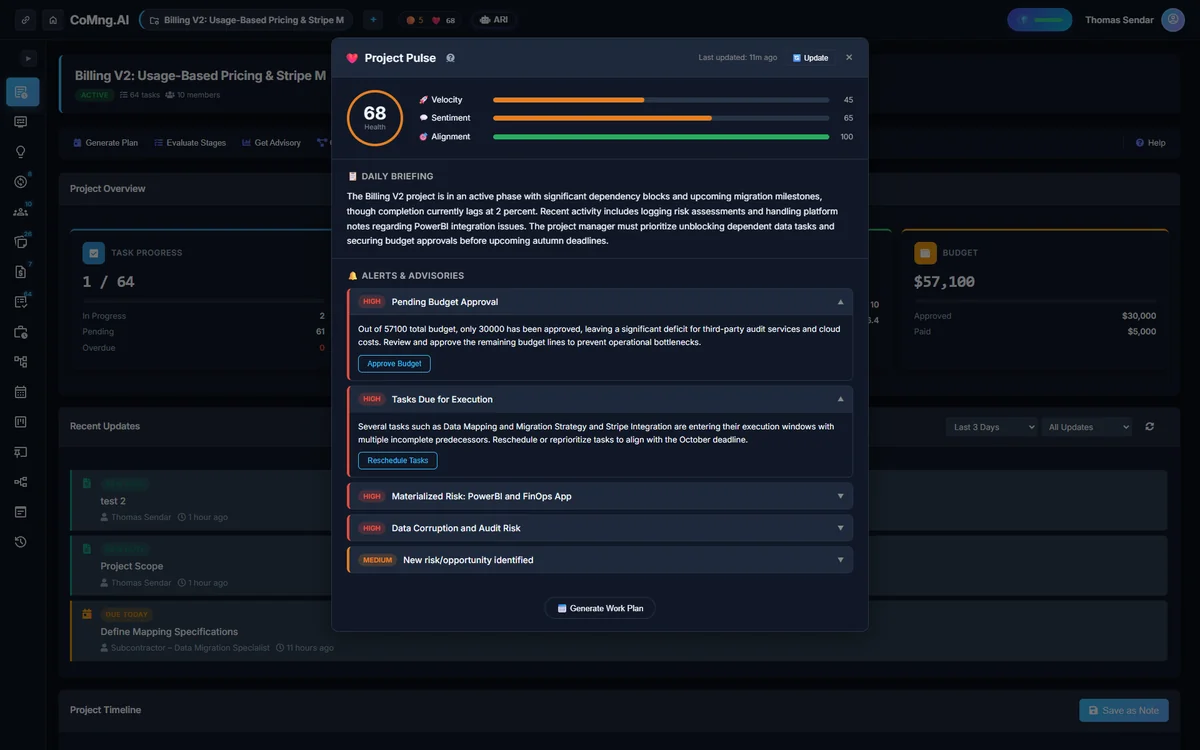
- Monitoring: Project Pulse computes health, ranks alerts and forecasts the finish date.
- Drafting: ARI and Pulse draft change requests, notes and reports that you review.
- Coverage: Verify Plan Coverage checks the task list against goals, scope and requirements.
Moving Without Losing Anything
- Keep the spreadsheet as the source for now.
- Upload it through Import from Platform (XLSX or CSV): all sheets are read and AI maps columns to project fields.
- Review the rebuilt project; run Verify Plan Coverage and scan milestone dependencies.
- Set effort and owners where they were missing; look at the heatmap.
- Run both for one cycle, then retire the sheet.
For a broader comparison, see AI vs Traditional Project Management and AI Project Management for Startups.
- A sheet per concern, reconciled by hand
- Risk found when a date is missed
- Changes with no history
- One project model
- Risk flagged when the plan contradicts itself
- Changes as audited requests
About CoMng.AI
CoMng.AI is an AI-native project management platform that generates a project's plan, tasks, risks and budget from a description or document, monitors project health in real time, and gives both human teams and AI coding agents live access to the same project data, with a person approving every AI-generated change.
Try it on one real project, free
Create a free project, import or generate a plan, and see Pulse, milestone flags and capacity in the first hour.
Frequently Asked Questions
Is AI-driven project management better than Excel?
For projects with milestones, several people, a budget or frequent changes, yes, because the platform continuously checks dependencies, capacity and changes. For small, simple, short projects a spreadsheet is usually enough.
Can I import my Excel project plan?
Yes. Import from Platform reads XLSX (all sheets) and CSV, and AI maps columns to project fields. Statuses, assignees, dates and financial figures present in the file are preserved.
When should I move off a spreadsheet?
When you find yourself reconciling several sheets by hand, discovering date conflicts late, or unable to see who is overloaded.
Does it cost anything to try?
The Free plan covers one active project with no credit card, which is enough to test with a real spreadsheet plan.
Can AI help with planning in the first place?
Yes. CoMng.AI can generate a structured plan from a description or document and then audit it against your goals and scope.
Related reading
See the full guide: AI Project Management Strategy & Buying Guide