AI Project Management Software Cost and ROI Guide (2026)
Software cost is easy to find; the return is harder. This guide gives CoMng.AI's published plan prices, a simple ROI formula you can run with your own numbers, and the hidden costs to check before you sign.
CoMng.AI lists a Free plan ($0, 1 active project), Pro Team at $29 per month (15 projects, 5 project manager seats, 500 AI credits per month) and Enterprise PMO priced per seat per month (50+ projects, unlimited project manager seats, 2,000 AI credits per month shared by all users). ROI comes mainly from reclaimed admin time; measure it on a pilot rather than assuming it.
- Published CoMng.AI pricing: Free ($0, 1 active project), Pro Team ($29 per month, 15 active projects, 5 project manager seats, 500 AI credits per month) and Enterprise PMO (priced per seat per month, 50+ projects, unlimited project manager seats, 2,000 AI credits per month shared by all users).
- ROI is mostly time: the biggest return is admin hours reclaimed, then avoided delay and rework.
- Use your own numbers: the worked example below uses stated assumptions; replace them with yours.
- Check hidden costs: migration effort, training, AI usage limits and the cost of integrations.
What It Costs: CoMng.AI Plans
These are the plans listed on the CoMng.AI site at the time of writing. Check the pricing section for current terms.
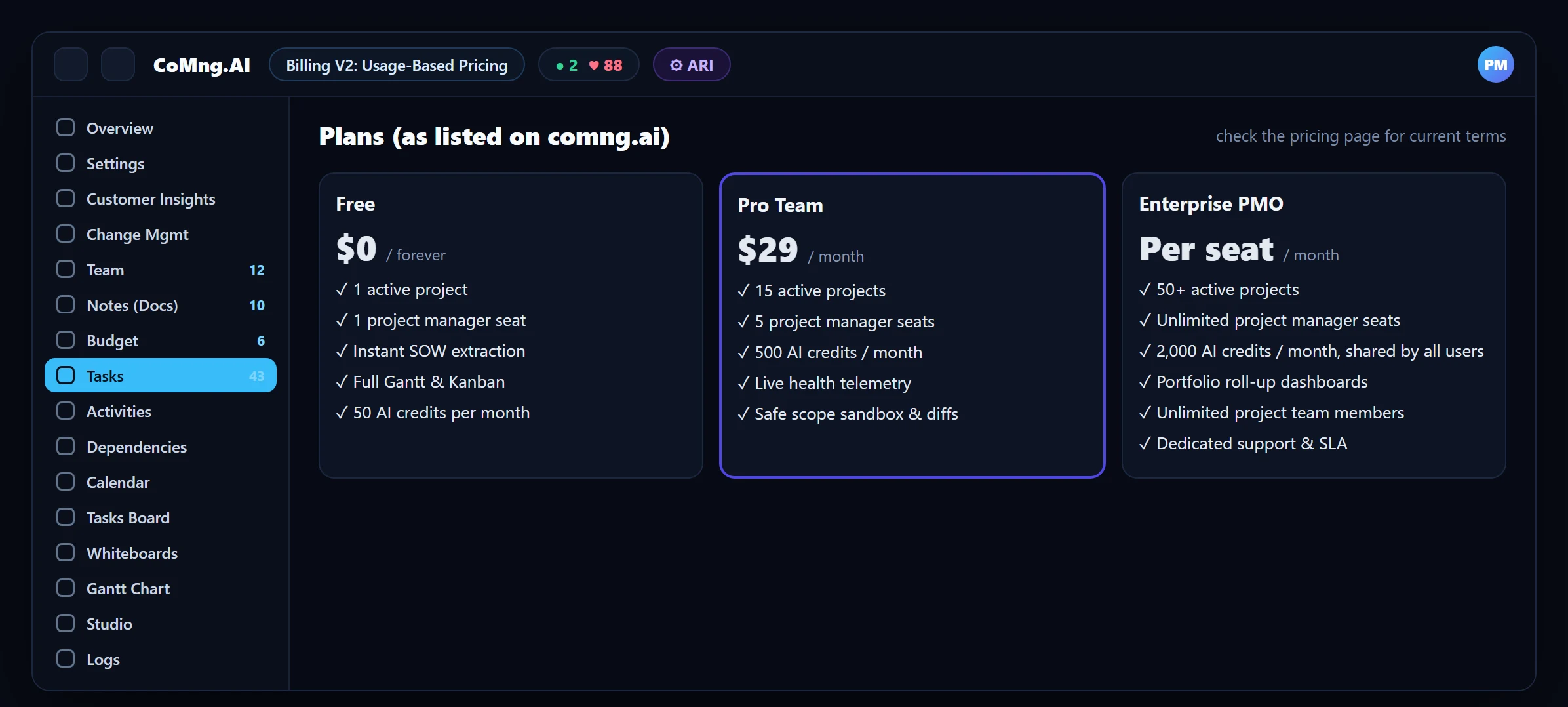
| Plan | Price | Limits and features |
|---|---|---|
| Free | $0 forever | 1 active project, 1 project manager seat, instant SOW extraction, full Gantt and Kanban, 50 AI credits per month |
| Pro Team | $29 per month | 15 active projects, 5 project manager seats, 500 AI credits per month, live health telemetry, safe scope sandbox with diffs |
| Enterprise PMO | Per seat, per month | 50+ active projects, unlimited project manager seats, 2,000 AI credits per month shared by all users, portfolio roll-up dashboards, dedicated support and SLA |
What a seat means: seats are for the project managers who use the platform. Project team members, the people assigned to work on projects, are unlimited on every plan.
The free plan needs no credit card, so you can measure the return on a real project before paying anything.
The ROI Formula
Return on investment for this kind of software is a simple comparison of recovered value with cost:
(Hours saved per year x loaded hourly rate + avoided delay and rework costs - annual software cost) / annual software cost x 100
Each term is something you can measure. Hours saved comes from a time audit of admin work. Loaded hourly rate comes from finance. Avoided delay and rework is the hardest term, so treat it as upside and compute the ROI first without it.
A Worked Example (Assumptions Are Yours to Change)
The numbers below are an illustrative example, not a benchmark or a promise. They exist to show the method.
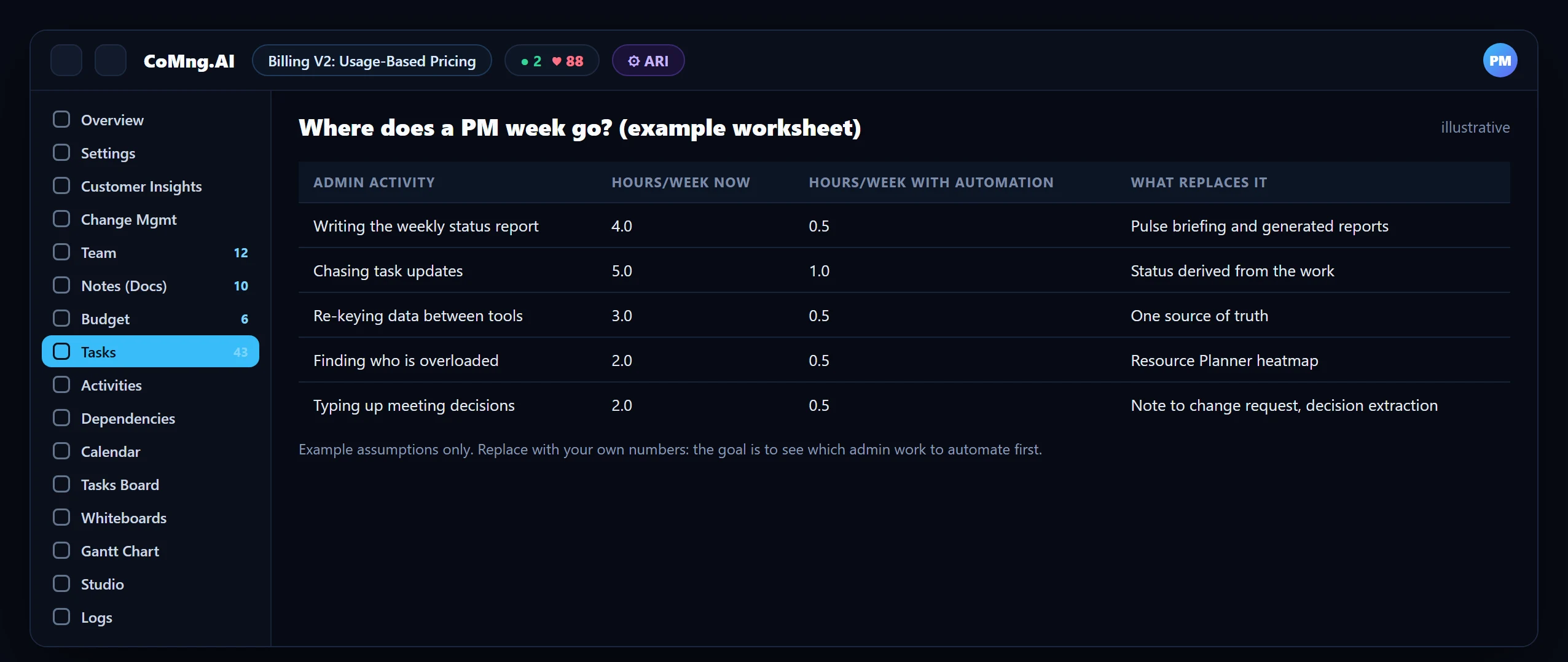
| Assumption (example) | Value |
|---|---|
| Project managers | 3 |
| Admin hours reclaimed per PM per week (example) | 4 |
| Working weeks per year | 46 |
| Loaded hourly rate (example) | $60 |
| Annual value of time reclaimed | 3 x 4 x 46 x $60 = $33,120 |
| Annual software cost (Pro Team, 3 project managers assumed within the 5-seat limit) | $29 x 12 = $348 |
| ROI on time alone | ($33,120 - $348) / $348, about 9,400% |
A number that large should make you sceptical, and it should: the result is driven almost entirely by the assumed hours reclaimed. The right test is to measure your real reclaimed hours on a pilot and plug in the actual figure. Even if the real number is a quarter of the example, the cost is small relative to the time, and if it is zero, you have lost a free trial.
About CoMng.AI
CoMng.AI is an AI-native project management platform that generates a project's plan, tasks, risks and budget from a description or document, monitors project health in real time, and gives both human teams and AI coding agents live access to the same project data, with a person approving every AI-generated change.
Run your next project with live health, not weekly guesses
Create a free project, import or generate a plan, and see Pulse, milestone flags and capacity in the first hour.
Frequently Asked Questions
How much does AI project management software cost?
It varies widely. CoMng.AI lists a Free plan ($0, 1 active project), Pro Team at $29 per month (15 active projects, 5 project manager seats, 500 AI credits per month) and Enterprise PMO priced per seat per month (50+ projects, unlimited project manager seats, 2,000 AI credits per month shared by all users). Check the pricing section for current terms.
Is there a free plan?
Yes. The Free plan is $0 forever with one active project, instant SOW extraction, full Gantt and Kanban and 50 AI credits per month, with no credit card required.
How do I calculate the ROI?
Annual ROI is (hours saved x loaded hourly rate + avoided delay and rework - software cost) / software cost x 100. Measure hours saved in a pilot rather than assuming them.
What are the biggest hidden costs?
Migration and reconciliation effort, training time, AI usage limits, plan limits on projects and project manager seats, and a period of parallel running.
Where does the return come from?
Mostly from admin time reclaimed (status reporting, chasing updates, retyping), then from earlier detection of risks and less rework from uncontrolled change.
Related reading
See the full guide: AI Project Management Strategy & Buying Guide