AI Project Management for Startups and Small Teams
A five-person team does not need process; it needs fewer surprises. AI project management is worth it for a startup when it removes admin and catches problems early, and not worth it when it adds ceremony. Here is how to tell.
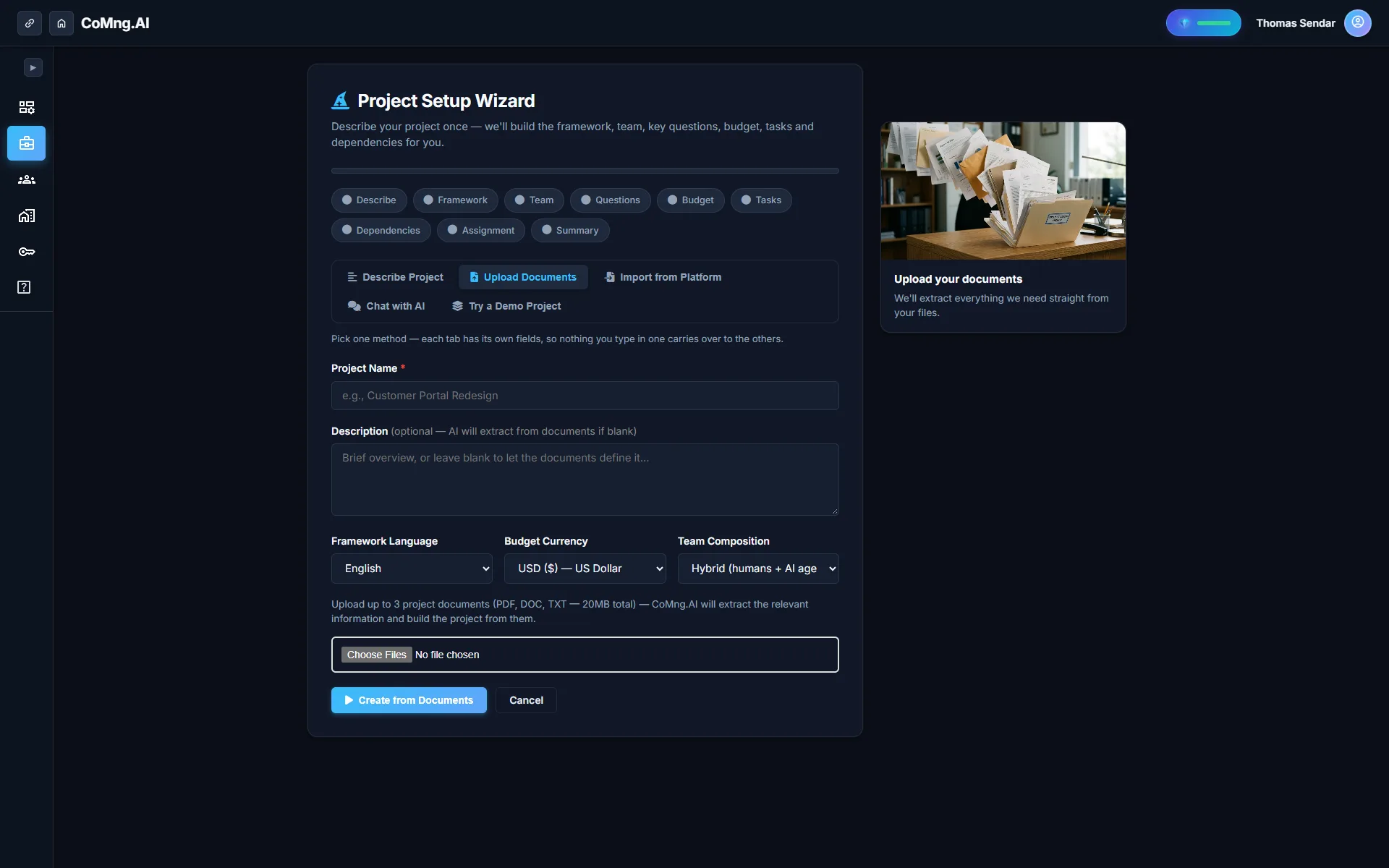
AI project management pays off for a startup when it removes administration and flags problems early, for example on client projects with a SOW, or teams with AI coding agents. Start on the free plan with one real project; skip ceremony and add controls as you grow.
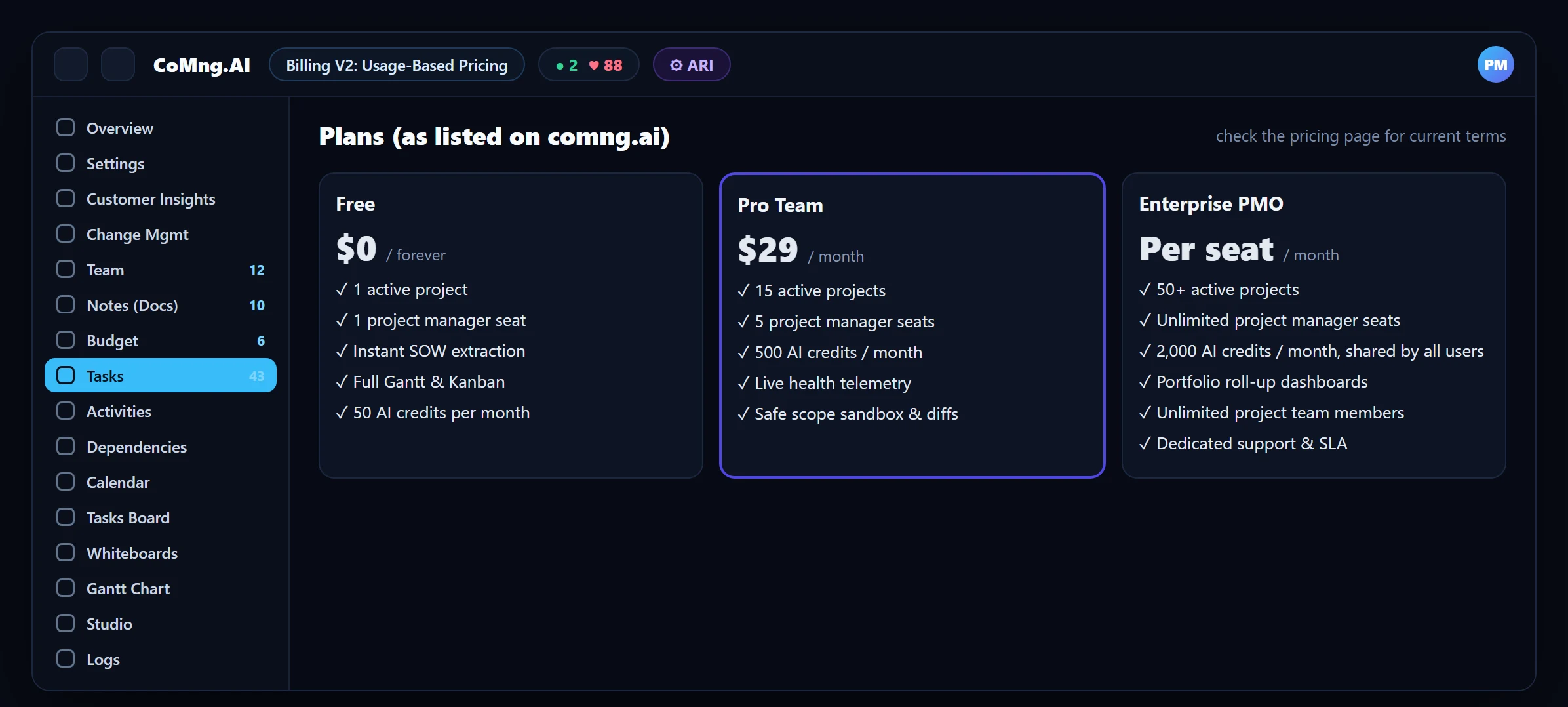
- Start free: the free plan covers one active project with full Gantt and Kanban and 50 AI credits per month.
- Skip the ceremony: use the lightest features first: generated plan, Pulse briefing, capacity heatmap.
- Add control as you grow: change requests and approvals matter once clients, budgets or several agents are involved.
- Humans and agents together: small teams gain most from coding agents on the roster with clear briefs.
The Startup Reality
Startups rarely fail because of poor Gantt charts. They fail because the founder is the project manager, the tracker, the status report and the bottleneck, all at once, and things slip while attention is elsewhere. What a startup needs from tooling is leverage: fewer hours on administration, and an early tap on the shoulder when something is off.
When It Is Worth It, and When It Is Not
| Situation | Verdict | Why |
|---|---|---|
| One simple internal project, one person | Probably not yet | A checklist is enough |
| A client project with a SOW and a deadline | Yes | SOW extraction, scope control and milestone flags pay off quickly |
| Several people plus coding agents | Yes | Capacity and briefs become hard to manage by hand |
| Fundraising or board reporting on delivery | Yes | Reports and health generated from live data save evenings |
Your First Week on the Free Plan
Create one real project
From the SOW or brief if you have one; otherwise describe it and let AI draft the framework, and write an AI Brief for each specific deliverable. Review and delete what does not fit.
Fix the data that matters
Owners, dates and effort on tasks. Three fields unlock capacity and risk views.
Read the Pulse briefing daily
Two minutes. Note what it flags that you would have missed.
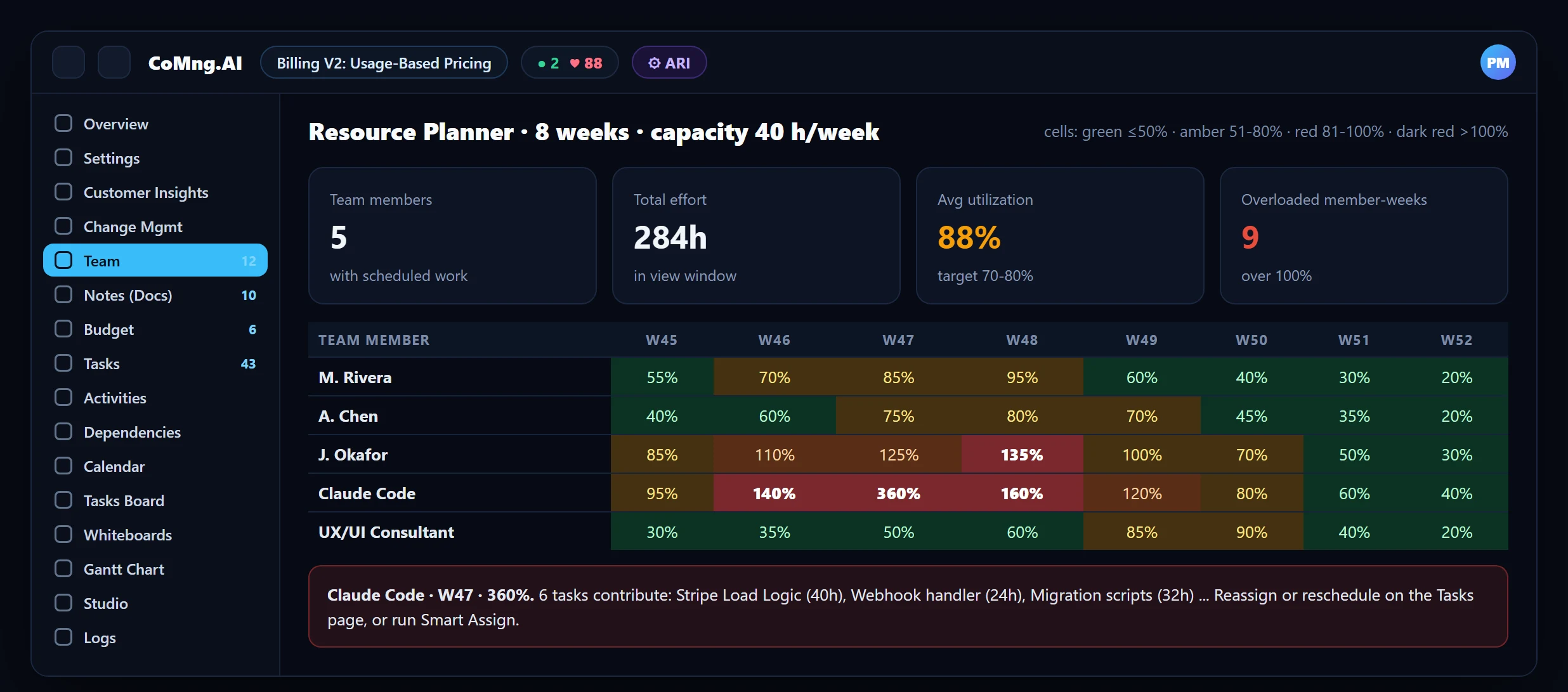
Look at the heatmap before assigning
Is anyone, human or agent, over 100%?
Generate the one report you owe someone
An investor, client or board update from live data.
Add Control as You Grow
Light process first, controls later. When a client starts asking for changes, turn on the change request habit so extras are priced instead of absorbed (see How AI SOW Parsing Eliminates Scope Creep). When you add coding agents, put them on the roster with scoped keys and work orders (see Manage AI Coding Agents and Humans). When you have several projects, the Pro Team plan's limits start to matter.
Avoiding Over-Process
- Do not mirror every conversation into a task; capture decisions and deliverables.
- Do not create a risk register for the sake of it; keep the five risks you would actually act on.
- Do not ask the team for status; read the Pulse briefing.
- Do not turn every approval into a meeting; a change request is the meeting.
- Founder is tracker, reporter and bottleneck
- Slips discovered by customers
- Evenings writing updates
- Plan generated, status derived
- Slips flagged by the plan itself
- Reports generated from live data
About CoMng.AI
CoMng.AI is an AI-native project management platform that generates a project's plan, tasks, risks and budget from a description or document, monitors project health in real time, and gives both human teams and AI coding agents live access to the same project data, with a person approving every AI-generated change.
Run your next project with live health, not weekly guesses
Create a free project, import or generate a plan, and see Pulse, milestone flags and capacity in the first hour.
Frequently Asked Questions
Is AI project management worth it for a startup?
It is when it removes administrative work and flags problems early, for example on client projects with a SOW and deadlines, or teams that include AI coding agents. For one simple internal project, a checklist may be enough.
Can a startup use CoMng.AI for free?
Yes. The Free plan has one active project, instant SOW extraction, full Gantt and Kanban and 50 AI credits per month, with no credit card required.
What should a small team set up first?
A generated plan with owners, dates and effort on tasks, the daily Pulse briefing and the Resource Planner heatmap.
When do change requests matter for a small team?
When clients or stakeholders start requesting additions, or when budget and schedule commitments are tight. They make extras visible and priced.
Can I put AI coding agents on a small team's plan?
Yes. Agents can be added to the roster, assigned tasks, briefed with work orders and connected through scoped API keys over MCP.
Related reading
See the full guide: AI Project Management Strategy & Buying Guide