Desktop-First: Why Your Command Center Needs Professional Power
Project management on a phone is great for checking and nudging, and poor for planning. CoMng.AI is deliberately desktop-first for the work that needs space, and mobile for the work that needs speed.
CoMng.AI is desktop-first for spatial planning work (Gantt, Kanban, RACI, change requests, whiteboard and deep AI tooling) and offers a mobile app for the dashboard, tasks, notes, activities, budget, calendar, team and Ask AI. Both use the same account and data.
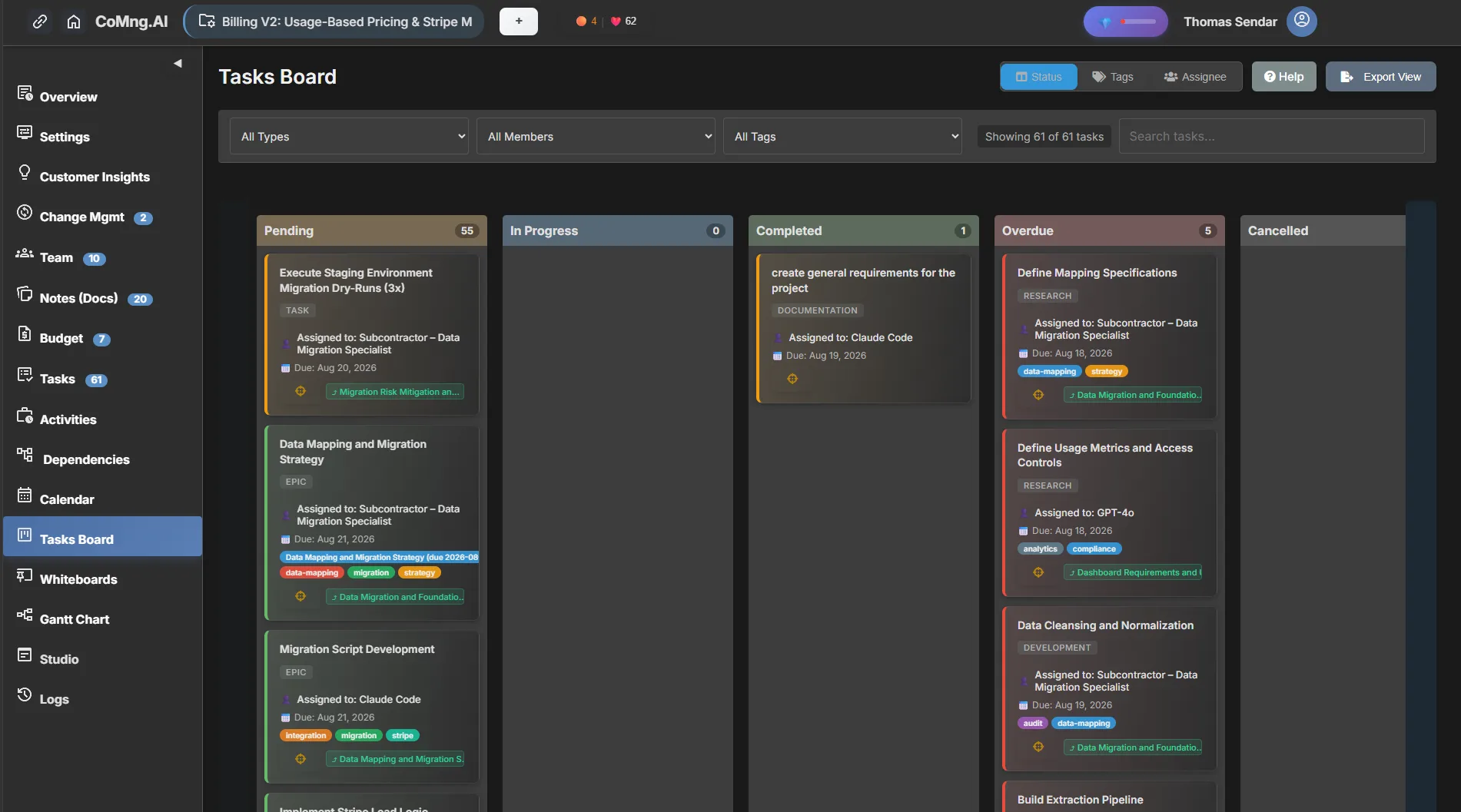
- Desktop is where planning happens: Gantt, Kanban, RACI, change requests, the whiteboard and most deep AI tooling are desktop-only today.
- Mobile is for staying in the loop: dashboard, project view and settings, tasks, notes, activities, budget, calendar, team and Ask AI.
- One account, one data set: what you change on mobile is what the desktop shows.
- Design for the job: wide views for dependency and capacity work; quick views for updates.
Why the Heavy Work Is Desktop-First
Some project work is spatial: a Gantt chart with dependencies, a Kanban board with dozens of cards, a heatmap with weeks across and people down, a diff table comparing current and proposed values. These need width, a pointer and keyboard shortcuts. Compressing them onto a phone produces a worse version of everything.
So the product splits by job: the desktop is the command center; mobile is the pocket companion.
What Lives Where
| Job | Desktop | Mobile |
|---|---|---|
| Dashboard and project view | Yes | Yes |
| Tasks, notes, activities | Yes | Yes |
| Budget and calendar | Yes | Yes |
| Team directory | Yes | Yes |
| Ask AI (ARI) | Yes | Yes (Ask AI) |
| Gantt chart and Kanban board | Yes | Not yet |
| Change requests with sandbox preview | Yes | Not yet |
| Whiteboard and RACI matrix | Yes | Not yet |
| Deep AI tooling (plan generation, optimisation, analysis) | Yes | Mostly desktop |
A Day Split Across Both
Morning, desktop
Open Pulse, read the briefing, review the heatmap and approve or decline pending change requests.
Midday, mobile
Check a task, post an update, log an activity or ask ARI a quick question between meetings.
Afternoon, desktop
Replan on the Gantt, restructure tasks and run the milestone dependency scan.
Evening, mobile
Glance at the dashboard and calendar for tomorrow.
What Desktop Space Buys You
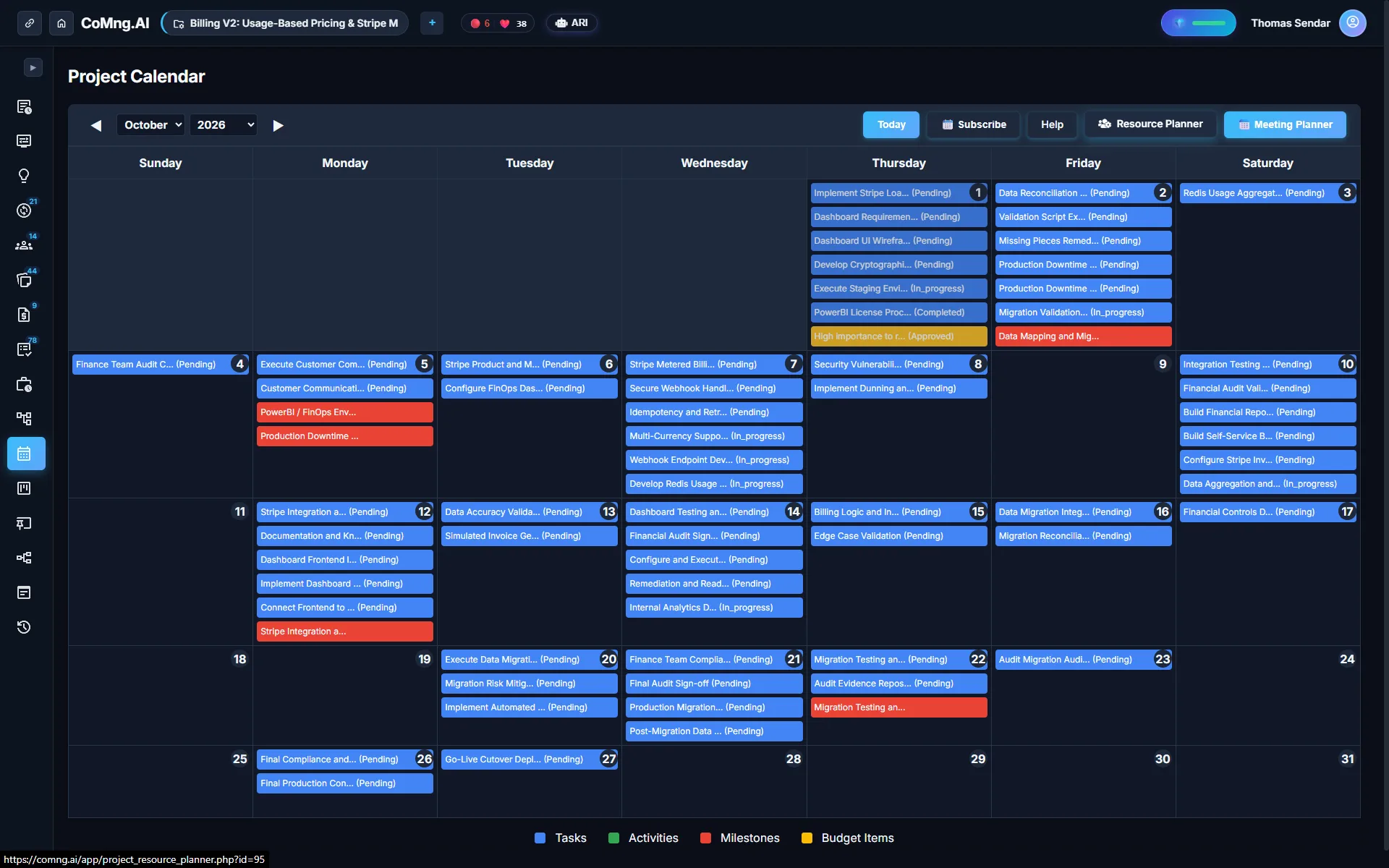
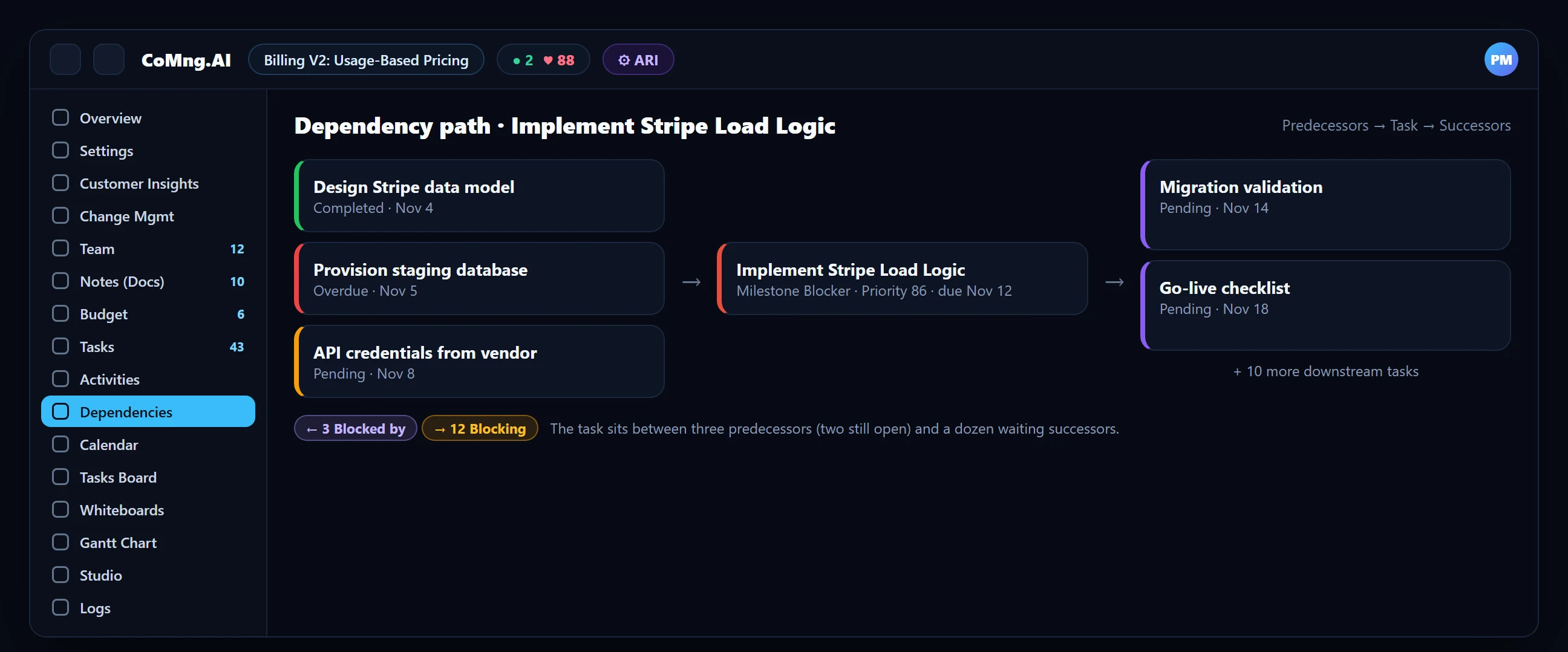
- The dependency path panel: predecessors, the task and successors in one graph, with PNG export.
- The Resource Planner: 8 to 24 weeks per person with drill-down into the tasks behind each cell.
- Change requests: side-by-side current and proposed values for every affected object.
- Bulk edit and the outline: hierarchy, effort, priority, milestones and project start and end markers in one view.
- Planning squeezed onto a phone
- Heavy tools without a quick companion
- Separate data on each device
- Deep work on the desktop
- Quick checks and updates on mobile
- One account, one data set
About CoMng.AI
CoMng.AI is an AI-native project management platform that generates a project's plan, tasks, risks and budget from a description or document, monitors project health in real time, and gives both human teams and AI coding agents live access to the same project data, with a person approving every AI-generated change.
See every project, person and risk in one place
Start with the free plan, connect your projects and open the portfolio views your leadership will actually use.
Frequently Asked Questions
Is there a CoMng.AI mobile app?
Yes. It covers the dashboard, project view and settings, tasks, notes, activities, budget, calendar, team and Ask AI.
Which features are desktop-only?
Today the whiteboard, Gantt chart, Kanban board, RACI matrix, change requests and most deep AI tooling are desktop-only.
Does mobile data sync with the desktop?
Yes. It is the same account and the same project data.
Why not put everything on mobile?
Spatial, multi-dimensional views such as Gantt charts, heatmaps and side-by-side diffs work best with the space and precision of a desktop.
Can I ask ARI on my phone?
Yes, Ask AI is available in the mobile app, though drafting and approving change requests is done on the desktop.
Related reading
See the full guide: Migration & Enterprise Guide