AI Automatic Project Status Update Based on Task Completion
If a task is done, the project status should already know. Manual status updates are a second data entry nobody wants to do; here is how CoMng.AI makes the plan the single source of truth.
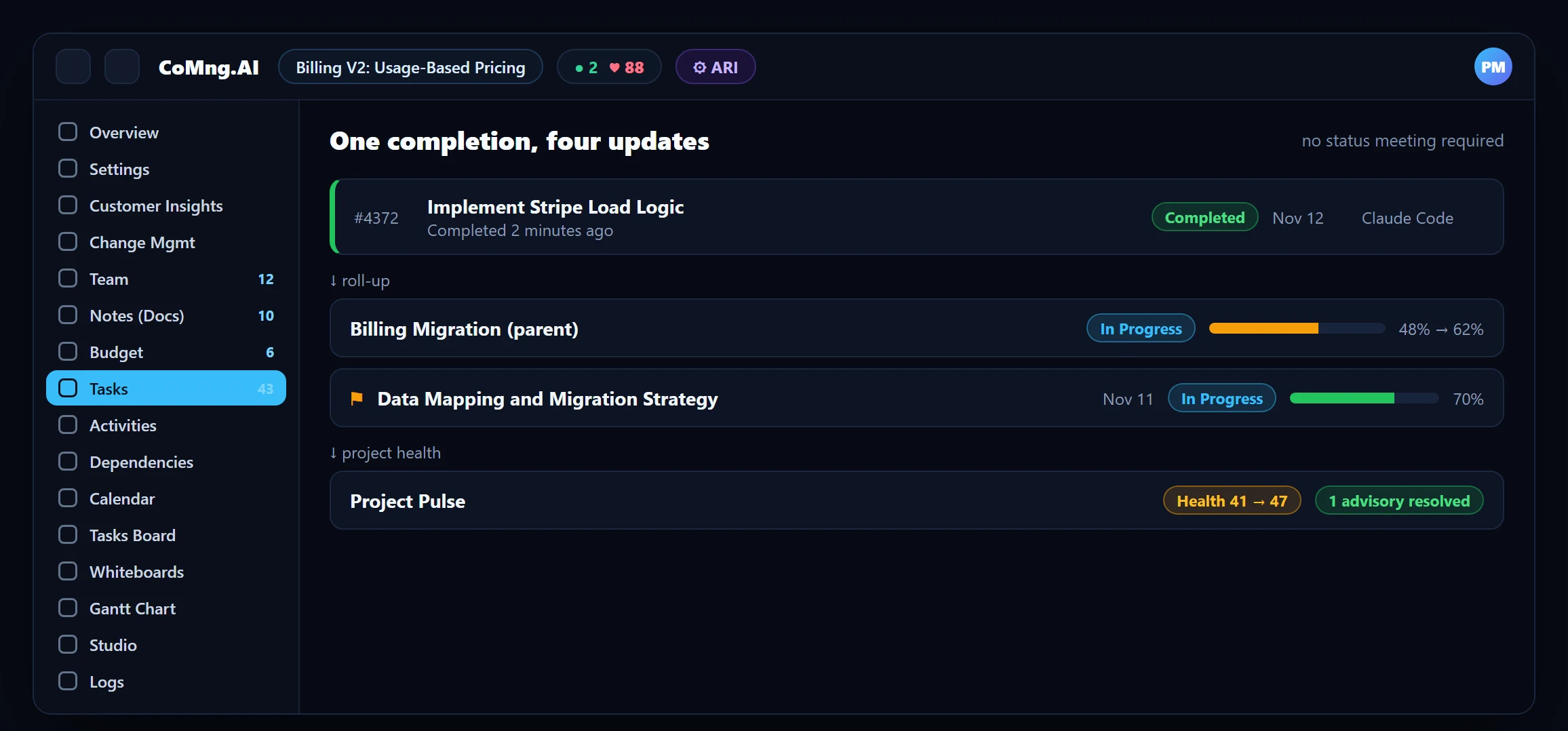
Yes, project status can update automatically when a task is completed. In CoMng.AI, completing a task updates parent progress, milestone progress, the Project Pulse health score, trend and forecast, so no separate status entry is needed. Changes to scope, dates or budget still go through approved change requests.
- One update, many results: completing a task rolls up to parent progress, milestone progress and the Pulse health score.
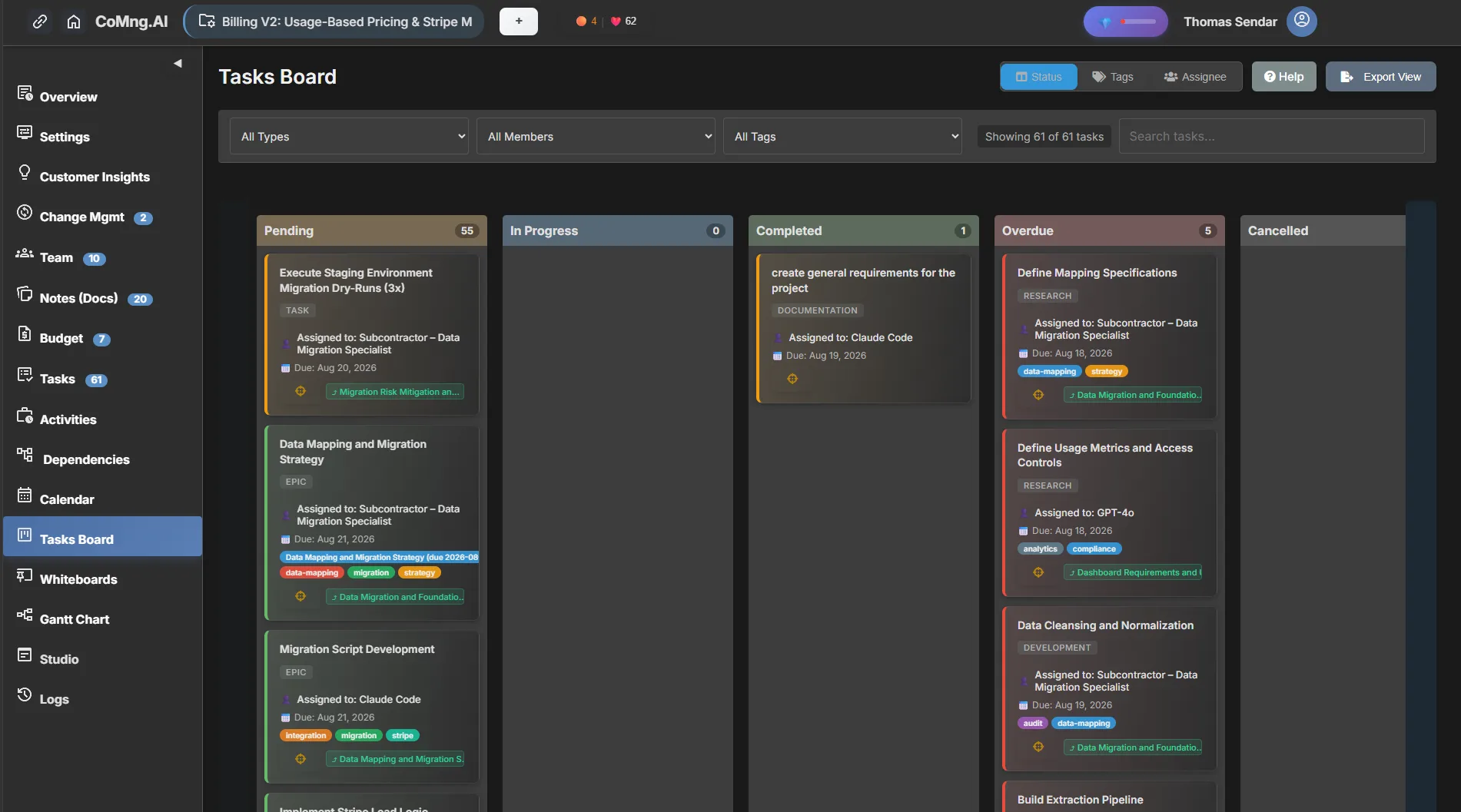
- Boards stay honest: Kanban cards group by status, tag or assignee and move as work moves.
- Reports write themselves: status reports, presentations and exports are generated from live data.
- Humans stay in control: automation reads status; changes to the plan still go through approval.
The Double-Entry Problem
Teams update a task, then update a spreadsheet, then update a slide, then repeat it all in an email. Every copy can drift, and the version with the most senior audience is usually the least current. The fix is not a better template; it is to have one place where work is recorded and let everything else read from it.
What Happens When a Task Is Completed
In CoMng.AI, status is derived from the work. When a task is marked completed:
- Parent tasks and branches update their progress from their descendants, so a phase reflects what is actually finished.
- Milestones show progress from their linked tasks, and a planning-conflict flag clears when the last late task is fixed.
- Project Pulse recomputes the health score, resolves advisories that no longer apply, and refreshes the trend and forecast.
- Dashboards and reports read the same data the moment you open them.
Boards and Views Move With the Work
The Kanban board groups task cards by Status, Tag or Assignee with drag-and-drop, the Calendar shows tasks, activities, milestones and budget deadlines on one month view, and the Gantt chart plots dated tasks and milestones. They are views over the same data, so a status change appears everywhere at once.
Status You Can Trust Without Asking
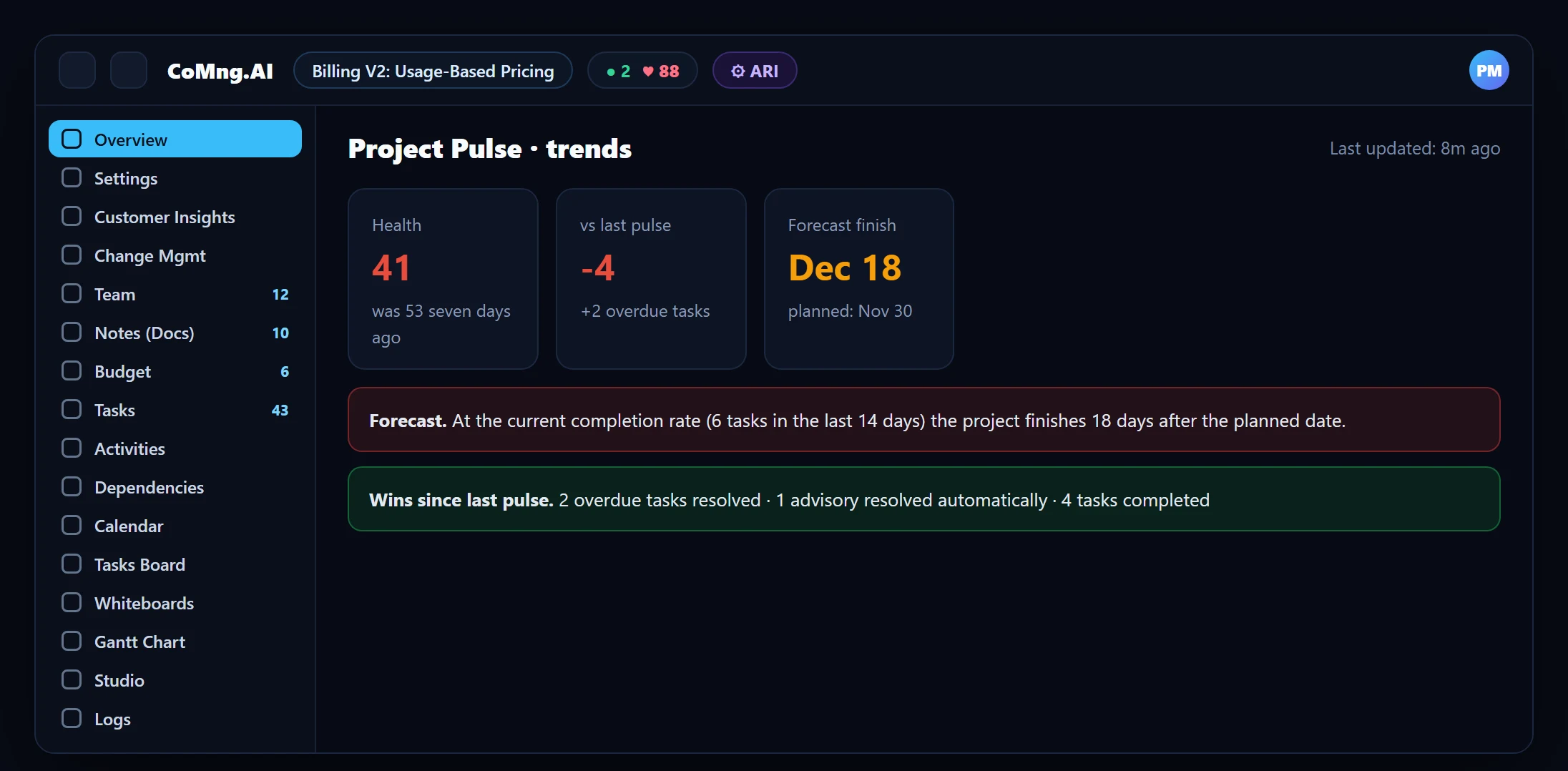
Because status comes from the plan, Pulse can tell you how the project is doing without anyone writing it up: a 0 to 100 health score, a Daily Briefing, a trend since the last pulse and seven days ago, and a forecast finish from recent completions. If the numbers look worse than you feel, that is a prompt to check the plan, not to argue with the number.
Keeping Automated Status Honest
Automation is only as good as the inputs, so a few habits matter:
- Mark tasks complete when they are complete, not at the end of the week.
- Keep effort and dates current; stale dates make forecasts wrong.
- Use Blocked with a reason instead of leaving a task "In Progress" and silent.
- Let activities capture reality: the Activities log records what actually happened, with time and cost, against what is still to do.
For automated reporting built on this data, see Automated Project Reports and Predictive Project Risk Telemetry.
- Status typed into three places
- Reports reflect last week
- Dashboards disagree with the board
- Status derived from the work itself
- Reports reflect the moment you open them
- Every view reads the same data
About CoMng.AI
CoMng.AI is an AI-native project management platform that generates a project's plan, tasks, risks and budget from a description or document, monitors project health in real time, and gives both human teams and AI coding agents live access to the same project data, with a person approving every AI-generated change.
Find the slip while it is still a calendar edit
Import or generate a plan and let CoMng.AI show you which milestones are at risk before your stakeholders do.
Frequently Asked Questions
Can project status update automatically when a task is completed?
Yes. In CoMng.AI parent progress, milestone progress, the Pulse health score, trend and forecast are all derived from task data, so completing a task updates them without a separate status entry.
Does CoMng.AI change my plan automatically?
No. Status is read from the plan. Changes to scope, dates or budget go through change requests that a person approves.
How does a milestone know its progress?
From the tasks linked to it. Confirmed milestone dependencies identify which tasks are required, and AI can scan and suggest them.
What if the status looks wrong?
Check the inputs: tasks marked complete too late, stale dates or missing effort. Because the status is derived, fixing the plan fixes the status.
Can I share the status with people who do not use CoMng.AI?
Yes. Read-only share links exist for a task, note, whiteboard or the whole project view, and status content can be shared to Slack, Microsoft Teams, Google Chat, Jira, Confluence or email.
Related reading
See the full guide: Project Risk, Health & Capacity Guide