Beyond the "Watermelon Project": Surfacing the Uncompromising Truth
Spotting a watermelon project is one thing. Preventing the next one is a design problem: make the truth cheaper to surface than to hide. This is how Project Pulse is built to do that.
To prevent watermelon projects, make the truth cheaper to surface than to hide: compute health from the plan, track alerts over time so ignored ones escalate, and record decisions as change requests. Project Pulse does this with sub-scores, advisories that escalate after three days and drafted change requests.
- Make truth the default: the score, briefing and alerts are generated from project data, so surfacing risk costs nobody anything.
- Ignoring has a cost: an advisory ignored for three or more days is escalated one severity level.
- Fixed problems are watched: if a fixed problem returns, it is tagged "Back again" instead of quietly reappearing.
- Decisions are logged: every change request and its approval is recorded in the audit log.
Prevention Is a Design Problem
If reporting the truth takes effort and reporting green takes none, green wins. If surfacing a risk makes the messenger look bad, green wins by a landslide. The only reliable counter is a system where the facts appear without anyone volunteering them, and where ignoring them is visible.
Four Mechanisms That Keep the Truth Visible
A score nobody has to write
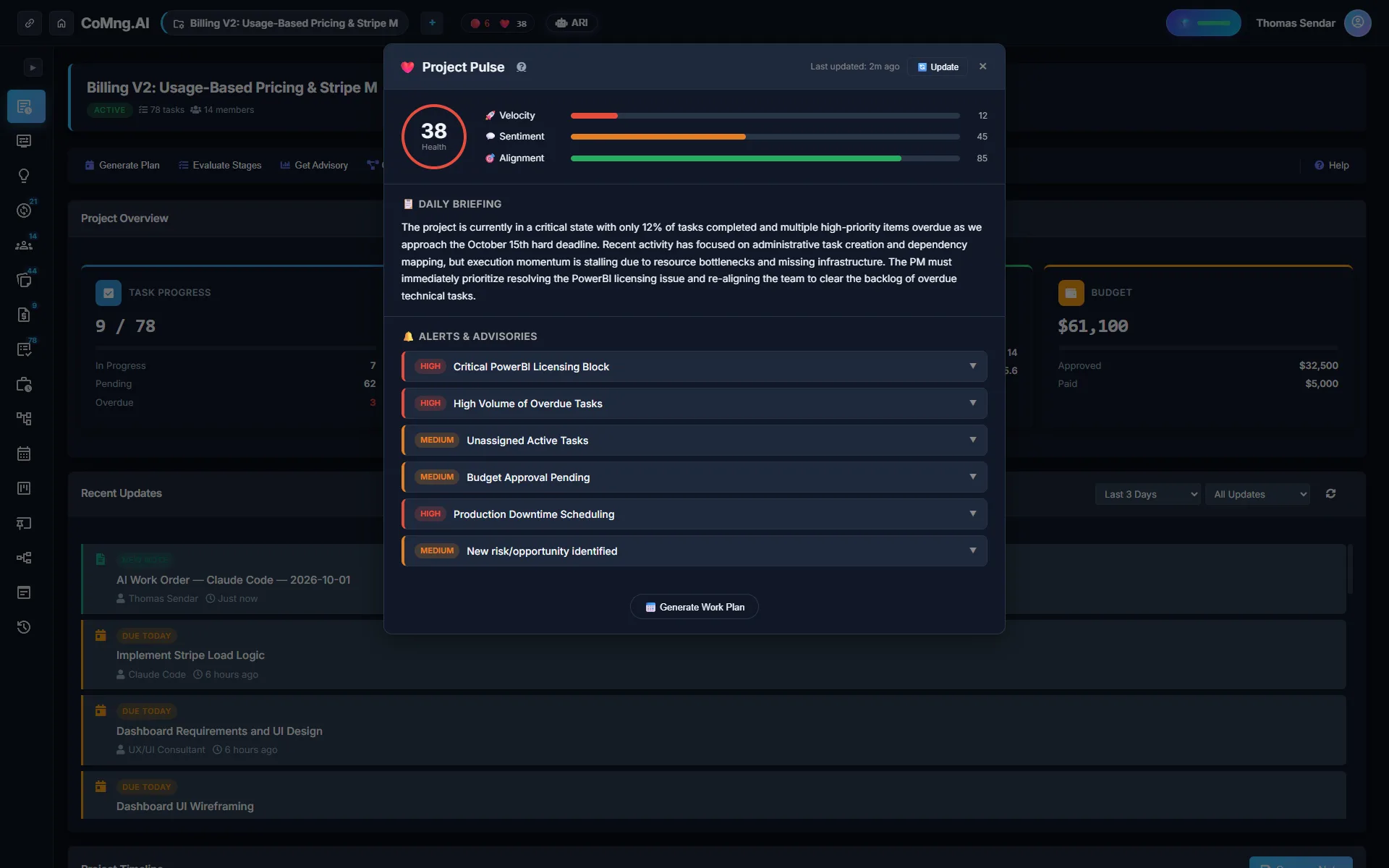
The health score and its Velocity, Alignment and Sentiment bars are computed from project data and shown in the header of every project page.
Advisories that escalate
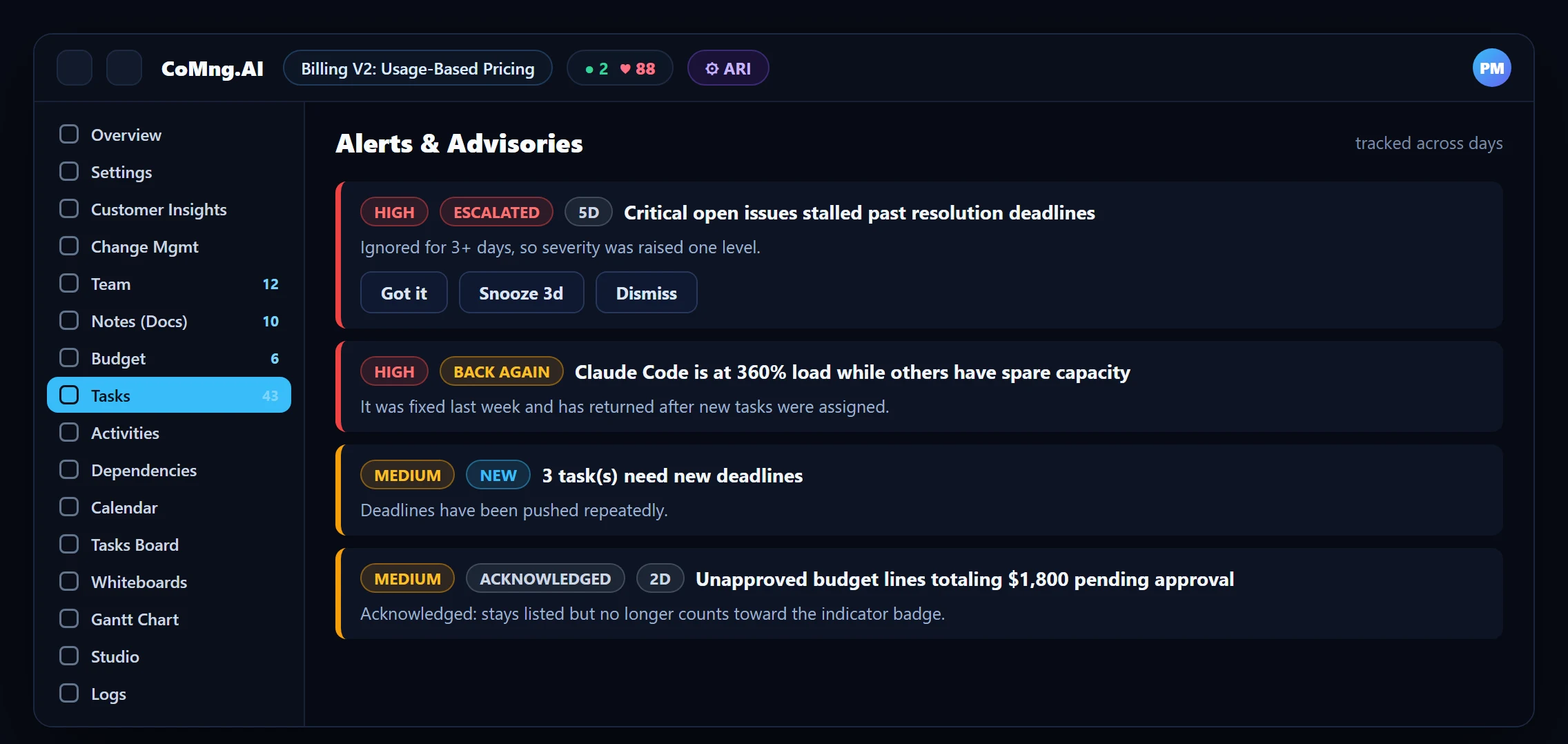
Each advisory is tracked across days. Ignored for 3+ days, its severity is raised one level and tagged Escalated. Silence stops being a safe option.
Memory of what was fixed
When a fixed problem returns it is tagged Back again, so recurring issues stand out from one-off ones.
Proposals with evidence
Pulse drafts change requests with exact before/after values, and will not create a duplicate while one is open. Approvals land in the audit log.
Signal, Not Noise
Prevention fails if the alert list becomes wallpaper. Pulse keeps it honest with three controls on every advisory: Got it (acknowledge: it stays listed but stops counting toward the header badge), Snooze 3d (hidden for three days, back sooner if it gets worse) and Dismiss (hidden unless it becomes more severe; Pulse learns from dismissals and stops repeating them). Advisories resolve automatically when the underlying problem leaves the data, and are counted as resolved in the last seven days, which is a small, visible win for the team.
Read the Combinations
Prevention also means asking better questions of the score. The sub-scores give you four useful patterns:
| Pattern | Reading | First move |
|---|---|---|
| Velocity high, Alignment low | Busy, but not on the plan | Check milestone coverage and assignments; consider a plan coverage audit |
| Velocity low, Alignment high | Good plan, stalled execution | Look for blockers and overloaded people; run Smart Assign |
| Sentiment low, others fine | Friction before it shows in delivery | Read recent notes and customer insights; talk to the team |
| All three falling together | Systemic problem | Escalate; use a What-if to test re-planning options |
Turn the Truth Into Today's Plan
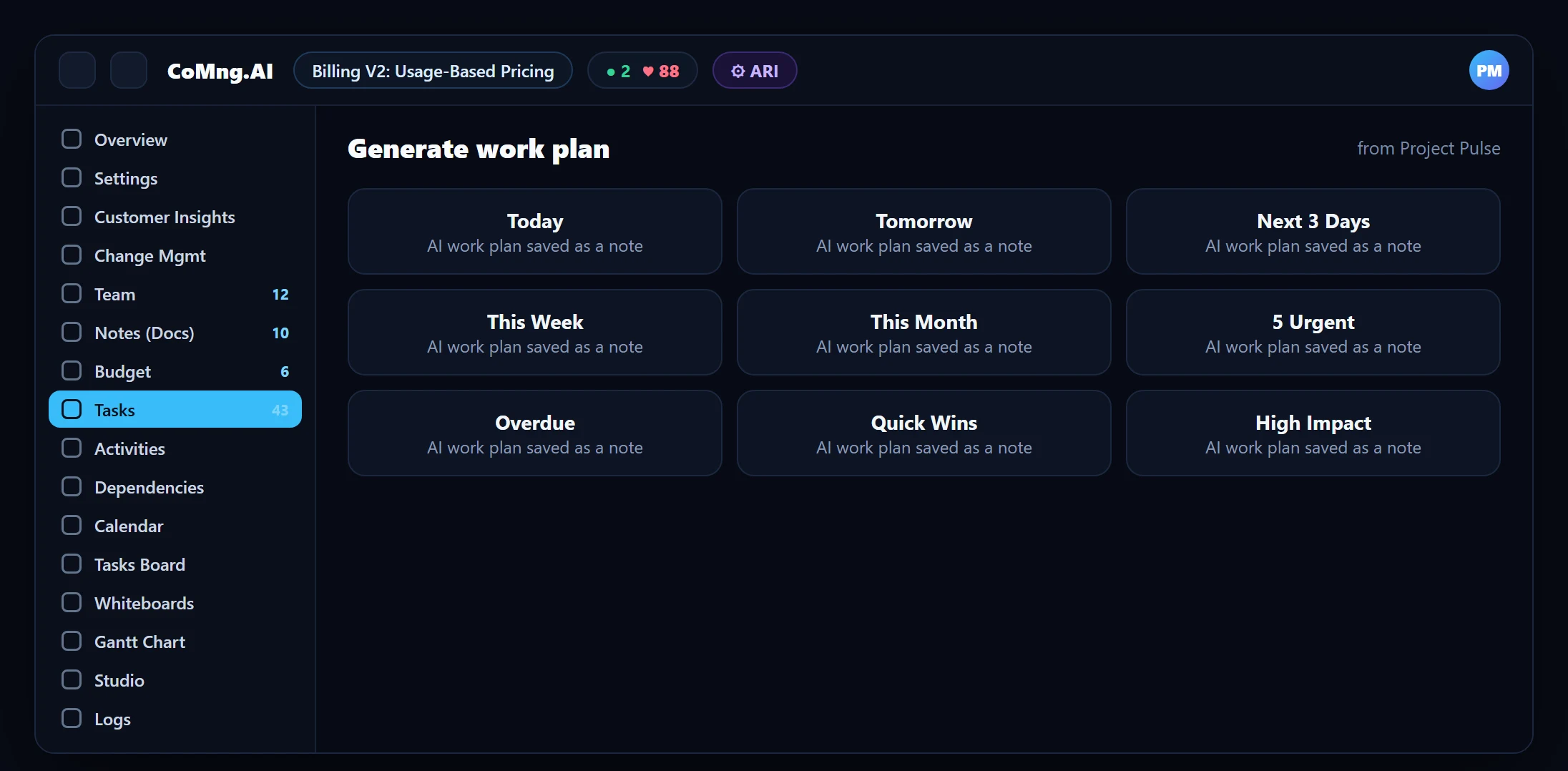
Pulse also contains a Generate work plan grid. One click produces a focused plan from the current project state and saves it as a project note: Today, Tomorrow, Next 3 Days, This Week, This Month, 5 Urgent, Overdue, Quick Wins and High Impact. The "Overdue" plan is a catch-up plan; "Quick Wins" rebuilds momentum when morale is the problem.
The Cultural Side
- Praise early red. The first person to surface a risk should be thanked, not questioned.
- Review the trend, not the blame. The score and its history make the conversation about the project, not the person.
- Close the loop publicly. Decisions recorded as change requests show stakeholders that red leads to action.
Pair this with the diagnosis article and predictive risk telemetry for the full picture.
About CoMng.AI
CoMng.AI is an AI-native project management platform that generates a project's plan, tasks, risks and budget from a description or document, monitors project health in real time, and gives both human teams and AI coding agents live access to the same project data, with a person approving every AI-generated change.
Find the slip while it is still a calendar edit
Import or generate a plan and let CoMng.AI show you which milestones are at risk before your stakeholders do.
Frequently Asked Questions
How do you prevent a watermelon project?
Remove the dependency on human-chosen status colours. Compute health from the plan, show the reasons, track advisories over time so ignoring them has a visible cost, and record decisions as change requests.
What happens if an advisory is ignored in CoMng.AI?
After three or more days it is tagged Escalated and its severity is raised one level, so it moves up the list and counts toward the header badge.
Can I silence an advisory?
You can acknowledge it (Got it), snooze it for three days, or dismiss it. Dismissed advisories return only if they become more severe, and Pulse learns from dismissals.
What are the Generate work plan options?
Today, Tomorrow, Next 3 Days, This Week, This Month, 5 Urgent, Overdue, Quick Wins and High Impact. Each generates a focused plan from current project state and saves it as a note.
Does Pulse work for small projects?
Yes. The Sentiment bar is hidden when there is too little note or comment activity, and the score is computed from what the project has.
Related reading
See the full guide: Project Risk, Health & Capacity Guide