Portfolio Telemetry: Unified Command for VPs and PMO Directors
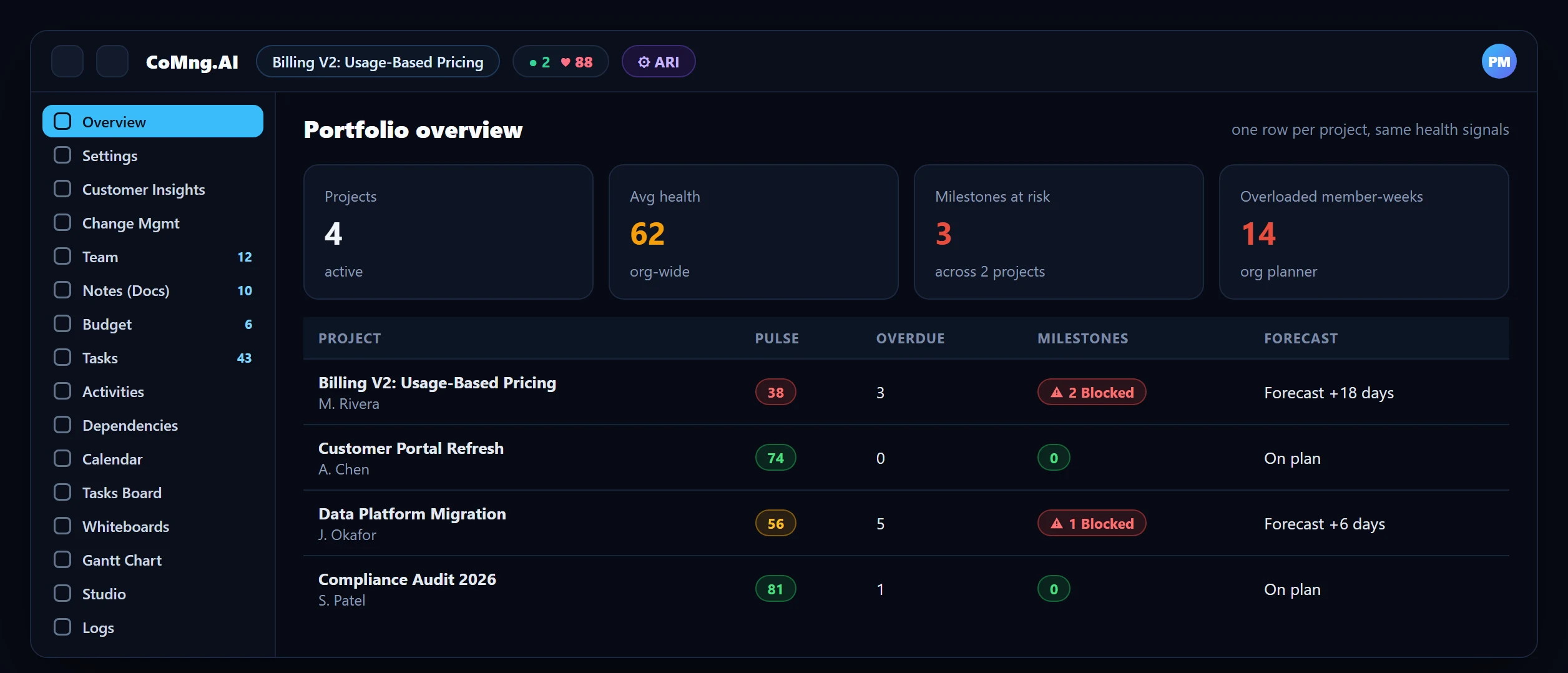
A portfolio view is only as honest as the projects beneath it. When every project reports health, risk and capacity from the same live data, a PMO can finally compare like with like.
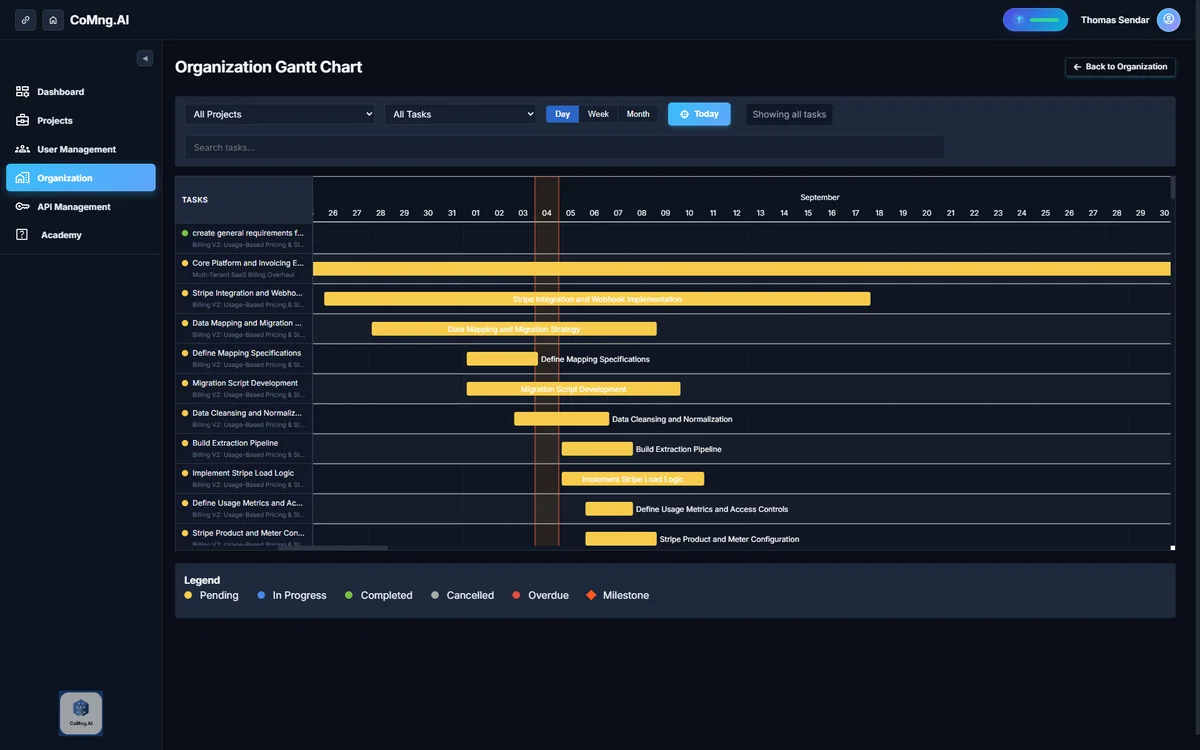
Portfolio telemetry gives a PMO one view across projects built from live measurements. CoMng.AI provides a home dashboard with an organisation-wide health score, an organisation Gantt, an organisation-wide Resource Planner and read-only sharing for executives.
- One home for every project: a personal command center across all projects plus an org-wide AI health score.
- Org-wide schedule and people: an organization Gantt shows every project side by side; an org Resource Planner shows each person across projects.
- Same signals everywhere: Pulse, milestone flags and capacity heatmaps mean every project speaks the same language.
- Executive-ready: share read-only views and generate reports and presentations from live data.
Why Portfolio Reporting Is Usually Fiction
A PMO typically builds its dashboard from status updates written by project managers in different formats, on different days, with different ideas of what "amber" means. The roll-up looks authoritative and is really an average of opinions.
Telemetry changes the input. If every project computes health, milestone risk and workload from its own live data, the roll-up is an aggregation of measurements.
The Portfolio Views
| View | What it shows |
|---|---|
| Home dashboard | A personal command center across every project, with an organization-wide AI health score |
| Projects list | All projects in the organization |
| Organization Gantt | Every project's schedule side by side |
| Org Resource Planner | Each person's weekly workload across all projects at once |
| Cross-project team reuse | AI staffing suggestions that draw from the whole organization's talent pool |
| Organization work schedule | One definition of working days used everywhere scheduling and estimation happen |
The Cross-Project Problem: People
Most portfolio failures are people failures: the same specialist is committed to three projects and every project plan is individually reasonable. The organization-wide Resource Planner shows each person across every project in one heatmap, so over-commitment is visible before it becomes a missed date. See Resource Capacity Planning and The 24-Week Burnout Radar.
Leadership Reporting Without the Deck Marathon
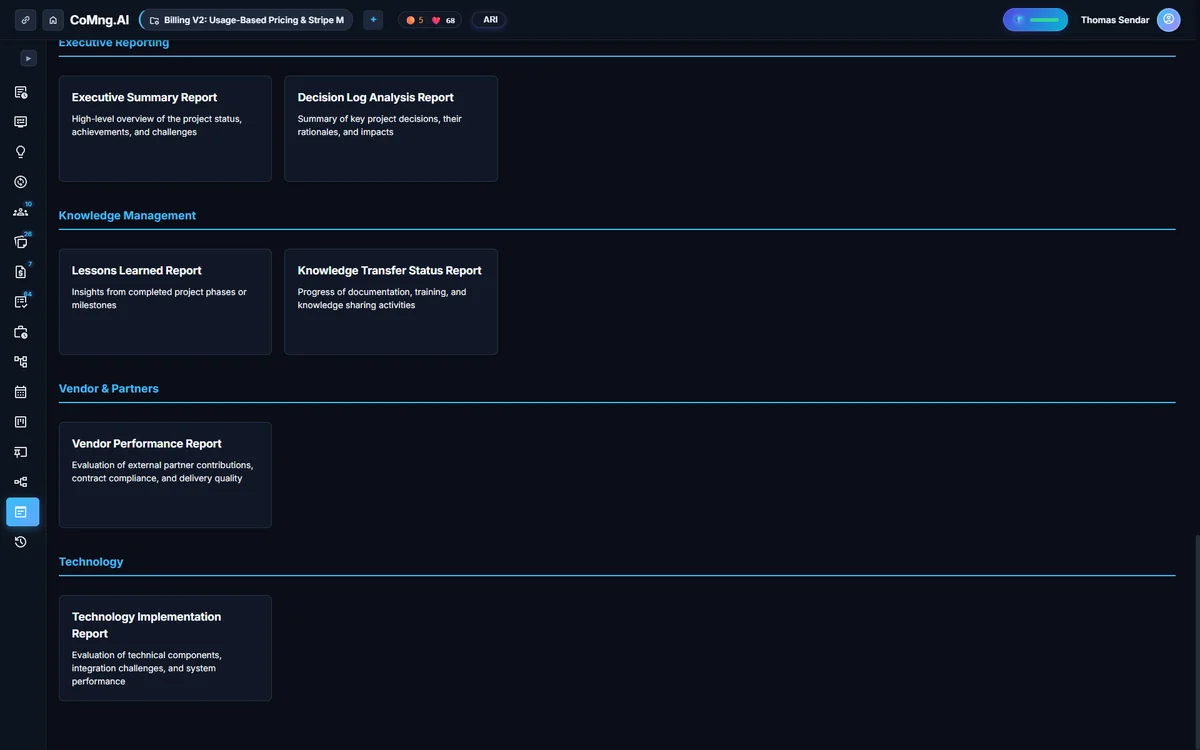
Executives do not want a dashboard; they want an answer to "which projects need me?". Combine the Pulse briefing per project with generated reports and presentations from live data, and share read-only project views with sponsors who do not have a CoMng.AI login. Status content such as Gantt, critical path, blocking tasks, milestones and timeline can be pushed to Slack, Microsoft Teams, Google Chat, Jira, Confluence or email with one click.
AI Project Status Summary Across Multiple Teams
To summarise status across teams, use the same measurements everywhere: each project's Pulse health score and briefing, milestone flags and forecast, then the organisation Gantt and Resource Planner for shared dependencies and people. Generate a report or presentation per project from live data and share them where leadership already looks. See Automated Project Reports for the step-by-step.
A PMO Cadence Built on Telemetry
- Weekly: read the org-wide health and open the lowest-scoring projects' Pulse briefings.
- Weekly: check the org Resource Planner for over-committed people across projects.
- Fortnightly: review milestone flags and pending change requests across the portfolio.
- Monthly: compare forecast finish dates with plan and decide where to intervene.
- Roll-ups built from hand-written status
- People over-committed across projects unnoticed
- Executive decks rebuilt every month
- Roll-ups built from live measurements
- Cross-project load on one heatmap
- Reports and presentations generated on demand
About CoMng.AI
CoMng.AI is an AI-native project management platform that generates a project's plan, tasks, risks and budget from a description or document, monitors project health in real time, and gives both human teams and AI coding agents live access to the same project data, with a person approving every AI-generated change.
See every project, person and risk in one place
Start with the free plan, connect your projects and open the portfolio views your leadership will actually use.
Frequently Asked Questions
How do I get a portfolio view of all my projects?
Use the Home dashboard and Projects list for an overview with an organization-wide AI health score, the organization Gantt for schedules side by side and the organization Resource Planner for people across projects.
Can I see one person's load across projects?
Yes. The organization-wide Resource Planner shows each person per week across every project at once.
How do executives see status without a login?
Through read-only share links for the project view, and by sharing status content to Slack, Microsoft Teams, Google Chat, Jira, Confluence or email.
Does each project use the same health scoring?
Yes. Project Pulse computes a 0 to 100 health score with Velocity, Alignment and Sentiment sub-scores on every project, so scores are comparable.
Can staffing suggestions use people from other projects?
Yes, with cross-project team reuse enabled by an admin, AI staffing suggestions draw on the whole organization's talent pool.
Related reading
See the full guide: Project Risk, Health & Capacity Guide