Project Task Management Tools for Remote and Multilingual Teams
Remote work removes the hallway; multilingual teams remove the shared first language. The tools that help are the ones that make work visible, asynchronous and understandable in more than one language.
Remote and multilingual teams need visible, asynchronous work and content in their own language. CoMng.AI supports AI-generated content in 20 languages, per-task discussions, an activity log, a daily Pulse briefing, a shared organisation work schedule and read-only links for outside partners.
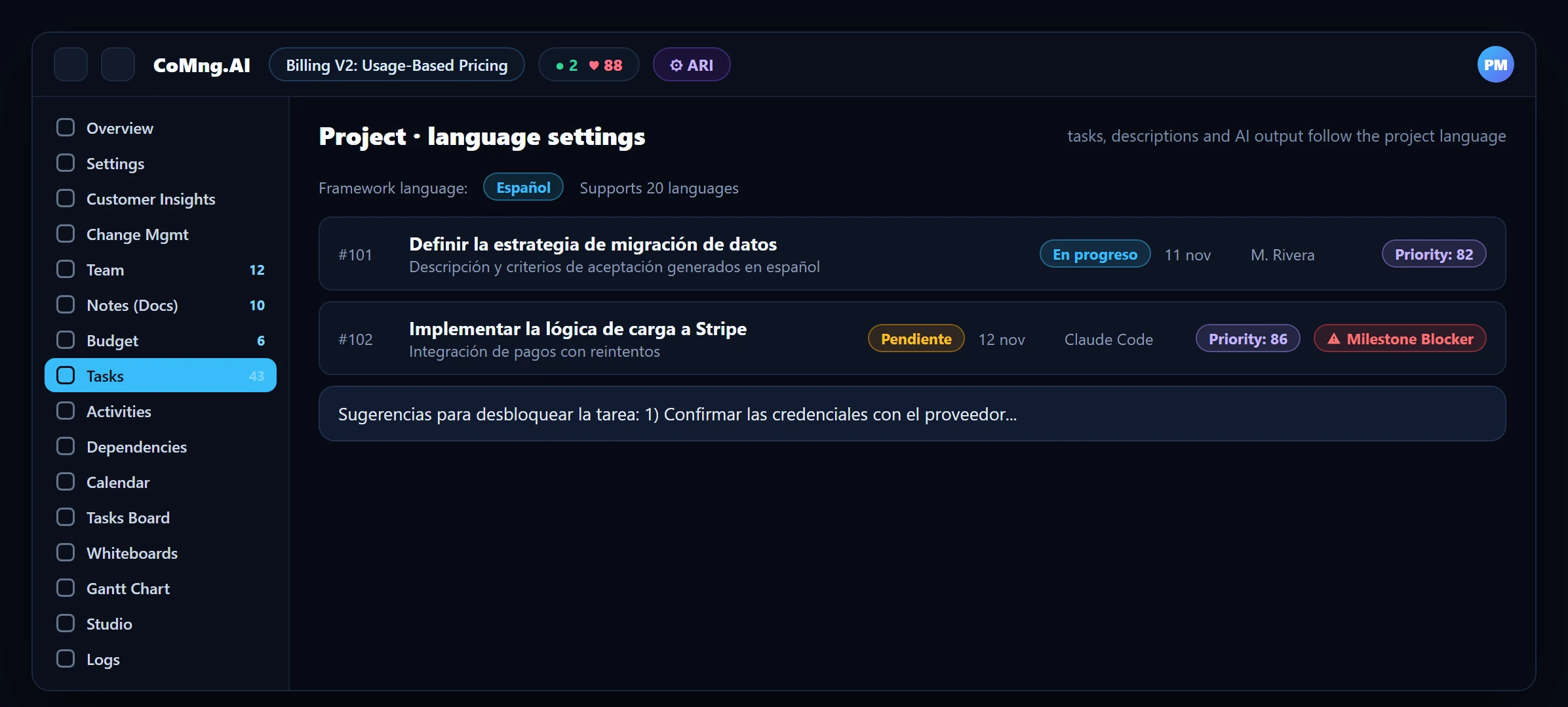
- Content in your language: the project language setting drives AI-generated tasks, descriptions and suggestions, in 20 languages.
- Asynchronous by design: per-task discussions, an activity log and a daily Pulse briefing replace most status meetings.
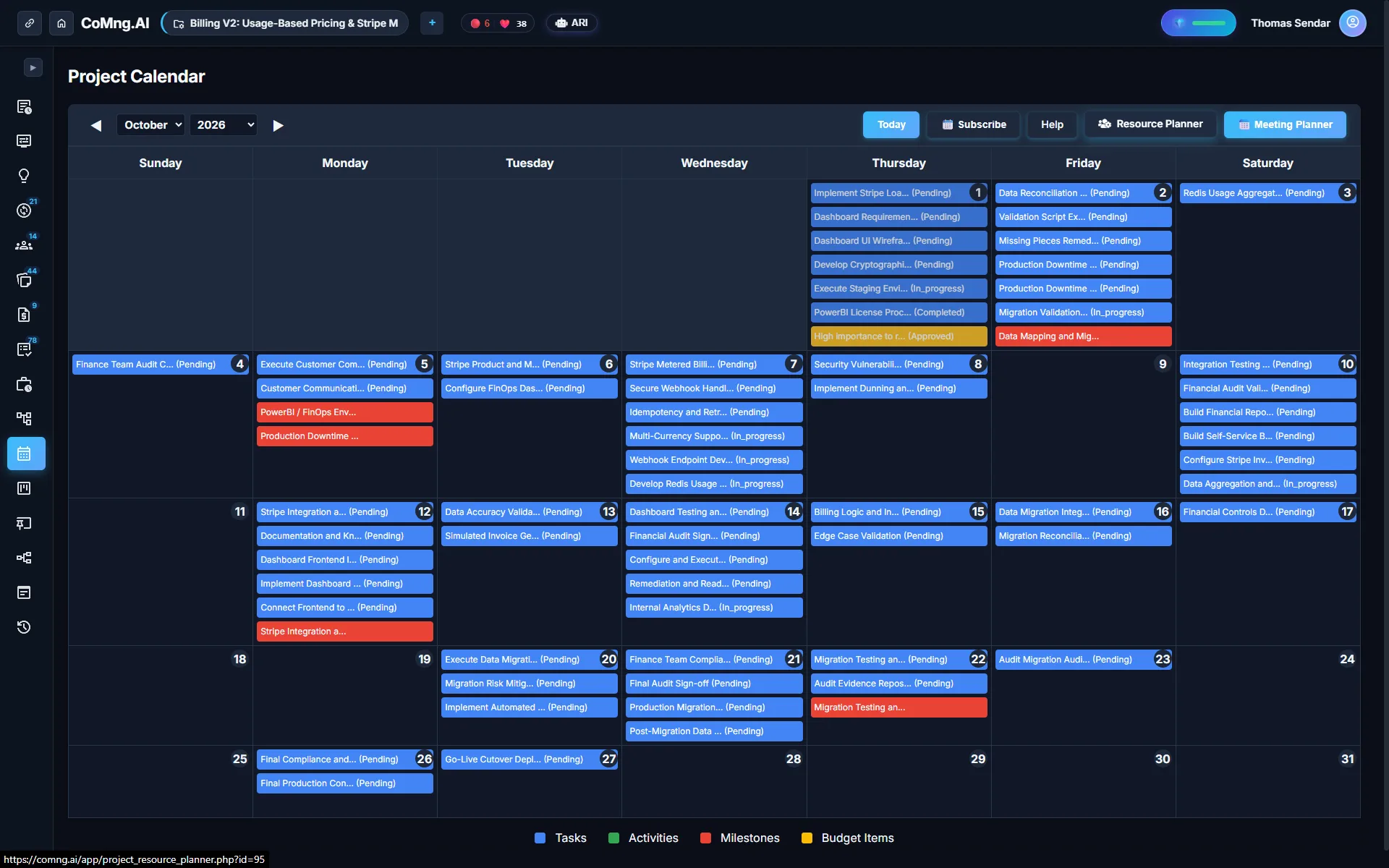
- One definition of working days: an organization work schedule is used wherever scheduling and estimation happen.
- Outsiders see without a login: read-only links for clients and vendors in other time zones.
Two Problems, Often Mixed Together
Remote teams struggle with visibility: nobody can see what others are doing, so meetings fill the gap. Multilingual teams struggle with comprehension: a task written in one language is effectively opaque to half the team. The usual workaround is a translation step that nobody owns.
Solving both means putting the work in one shared place and letting AI produce content in the language people actually read.
Content in the Project's Language
When a project is created, a Framework Language controls the language of AI-generated names, descriptions and other content, and it supports 20 languages. AI features follow the project language, so suggestions to unblock a task, for example, come back in that language. You can mix human-written content in any language, and everything stays searchable in one project.
Make Work Visible Without Meetings
- Per-task discussion: decisions stay attached to the work and are readable later by someone in a different time zone.
- Activities log: a chronological record of what actually happened, with time and cost.
- Pulse Daily Briefing: a plain-English summary for catching up after time away.
- Notifications to assignees: a one-click email nudge to a task's assignee.
- Voice input: record or upload audio on the Tasks or Notes page and the AI transcribes it, handy for capturing a thought on the move.
One Work Schedule for Everyone
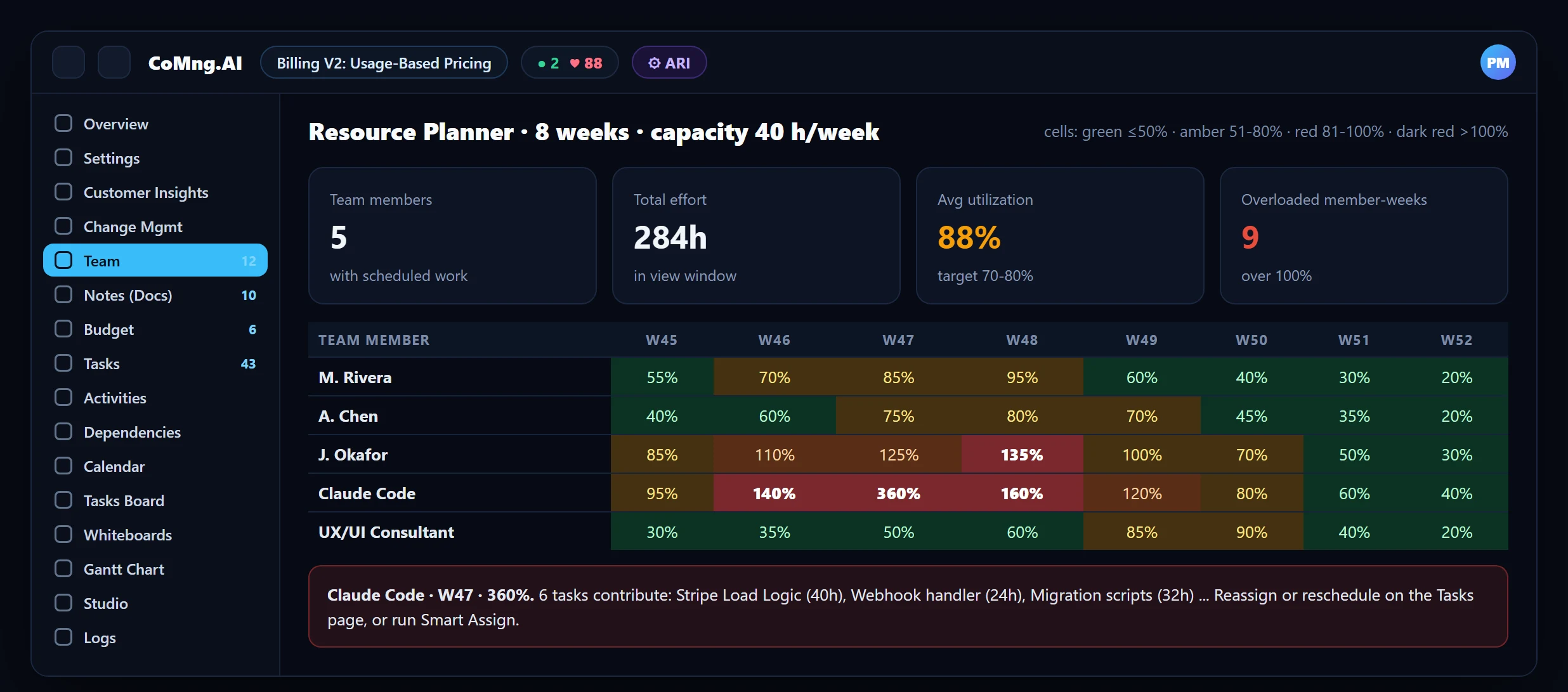
Distributed teams do not share weekends or holidays. An admin defines the Organization Work Schedule once, and it is used everywhere scheduling and estimation happen. Weekly capacity in the Resource Planner is also configurable per project, so a part-time or shared team gets a realistic heatmap rather than a 40-hour assumption.
About CoMng.AI
CoMng.AI is an AI-native project management platform that generates a project's plan, tasks, risks and budget from a description or document, monitors project health in real time, and gives both human teams and AI coding agents live access to the same project data, with a person approving every AI-generated change.
Turn the next customer email into a task in two clicks
Create a project, copy its inbound address and token, and let customer feedback arrive classified and ready to convert.
Frequently Asked Questions
Does CoMng.AI support multiple languages?
Yes. The project language controls the language of AI-generated content and supports 20 languages. AI suggestions such as unblock ideas follow the project language.
Can people on the team write in different languages?
Yes. Human-written content can be in any language. The project language sets what the AI generates by default.
How do remote teams avoid constant status meetings?
Through per-task discussions, the activity log, the Pulse Daily Briefing and one-click assignee notifications, so updates are asynchronous and visible.
How are working days and holidays handled?
An admin sets one Organization Work Schedule used wherever scheduling and estimation happen.
Can external partners see progress?
Yes, through read-only share links for tasks, notes, whiteboards or the whole project view.
Related reading
See the full guide: Migration & Enterprise Guide