Customer Feedback Management: Email to Backlog
Capture customer email in one inbox, let AI classify it, and convert it into a task, risk, requirement or change request in one click.
- The Translation Tax: Valuable client feedback and urgent bug reports are routinely lost between customer inboxes and engineering backlogs.
- Tokenized Project Inboxes: Each project receives a unique inbound address (`prj-{orgId}-{projectId}@comng.ai`) that requires no customer login or account setup.
- AI Intent Classification: Inbound messages are categorized into 8 distinct intents (Complaint, Bug, Feature, Question, Feedback, Praise, Suggestion, Other).
- 10 Actionable Conversion Objects: Convert messages in one click into Tasks, Notes, Milestones, Issues, Risks, Budget Lines, Calendar Events, Requirements, Assumptions, or Metrics.
The Translation Tax in Customer Communications
Support heard it Tuesday. Product learned it at renewal.
Between client emails, account manager notes, and executive forwards, critical customer feedback suffers from a heavy 'Translation Tax.' Important details are watered down, screenshots are lost, and nobody logs the request into the project backlog. CoMng.AI bridges this gap with the **Customer Insights Hub**.
What is customer feedback triage?
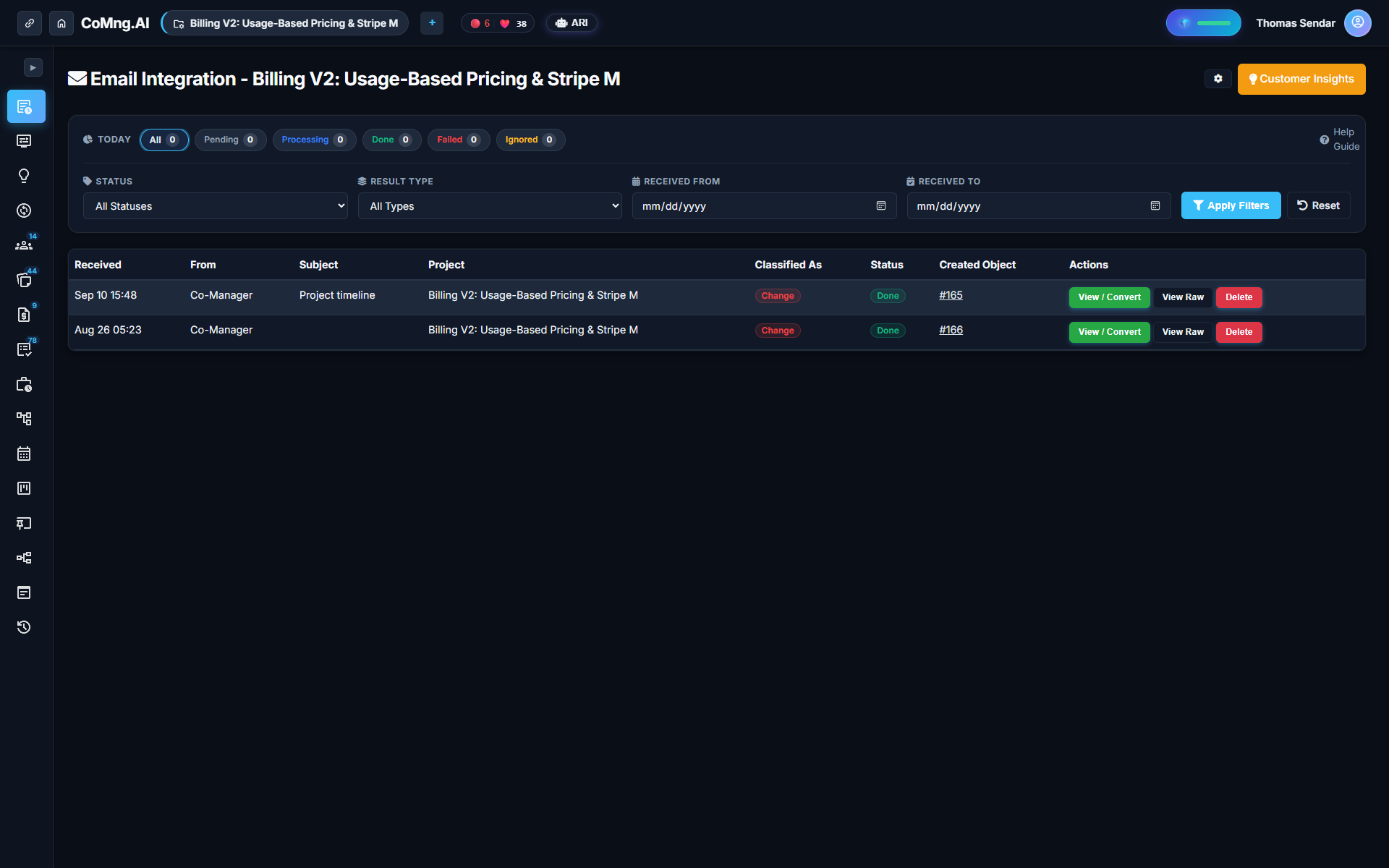
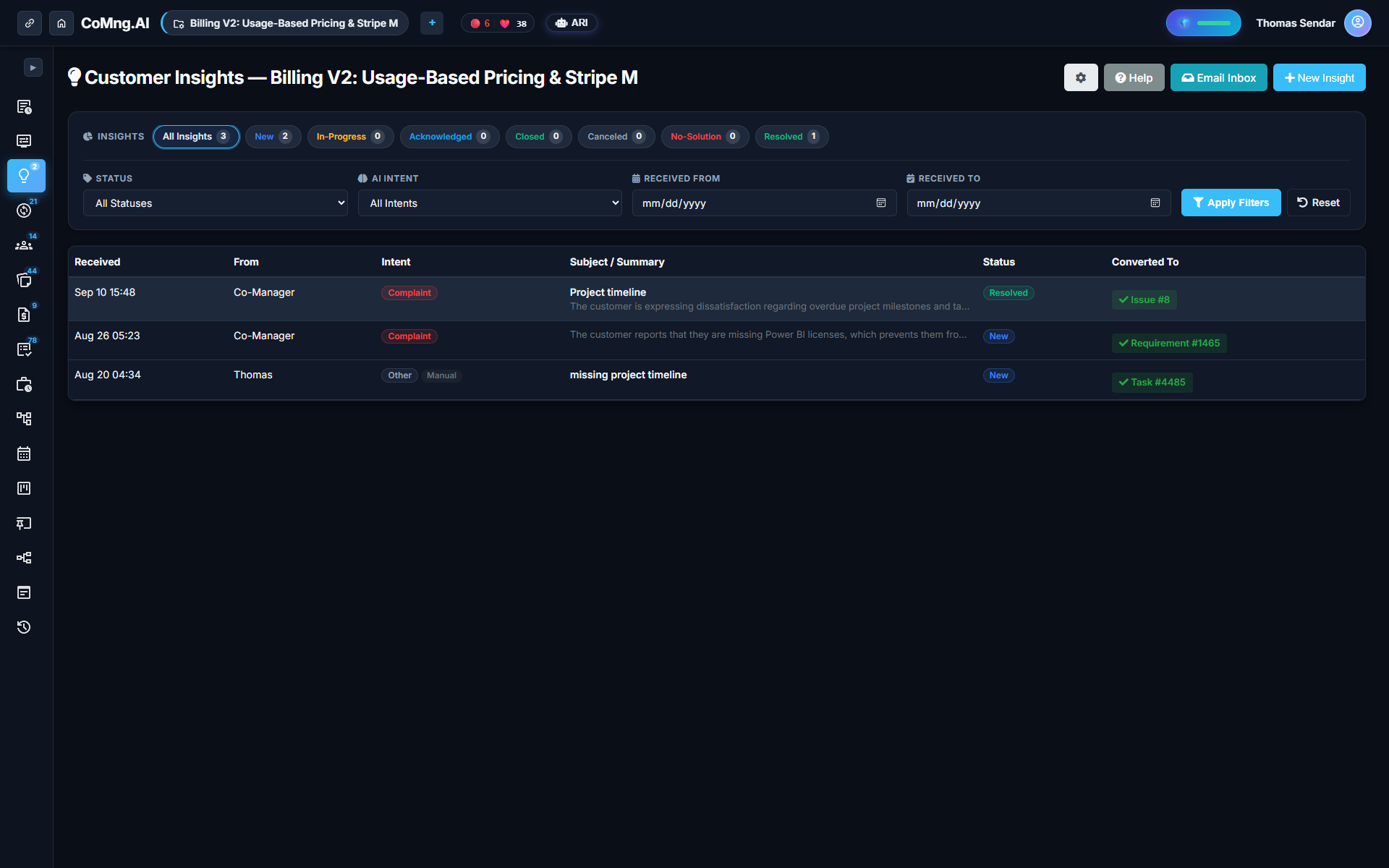
It is sorting inbound customer messages by intent and routing each to the right action. With AI, feedback sent to a project address is classified automatically, kept in one inbox with its sender and time, and converted to a task, risk or change request in one click.
Safe by Design: Dedicated Customer Tokens
Every project generated in CoMng.AI receives a unique inbound email address. Customer tokens only have permission to create uncommitted insights—they can never modify live tasks, alter budgets, or delete notes. Admins can regenerate tokens at any time without affecting existing data.
AI Classification: Eight Categories & Seven Statuses
When an email arrives, CoMng.AI's NLP engine tags the intent into one of eight categories: Complaint, Bug Report, Feature Request, Question, Feedback, Praise, Suggestion, or Other.
Messages move through seven clear lifecycle statuses: New, In Progress, Acknowledged, Resolved, Closed, No Solution, and Canceled, supported by visual triage counters.
Ten Things an Inbound Insight Can Become
| Project Object Type | When to Convert | Automated Enhancements Added by AI |
|---|---|---|
| WBS Task | Direct actionable work for delivery team | Suggests due date, priority, tags & assignee |
| Change Request | Scope alteration impacting budget or dates | Routes through blast-radius sandbox simulation |
| Knowledge Base Note | Important architectural or client decision | Formats context and sender into wiki article |
| Risk Register Item | Potential delay or client dependency mentioned | Calculates severity, probability & mitigation |
| Issue / Blocker | Production bug or critical defect | Links to relevant milestone with blocker tag |
| Budget Line Item | Billable out-of-scope work requested | Creates pending line in financial ledger |
Private Handling Notes and 15-Minute Weekly Triage
Each insight includes a private PM notes field completely invisible to clients. Teams can run their weekly customer review in under 15 minutes: triage New items, convert high-priority requests into backlog tasks, and close resolved discussions.
Ready to Experience True Project Intelligence?
Try CoMng.AI today with zero setup drag. Ingest contracts, manage hybrid teams, and simulate change impacts with 5-Dimension Telemetry.
Frequently Asked Questions
Do customers need an account to send feedback?
No. Customers simply email the project's dedicated address from their standard email client.
Can customer emails alter my project plan automatically?
No. Inbound messages only create uncommitted insights. Converting an insight into a task is an intentional action by your team.
What objects can a customer email become?
It can be converted into a Task, Note, Milestone, Issue, Risk, Budget Line, Calendar Event, Requirement, Assumption, or Metric.
Is the original email text preserved?
Yes. Every insight keeps the raw email body, sender information, timestamp, and attachments permanently linked to created tasks.