Whiteboard to Project Plan: Sticky Notes to Tasks
Turn a brainstorm into real tasks, knowledge-base notes or change requests in one click. A collaborative whiteboard that feeds the project plan.
- The Workshop Graveyard: Creative ideation sessions routinely die on virtual whiteboards when nobody has time to retype sticky notes into ticketing systems.
- Native Connected Canvas: CoMng.AI embeds a collaborative whiteboard directly inside the project workspace with real-time multiplayer presence and autosave.
- Three One-Click Conversions: Transform canvas items directly into WBS Tasks (Board to Tasks), Knowledge Base notes (Board to KB), or formal Change Requests (Board to Change).
- Context-Aware AI Teammate: ARI operates directly on the whiteboard, structuring ideas and generating sticky notes informed by real project constraints.
The Post-Workshop Execution Gap
The workshop was great. Three weeks later, the photo of the whiteboard is still in someone's camera roll.
Every agile team has experienced this disappointment: four hours of high-energy brainstorming produces brilliant ideas, user journey maps, and architectural sketches on a virtual canvas. Then the session ends, and the board is abandoned because nobody wants to manually transcribe fifty sticky notes into Jira. CoMng.AI bridges this gap with the **Whiteboard-to-Project-Plan Pipeline**.
How do you turn a whiteboard session into a project plan?
Run the session on a whiteboard connected to your project, then convert the board with one click: into tasks for actions, into a knowledge base note for the record, or into change requests for anything that alters the plan. Nothing needs retyping.
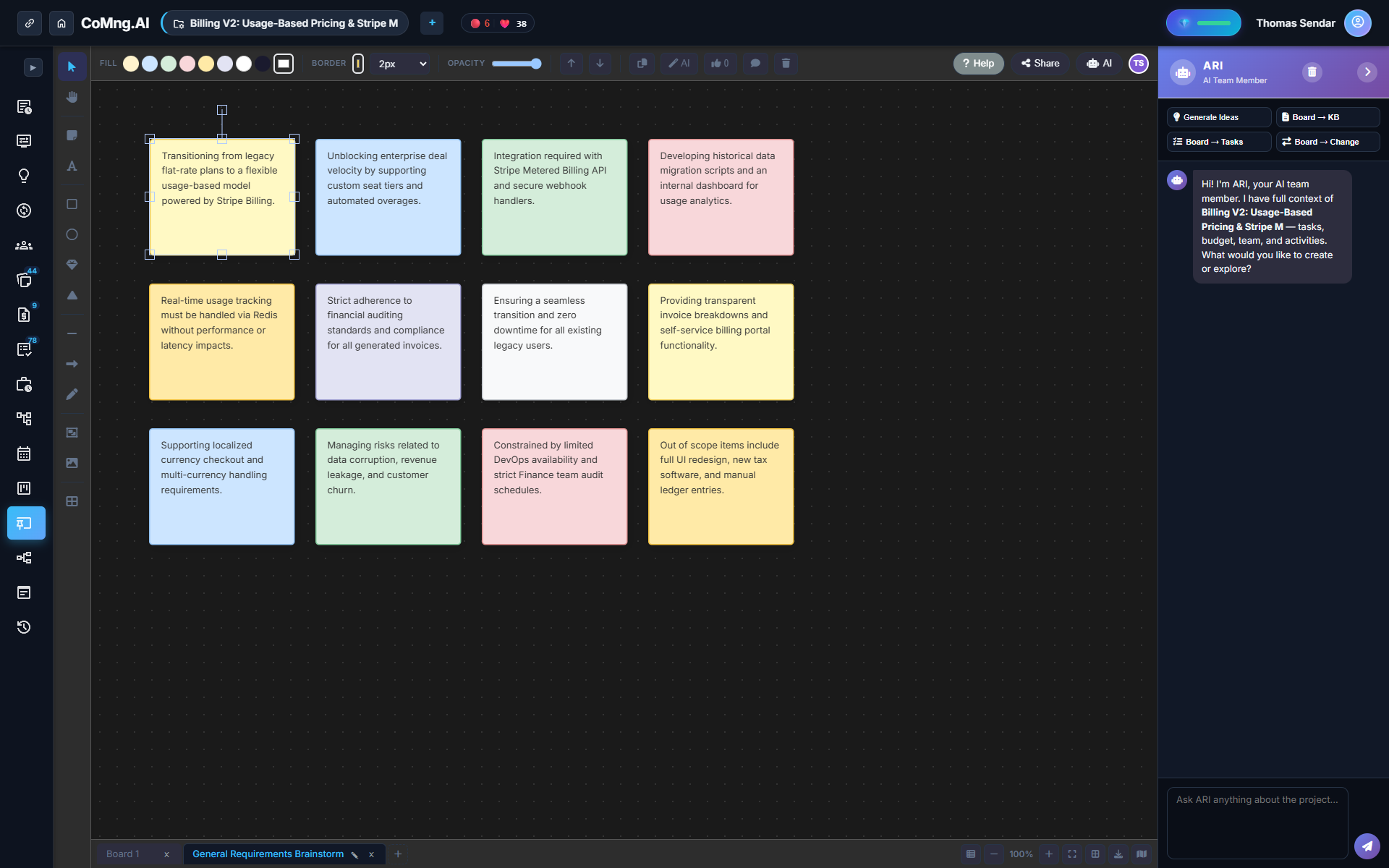
A Canvas Built for Collaborative Sessions
The CoMng.AI Whiteboard includes everything agile teams require:
- Multiple boards organized as convenient project tabs - Sticky notes, text, geometric shapes, directional arrows, and freehand drawing - Six built-in workshop templates: Blank, Brainstorm, SWOT Analysis, Sprint Retro, Mind Map, and Kanban - Live multiplayer presence with synchronized cursor movements - Continuous background autosave with zero risk of lost work
The Three One-Click Conversions
| Conversion Tool | What It Produces | Best Use Case |
|---|---|---|
| Board to Tasks | Actionable WBS tasks with estimates & tags | Sprint planning and agile backlog creation |
| Board to KB | Structured documentation in Knowledge Base | Preserving architectural decisions & workshop findings |
| Board to Change | Sandboxed Change Request with impact simulation | Major scope pivots that alter existing milestones |
| Generate Ideas | Places 6 AI-generated sticky notes on canvas | Overcoming creative block during ideation |
AI That Understands Project Context
Because the whiteboard lives inside your project command center, its AI teammate ARI already knows your budget, milestones, and team roster. Asking ARI to refine sticky notes produces suggestions grounded in operational reality rather than generic theory.
Including External Stakeholders: Token-Gated Sharing
Invite external clients and workshop participants without forcing them to create paid accounts. Generate a secure, view-only share link with optional password protection and configurable expiration (1, 7, or 30 days).
Ready to Experience True Project Intelligence?
Try CoMng.AI today with zero setup drag. Ingest contracts, manage hybrid teams, and simulate change impacts with 5-Dimension Telemetry.
Frequently Asked Questions
Can sticky notes become tasks automatically?
Yes. Board to Tasks analyzes the canvas and generates actionable project tasks in one click.
Can a whiteboard session create a change request?
Yes. Board to Change drafts a structured Change Request with impact preview for manager review.
Can external clients view the board without an account?
Yes, through a secure token-gated share link with optional password protection and expiry.
Is the whiteboard saved automatically?
Yes. The board autosaves continuously with real-time multiplayer synchronization.