Beyond the "Folder of Tools": Adopting Load-Bearing Intelligence
Many teams now have a folder of AI tools: a chatbot, a note taker, a tracker plugin, a report generator. Each helps a little; none know about the others. The question is whether intelligence is decorative or load-bearing.
A folder of AI tools adds decorative intelligence beside the work; load-bearing intelligence sits inside the project data and proposes changes under approval. Consolidate one workflow at a time onto one project model so insights like milestone conflicts and capacity warnings become possible.
- Decorative vs load-bearing: decorative AI sits beside the work; load-bearing AI sits inside it and the work depends on it.
- One data model: intelligence is only as good as the data it can see; fragmented tools see fragments.
- Consolidate by workflow: move one workflow at a time: planning, tracking, reporting, change control.
- Keep humans accountable: load-bearing does not mean unsupervised.
The Folder of Tools
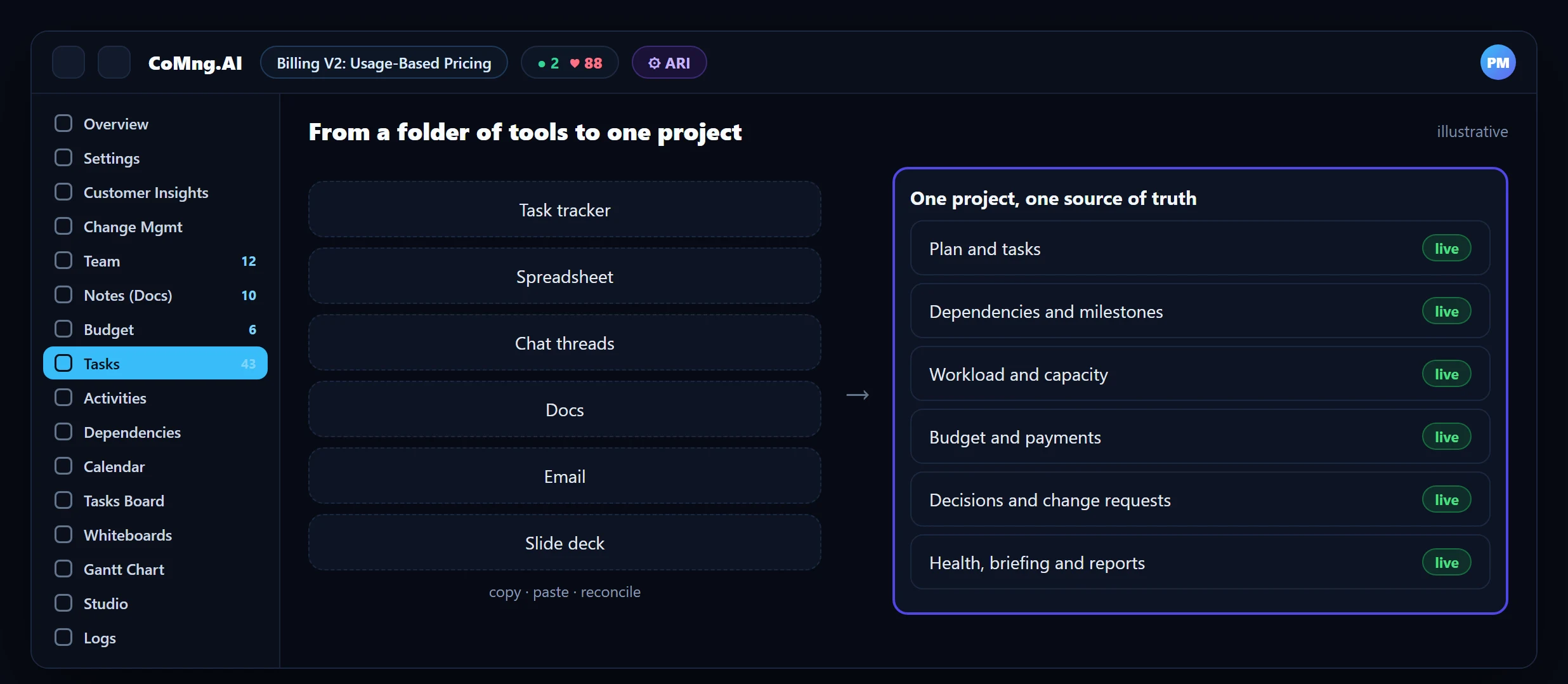
A typical stack: a task tracker, a spreadsheet for budget, chat for decisions, a docs tool for plans, email for customers, slides for reporting, and AI helpers sprinkled across them. Every hand-off between tools is a copy-paste, and every copy-paste is a chance for drift. AI added to each tool makes each one a little smarter, but the connections between them are still human.
Decorative vs Load-Bearing Intelligence
| Decorative AI | Load-bearing intelligence | |
|---|---|---|
| Where it sits | Beside the work: a chat box, a summary button | Inside the work: it reads and proposes changes to the plan itself |
| What it sees | Whatever you paste | Live tasks, dates, dependencies, workload, budget and decisions |
| If you remove it | Nothing breaks | Risk detection, capacity views and drafting disappear |
| Control | None needed | Approval, sandbox preview, audit trail |
| Value compounds | No | Yes: every task, note and decision improves the next answer |
Why One Data Model Matters
A milestone conflict can only be detected if the platform knows both the milestone and the tasks that feed it. A capacity warning needs tasks with effort, assignees and dates. A budget variance needs lines linked to tasks. These are joins across data, and joins are free inside one data model and impossible across a folder of tools.
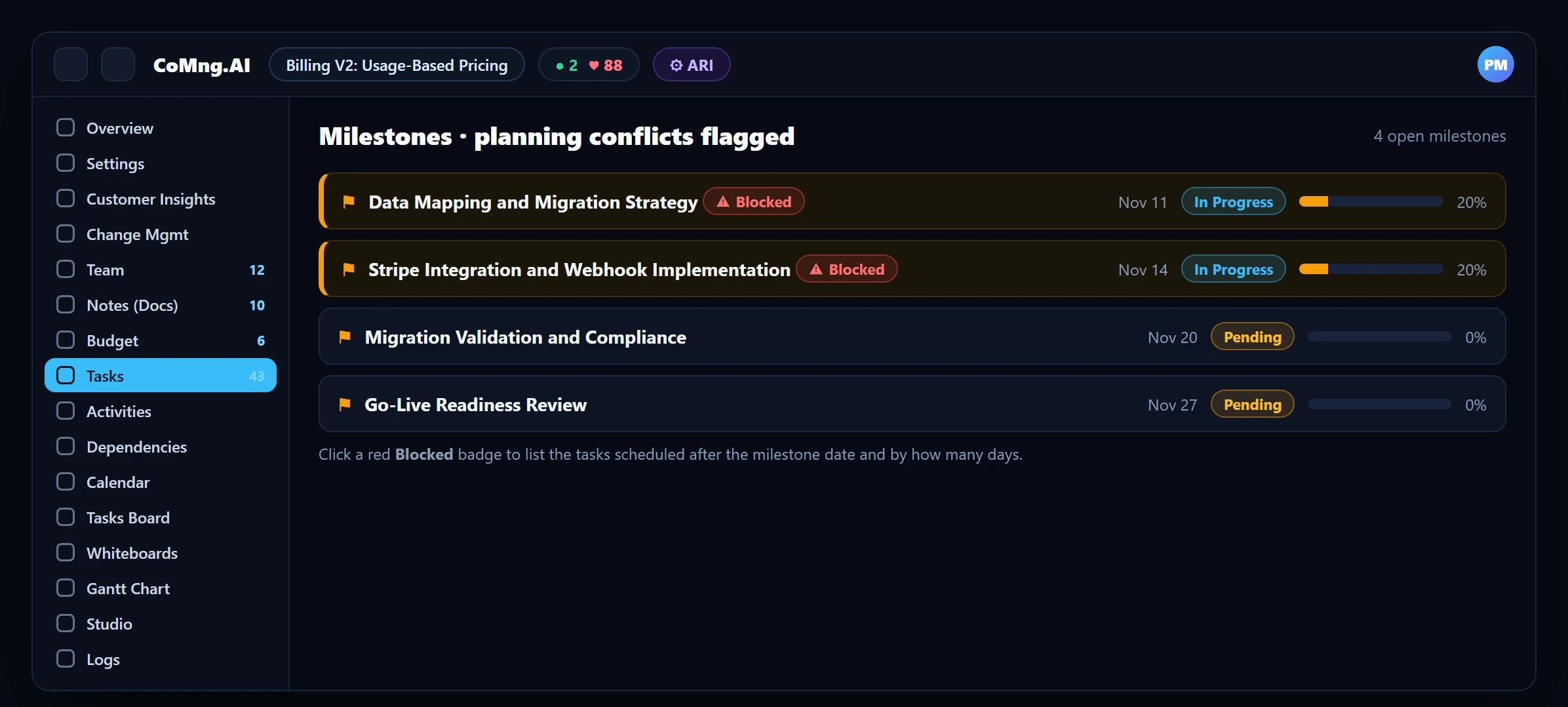
That is what a platform like CoMng.AI is built around: tasks, milestones and their dependencies, budget, team, notes and decisions in one project, readable by people, ARI and external agents through one governed interface (see The MCP Bridge).
How to Consolidate Without a Big Bang
Pick the workflow with the most copy-paste
Usually status reporting or planning.
Move it onto the project
Plans generated or imported; status derived; reports generated.
Retire the side artefact
The spreadsheet or deck that duplicated the data.
Repeat for the next workflow
Change control, customer feedback, budget, capacity.
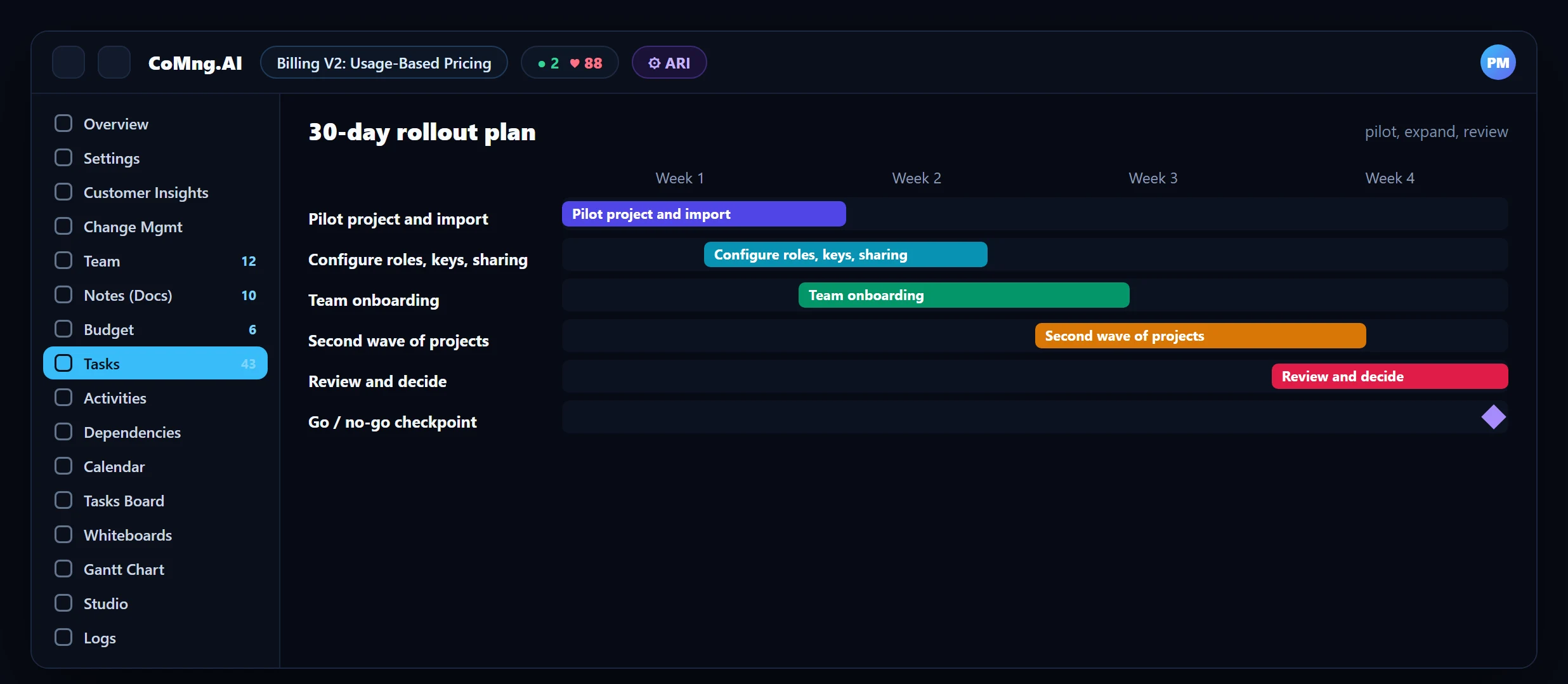
A concrete schedule is in Implement AI Project Management in 30 Days.
- AI helpers in every tool, connected by hand
- Drift between copies
- Risk found by comparing files
- One project the AI can read and act on
- One source of truth
- Risk found by the platform
About CoMng.AI
CoMng.AI is an AI-native project management platform that generates a project's plan, tasks, risks and budget from a description or document, monitors project health in real time, and gives both human teams and AI coding agents live access to the same project data, with a person approving every AI-generated change.
Run your next project with live health, not weekly guesses
Create a free project, import or generate a plan, and see Pulse, milestone flags and capacity in the first hour.
Frequently Asked Questions
What is load-bearing intelligence?
AI that sits inside the workflow and that the work depends on, as opposed to decorative AI that sits beside the work. It reads live project data, proposes changes to it and operates under approval and audit controls.
Why is a single data model important for AI?
Useful insights are joins across data: milestones with tasks, tasks with effort and people, budget lines with tasks. These joins are only possible when the data lives together.
Do I have to replace every tool?
No. Consolidate one workflow at a time, starting with the one with the most copy-paste, and keep integrations such as Slack, Teams or Confluence for sharing.
Can external AI assistants still be used?
Yes. Through the MCP server and scoped API keys, assistants and agents can read and write the project's data with the same permissions and audit trail.
Does consolidation reduce control?
It should increase it: one place for approvals, one audit log, scoped access for agents.
Related reading
See the full guide: AI Project Management Strategy & Buying Guide