September 30, 2026 is not a suggestion. It’s not a soft deprecation. It’s a lights-out date – and the clock is already running.
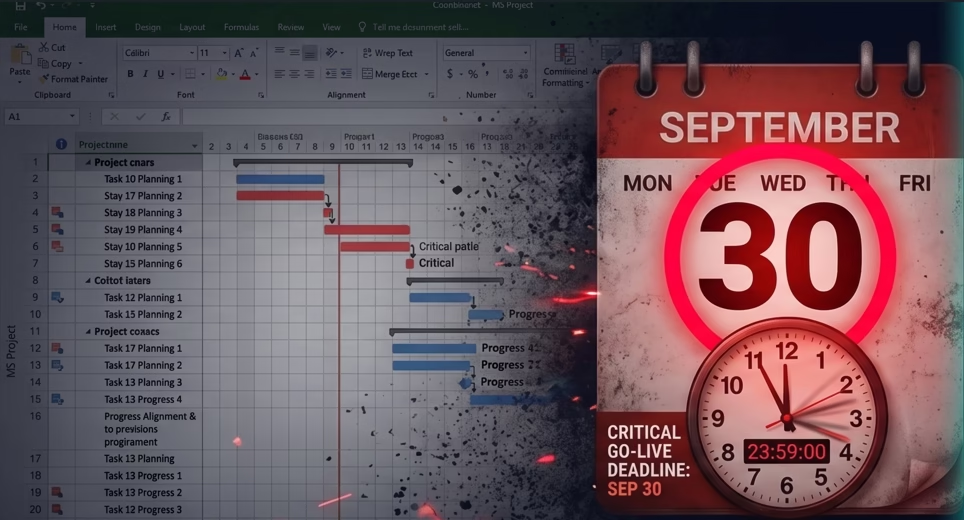
Let’s skip the background. You know Project Online is retiring. You’ve known for a while. This post isn’t here to explain what’s happening – it’s here to tell you what happens to your organization if you’re still on Project Online when the deadline hits, and why the teams that are moving now are already pulling ahead of the ones that aren’t.
130 days. That’s roughly what’s left as of today.
Enterprise migrations take 3 to 6 months in ideal conditions, with clean data and a team dedicated to the transition. You are not in ideal conditions. You are in the final stretch, and the longer you wait, the worse each of your options gets.
What’s Already Broken
Here’s something that didn’t make the headlines loudly enough: the damage started in April. Not September.
On April 2, 2026, Microsoft deprecated the SharePoint 2013 workflows that power Project Online’s governance layer. If your PMO relied on Enterprise Project Type approval workflows, stage gates, demand management routing, or status reporting automation – those processes broke four months before the platform itself goes dark.
You may already be working around broken workflows without having named it as a migration problem. It is a migration problem. It’s the first wave of the retirement hitting your operations right now.
What Happens on September 30
Not gradually. Not with warnings. On September 30, 2026:
- Your projects become inaccessible. Every task, every plan, every milestone, every historical record inside your Project Web App – gone. Not archived. Not read-only. Gone.
- Your data is not recoverable after the fact. Microsoft has been unambiguous: there is no grace period, no export window after retirement, no case you can open to retrieve data.
- Every integration breaks simultaneously. Power BI reports feeding from the Project Online OData feed. SharePoint-connected project sites. Any automation built on top of the platform.
- Your team has no system. Not a degraded system. No system. On October 1, 2026, your PMO wakes up without a platform.
This is not a scare story. This is Microsoft’s published position, stated plainly in their retirement announcement.
The Math on “We’ll Start Soon”
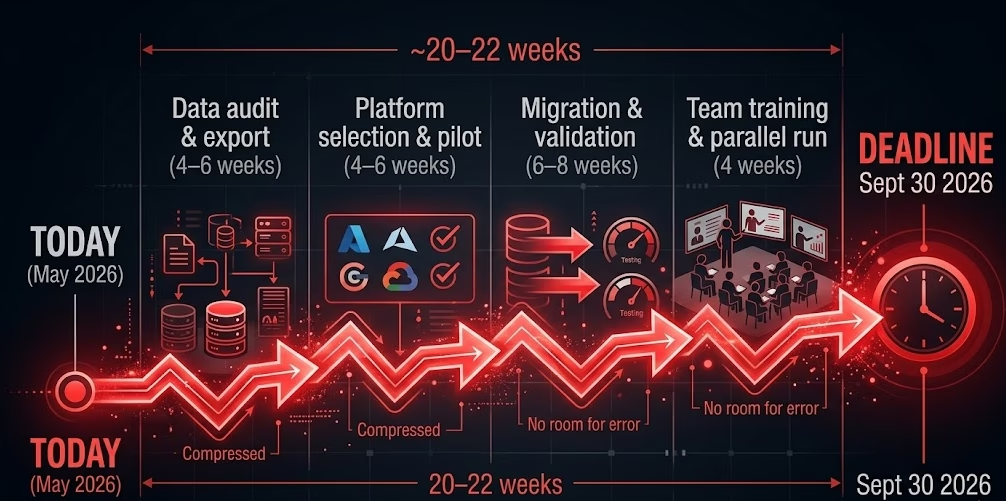
Let’s run the numbers honestly.
A migration from Project Online to any serious platform involves:
- Data audit and export – 4 to 6 weeks. Inventorying active projects, custom fields, resource pools, historical records, and integrations. Extracting via API (not CSV – you’ll lose relational integrity). Validating completeness.
- Platform selection and pilot – 4 to 6 weeks. Evaluating options, running a live project on the new system, confirming your integrations work.
- Migration and validation – 6 to 8 weeks. Moving active projects. Rebuilding reports. Confirming data integrity in the new environment.
- Team training and parallel run – 4 weeks minimum. Running both systems simultaneously before cutover. Finding what you missed.
That’s 18 to 24 weeks end to end. You have approximately 18 weeks left.
You are at the edge of the window. Starting this week still gives you a path. Starting next month does not.
There’s one thing that makes this easier than it sounds.
When you do your data export from Project Online – the XML, XLS, or CSV file you’ll pull from your Project Web App – that file is all CoMng.AI needs to reconstruct your projects on the other side. Drop it in. CoMng.AI reads the export and rebuilds your project structure with tasks, dependencies, milestones, budget, and team assignments intact. No manual re-entry. No starting from a blank canvas.
The 18-week migration timeline above assumes a heavy, complex lift. If you’re moving to CoMng.AI, the data migration step collapses to an upload. What takes weeks with other platforms takes minutes here.
The Decision You’re Actually Making By Waiting
Every week you delay the migration decision, something gets worse:
Your data export gets riskier. The longer you wait, the more active projects are mid-flight when you need to freeze and export. Partial migrations of live projects introduce data integrity problems that are expensive to fix.
Your options narrow. The best implementation partners for enterprise migrations are already booked. Teams that moved early got first choice of who helps them. Teams moving now are competing for remaining capacity.
Your team’s stress compounds. There’s a version of this migration that’s planned and controlled. There’s another version where your project managers are scrambling in August while trying to run live projects simultaneously. The gap between those two versions is the decisions you make in the next four weeks.
Your negotiating position weakens. Vendors know where you are on the timeline. The more urgency you communicate, the less leverage you have on implementation costs, onboarding support, and contract terms.
Why “Just Move to Planner” Isn’t the Answer for Most PMOs
Microsoft will tell you to move to Planner Premium. For simple use cases, that’s fine. But if your organization used Project Online seriously – portfolio management, resource capacity planning, governance workflows, RAID registers, complex reporting – Planner Premium will feel like a downgrade the moment you try to configure it.
It caps at 3,000 tasks and 10 custom fields. It doesn’t replicate the governance depth. Your Power BI reports need to be rebuilt from scratch against a different data model. And critically: it is still an AI-assisted tool. You still do the thinking. You still compile the reports. You still run the meetings. The administrative burden doesn’t go away – it just moves to a slightly more modern interface.
If you’re going to migrate anyway, the question worth asking is: do you want to land somewhere better than where you started, or just somewhere different?
What “Better” Actually Looks Like
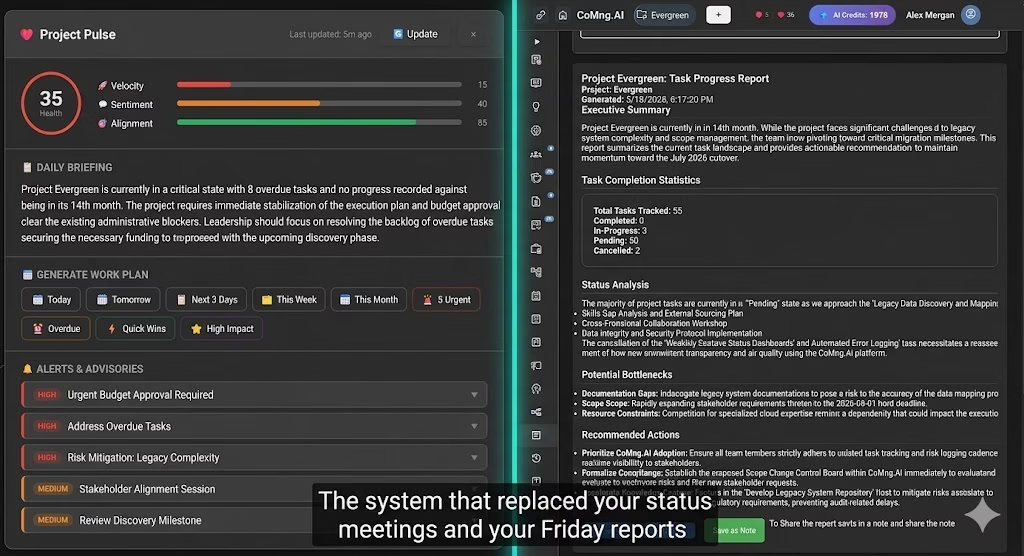
The teams using this migration well aren’t looking for a Project Online clone. They’re using the forced exit as the push they needed to move to a system that does something their last platform never did: actually manage the project alongside them.
CoMng.AI is an Autonomous Execution System. Not a task tracker. Not a Gantt tool with an AI button. A platform where:
- You describe your project once, and the AI generates the entire framework – goals, milestones, risks, requirements, 85+ tasks – in minutes. The 40-hour setup ritual disappears.
- A live health score (Project Pulse) monitors your project continuously across Velocity, Sentiment, and Alignment – and generates a daily briefing with prioritized action items. The Monday standup prep disappears.
- Stakeholder reports write themselves from live project data. The Friday afternoon reporting ritual disappears.
- The workplan generates itself on demand. Sprint planning ceremonies become optional.
Everything that consumed your project managers’ time in Project Online – setup, status updates, report writing, replanning – becomes something the AI does, so your team can focus on the decisions that actually drive delivery.
This isn’t the same category of tool as Planner and other tools. Those are modern task trackers. CoMng.AI is a co-manager. The distinction matters more than the feature list.
Your Next Four Weeks
If you’re going to make the deadline comfortably, this is what the next four weeks need to look like:
This week: Start the data audit. List every active project in your PWA. Document custom fields, resource pools, integrations, and which Power BI reports feed from Project Online. Don’t wait for a formal project to begin this – it’s a spreadsheet and a few hours with your PMO admin.
Week 2: Begin the platform evaluation. Don’t evaluate seven tools. Pick two – your most likely landing spot and one alternative – and run a live active project on each for one week. Evaluation by demo is not evaluation.
Week 3: Make the platform decision. Involve your PMO leads, not just IT. The people who have to use the system every day should have a voice in this before the contract is signed, not after.
Week 4: Run your data export and import it directly into CoMng.AI. Project Online exports in XML, XLS, and CSV formats – CoMng.AI accepts all of them, along with PDF, HTML, and TXT. Upload your export file and CoMng.AI reconstructs your projects automatically: tasks, dependencies, milestones, budget, and team. Your projects come with you. No rebuilding from scratch.
One More Thing
The post on our blog that covers the full migration picture – every option, complete feature comparisons, a detailed checklist – is here. Read it if you want the comprehensive view.
But if you’re reading this post, you probably don’t need more information. You need to start.
130 days. Start today.
Start your migration at comng.ai – free, no credit card required →
Want the full picture before deciding? Read the complete migration guide: Microsoft Project Online is Retiring – What to Migrate To