It’s Monday morning. You’ve just been handed a new initiative – “launch a customer feedback portal integrated with our CRM by Q3” – and a blank project template. Before anyone can start work, someone has to turn that one sentence into dozens of scoped tasks, estimates, owners, and a schedule. Traditionally, that’s a half-day of whiteboarding, stakeholder interviews, and spreadsheet wrangling before a single task gets assigned. Project managers routinely lose 3-5 hours per new project just getting from “idea” to “structured plan” – time spent before any real work has begun.
AI-native project platforms now compress that setup into minutes. Feed in a short description, and the system generates a complete Work Breakdown Structure – tasks, subtasks, sub-subtasks, dependencies, and effort estimates – ready to review and adjust rather than build from zero.
Can AI Really Build a Full WBS From Just a Sentence or Two?
Yes – but the quality of the output depends on the specificity of the input.
A vague prompt (“build an app”) produces a generic skeleton; a description with a goal, a rough scope, and a deadline (“launch a customer feedback portal integrated with our CRM by Q3”) produces a WBS that’s already close to usable, because the AI has enough context to infer scope boundaries, likely phases, and realistic dependencies.
This isn’t autocomplete for task names. It’s structural inference: the AI reads the description the way an experienced PM would – identifying the implied deliverables, the standard phases for that type of work, and the dependencies between them – then outputs a hierarchy rather than a flat list.
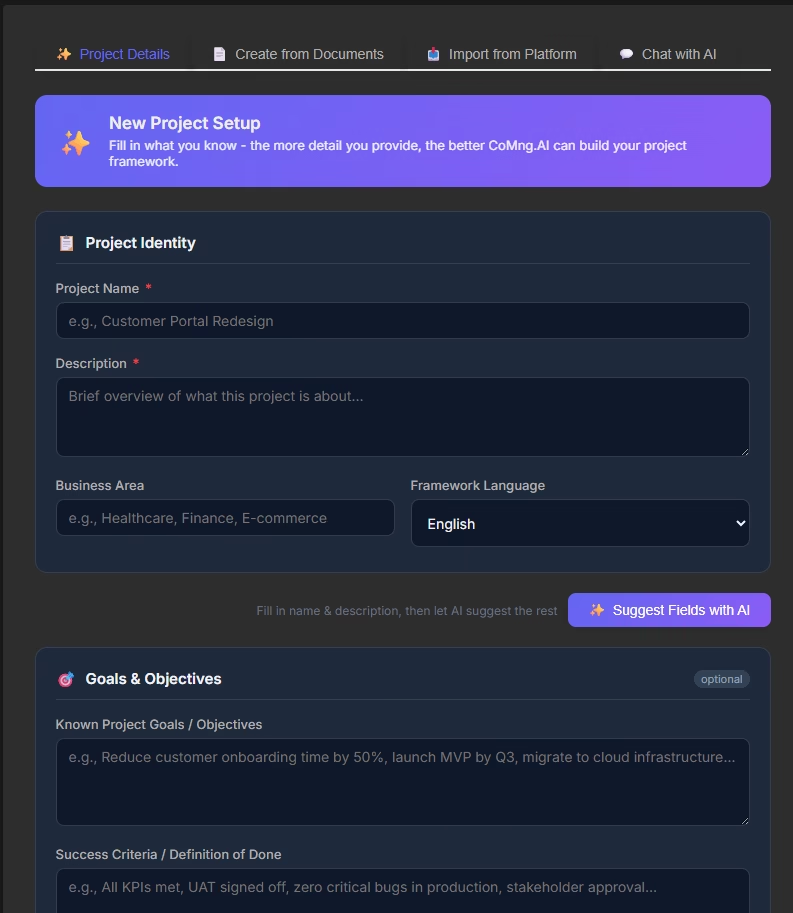
How AI WBS Generation Actually Works
The process runs in four layers, each building on the last.
Layer 1: Scope and objective extraction
The system parses the short description to infer the project’s goal, implied deliverables, and any constraints mentioned (deadline, integration targets, team size). This becomes the frame everything else hangs on – get this wrong, and the whole WBS drifts, which is why reviewing this layer before moving on matters more than reviewing the task list itself.
Layer 2: Hierarchical task decomposition
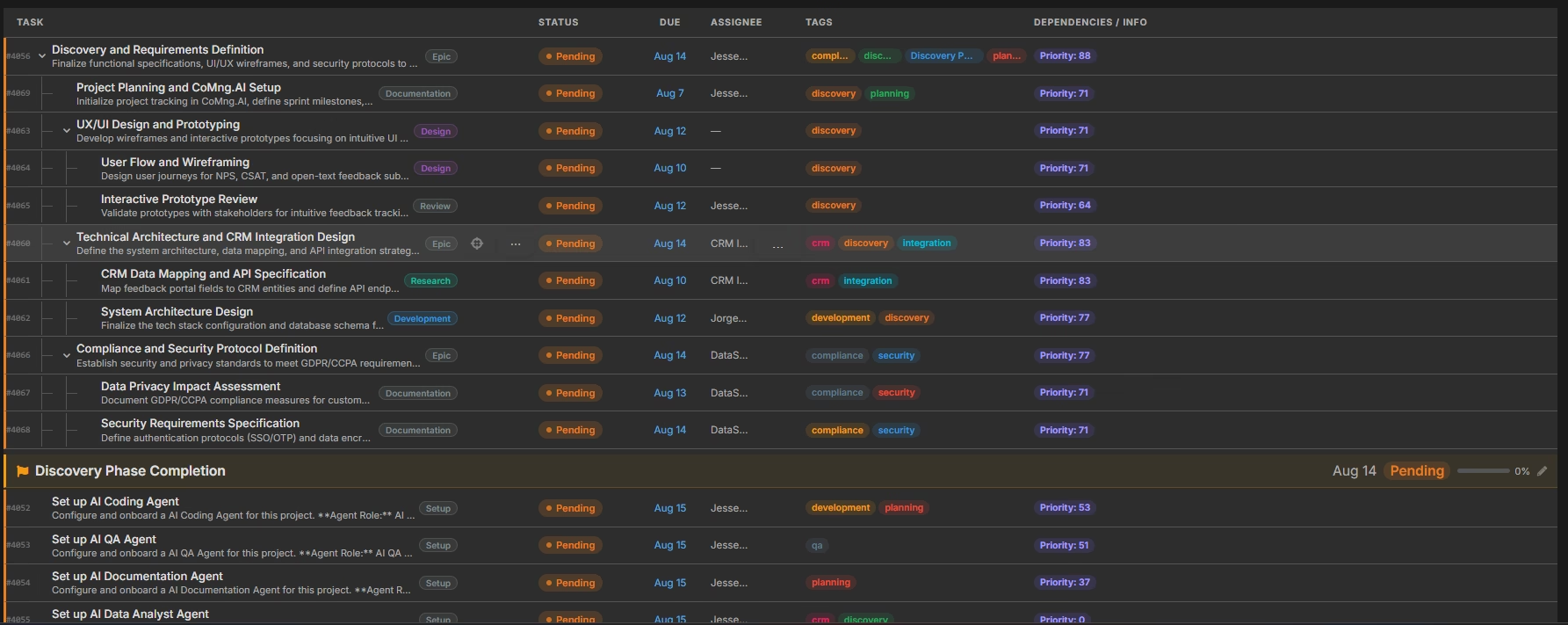
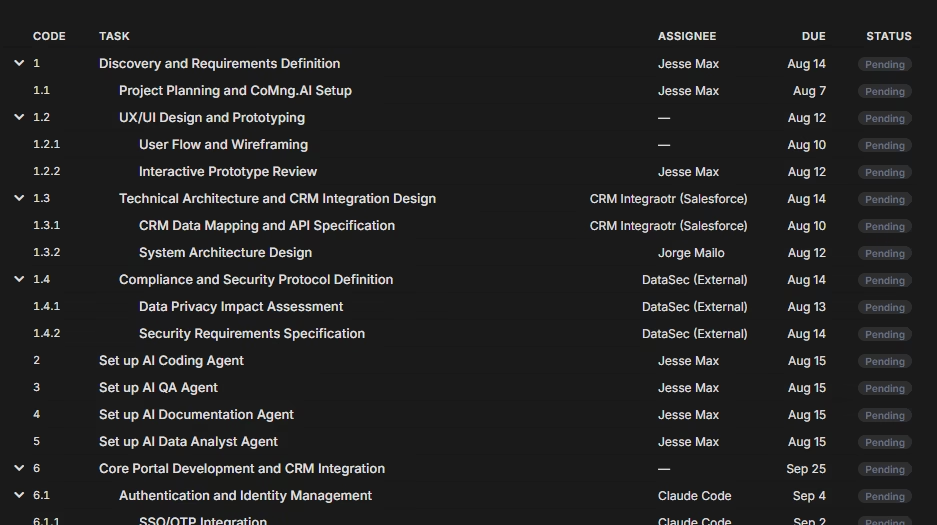
The AI generates a three-level breakdown – top-level tasks, subtasks, and sub-subtasks – mirroring classic WBS decomposition principles. For a software/IT project, this typically follows a recognizable pattern (design → development → integration → testing → deployment → support), because that structure is inferable from the domain even when the user never mentions it explicitly.
Layer 3: Dependency and sequencing detection
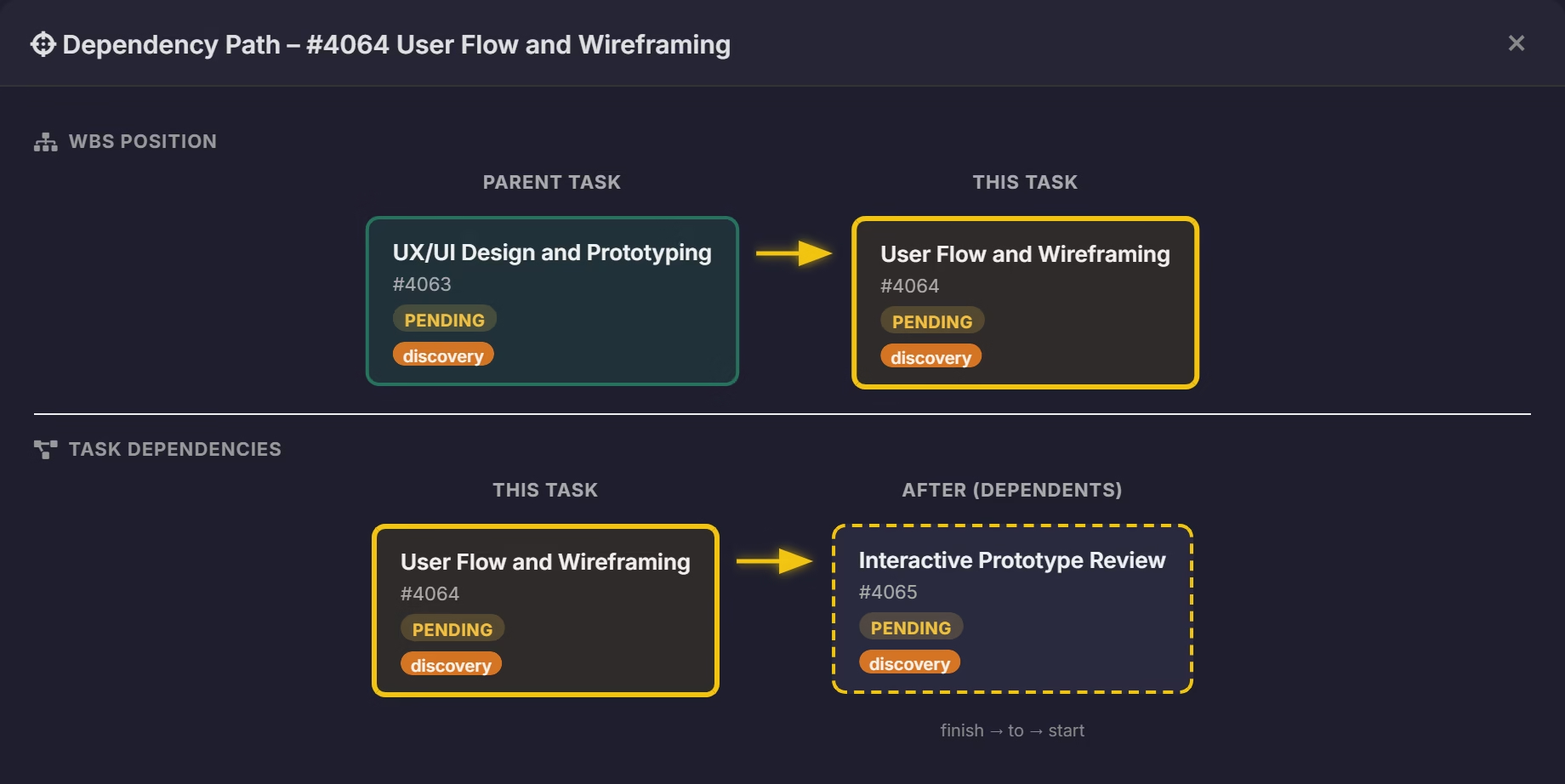
Each task is checked against the others for logical dependencies – “integration testing” can’t start before “API development” completes, for instance. This sequencing is what turns a task list into a schedulable plan rather than a bucket of to-dos.
Layer 4: Estimation and assignment
Effort, rough cost, and suggested owners are attached to each task, drawing on role/skill fit rather than leaving every field blank for the PM to fill in later.
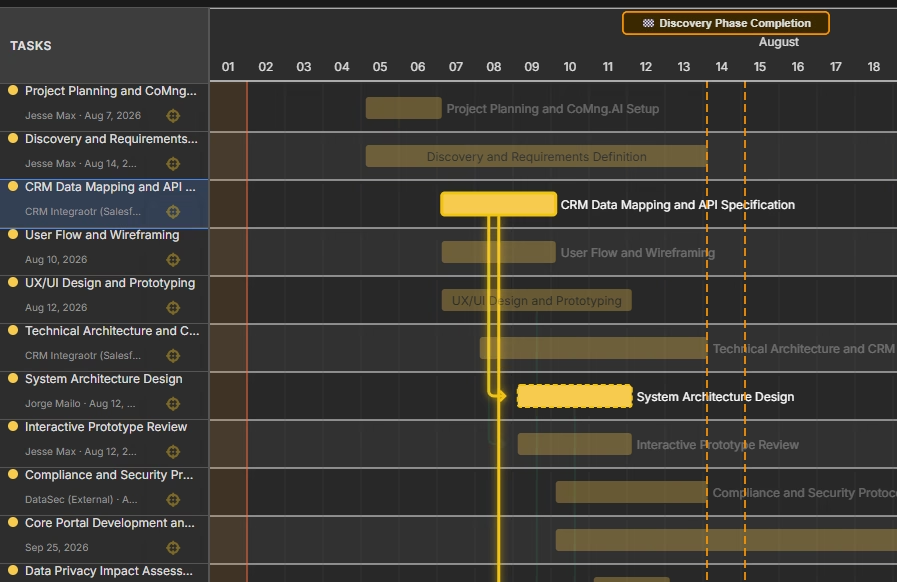
Because dependency data already exists after Layer 3, the same generation pass can immediately populate a Gantt chart and a critical path view – there’s no separate re-entry step between “task list” and “timeline.”
Real-World WBS Generation in Action
The Blank-Page Software Launch: A five-person team was told to “launch a customer feedback portal integrated with our CRM by Q3” with no further brief. Manually, this typically takes a PM 4-6 hours to turn into a working task list. Fed as a one-line description into an AI planning tool, the system returned 34 tasks across 6 phases, with dependencies and estimated effort, in under two minutes. The team spent the remaining time reviewing and reassigning rather than building from scratch – cutting setup time by roughly 90%.
The Ambiguous Brief: A marketing lead described a project as simply “rebrand the product site.” The AI generated a reasonable default structure (content audit, design refresh, copy rewrite, dev handoff, QA, launch) but flagged that scope was underspecified, prompting the user to add “no logo change, timeline is 6 weeks” – after which the WBS regenerated with tighter, more accurate estimates. This illustrates a real limitation: AI compensates for vague structure, but not for missing scope decisions only a human can make.
The IT Migration: An internal IT team described “migrate on-prem file storage to cloud, 200 users affected.” The AI’s generated WBS correctly front-loaded a risk-heavy dependency – user access provisioning – that the team’s own draft plan had placed too late in the sequence, avoiding a scheduling conflict that would have surfaced only during execution.
What AI Can and Can’t Do Here
AI excels at eliminating the blank-page problem: it produces a structurally sound, dependency-aware starting hierarchy in minutes instead of hours, and it reliably applies domain-standard phase patterns (especially for software/IT work) without the user having to specify them.
It struggles with genuinely novel or highly specialized scope that has no comparable pattern to draw on, and it cannot make scope decisions that depend on information the user simply hasn’t provided yet – budget ceilings, political constraints, or team-specific conventions. The output is a strong first draft meant for review and adjustment, not a final, unexamined plan.
Common Mistakes to Avoid When Generating a WBS With AI
1. Feeding it a one-word prompt. “Build an app” gives the AI nothing to infer scope from. Include the goal, rough scope, and any hard constraints.
2. Skipping the Layer 1 review. If the inferred objective is off, everything downstream – tasks, dependencies, estimates – inherits the error. Check scope before checking tasks.
3. Treating the first output as final. The generated WBS is a draft calibrated to the input given; missing context (budget limits, team conventions) won’t show up unless you add it.
4. Ignoring the dependency layer. Teams sometimes reorder tasks by habit without checking why the AI sequenced them a certain way – occasionally the AI has caught a dependency the team missed.
5. Not re-running after scope changes. If the description changes materially, regenerate rather than hand-editing a WBS built for the old scope.
From First Draft to Full Plan
A short description that produces a WBS doesn’t have to stop there. The same input can generate objectives and KPIs, a dependency-driven Gantt chart, an initial risk list with mitigation suggestions, and draft budget lines – because they all derive from the same underlying task hierarchy. That’s the real difference between a task tracker and an AI project co-manager: one waits for you to define structure, the other proposes one and lets you edit it into shape.
Leave a Reply