1. Project Management Mastery: Transform Your Skills with AI - Introduction

A compelling introduction to the dcoument, highlighting the challenges of project management and the transformative power of AI. Sets the stage for the guide and establishes the value proposition.

Feeling Overwhelmed by Projects?

Let's be honest: Project management can feel like herding cats. Juggling deadlines, resources, team members, and client expectations – it's a whirlwind! Are you struggling to keep projects on track? Finding yourself constantly firefighting? Or maybe you're just looking for a more efficient way to get things done? You're not alone.

The Project Management Puzzle

Whether you're a small business owner wearing multiple hats, a team lead trying to wrangle your crew, or simply looking to up your project game, the challenges are real. Complex projects, in particular, can feel like climbing Mount Everest without a map or oxygen. This guide is your map, your oxygen, and your Sherpa all rolled into one!

Introducing Project Management Mastery

Welcome to 'Project Management Mastery: Transform Your Skills with AI'! This dcoument is designed to equip you with the knowledge, tools, and strategies you need to conquer projects of any size. We'll break down the project management process into manageable steps, providing you with a clear roadmap to success.

What You'll Discover

Inside, you'll learn the essential stages of project management, from initial planning to final delivery. We'll cover everything from defining project scope and creating realistic timelines to managing resources and fostering effective team communication. And the best part? We'll show you how to leverage the power of AI to supercharge your project management skills.

The AI Advantage

AI is revolutionizing the way we work, and project management is no exception. Imagine having an AI assistant that helps you with task management, risk assessment, progress tracking, and even generating project reports. That's the power of AI, and we'll show you how to harness it using tools like CoMng.AI (and other great AI tools!).

CoMng.AI is the world's first truly AI-native project management platform, built from the ground up with AI at its core. Unlike traditional tools that bolt AI features onto legacy systems, CoMng.AI eliminates the "blank page problem" - that overwhelming moment when you're staring at an empty project template wondering where to start. With CoMng.AI, you simply describe your project concept, and within minutes the AI generates a complete project framework: goals, objectives, tasks, timelines, budgets, risk assessments, and even documentation. What traditionally takes weeks of expert work now happens in hours.

Why This Guide Matters

This guide isn't just about theory; it's about practical application. We'll provide actionable tips, templates, and real-world examples that you can implement immediately. Whether you're a seasoned project manager or a complete beginner, you'll find valuable insights and strategies to improve your efficiency and achieve your project goals.

Key Benefits of Mastering Project Management

πŸ“‹ Key Benefits of Mastering Project Management

  • Improved Project Success Rates

  • Enhanced Team Collaboration and Communication

  • Reduced Project Costs and Timeframes

  • Increased Efficiency and Productivity

  • Better Resource Allocation

  • Enhanced Risk Management

  • Increased Client Satisfaction

  • Greater Confidence in Leading Projects

Meet Your Project Management Sherpa

This guide is designed for anyone who wants to improve their project management skills. Whether you're a small business owner juggling multiple projects, a team lead looking to streamline your workflow, or simply someone who wants to become more organized and efficient, this is for you. We'll cover the essentials, then show you how to leverage AI for even greater results.

What to Expect: A Sneak Peek

Over the next few sections, we'll walk you through the entire project lifecycle. We'll cover project initiation, planning, execution, monitoring and controlling, and closure. We'll also delve into the practical use of AI tools to automate tasks, analyze data, and make smarter decisions.

Ready to Transform Your Skills?

Are you ready to take control of your projects and achieve remarkable results? Let's dive in! Get ready to learn, implement, and see the difference project management mastery can make. Download the next section to get started!

Setting the Stage: Project Management's Core Pillars

Before we jump into the details, let's quickly recap the core pillars of effective project management: Scope, Time, Cost, and Quality. We'll address these in depth, but understanding these as the foundation is crucial.

The Project Management Lifecycle

A visual representation of the project management lifecycle, showing the stages: Initiation, Planning, Execution, Monitoring & Controlling, and Closure. The image should be clear and easy to understand, perhaps a circular flow diagram.

A Quick Word on AI: Your New Project Management Partner

Throughout this guide, we'll highlight how AI can be your secret weapon. AI tools can help with everything from generating project plans to tracking progress and identifying potential risks. Think of AI as your intelligent assistant, helping you work smarter, not harder.

Let's Get Started! Download the next section!

Now that you've got a taste of what's to come, let's dive into the first step: Project Initiation. Click the link below to get started!

2. The Project Management Pain Points: Are You Struggling?

Identifies common project management challenges faced by the target audience: scope creep, missed deadlines, budget overruns, poor communication, and inefficient resource allocation. Emphasizes the emotional impact of these problems.

Feeling the Project Management Pressure?

Let's be honest, project management can be tough. It's a juggling act, a balancing act, and sometimes, a complete fire drill! Are you nodding your head? You're not alone. Many small business owners, project managers, and team leads face similar struggles. This section is dedicated to helping you identify those pain points and understand you're not alone in feeling them.

Scope Creep: The Unwanted Guest

Ever started a project with a clear goal, only to find the requirements constantly shifting and expanding? That's scope creep. It's like a tiny snowball that grows into an avalanche, adding more tasks, more time, and more stress than you ever bargained for. It often leads to missed deadlines and budget overruns. A visual representation of a project timeline with the scope slowly expanding over time.

How CoMng.AI Helps: One of the key ways to combat scope creep is having a clear, comprehensive project scope from day one. CoMng.AI's automatic scope generation feature analyzes your project description and creates a detailed scope statement that defines boundaries, inclusions, and exclusions. When stakeholders request changes, you can use the platform's AI to quickly assess the impact on timeline, budget, and resources - giving you data-driven insights to make informed decisions about what stays in scope and what becomes a future phase.

Missed Deadlines: The Heartbreak of Project Management

Deadlines are the backbone of any project. Missing them can lead to client dissatisfaction, lost revenue, and a damaged reputation. It's incredibly frustrating, isn't it? The pressure mounts, team morale plummets, and you feel like you're constantly playing catch-up. Feeling this regularly can be extremely disheartening.

How CoMng.AI Helps: CoMng.AI's automatic timeline optimization is a game-changer for deadline management. The platform analyzes task dependencies, team member availability, and resource constraints to automatically arrange realistic due dates. When you set milestone dates, the AI intelligently schedules all related tasks to meet that deadline. Even better - if something changes, the AI can instantly recalculate and adjust the entire timeline. The platform's critical path analysis highlights which tasks absolutely cannot be delayed without impacting your final deadline, so you know exactly where to focus your attention. You'll also get early warning alerts when tasks are at risk of running late, giving you time to take corrective action before it becomes a crisis.

Budget Overruns: The Financial Drain

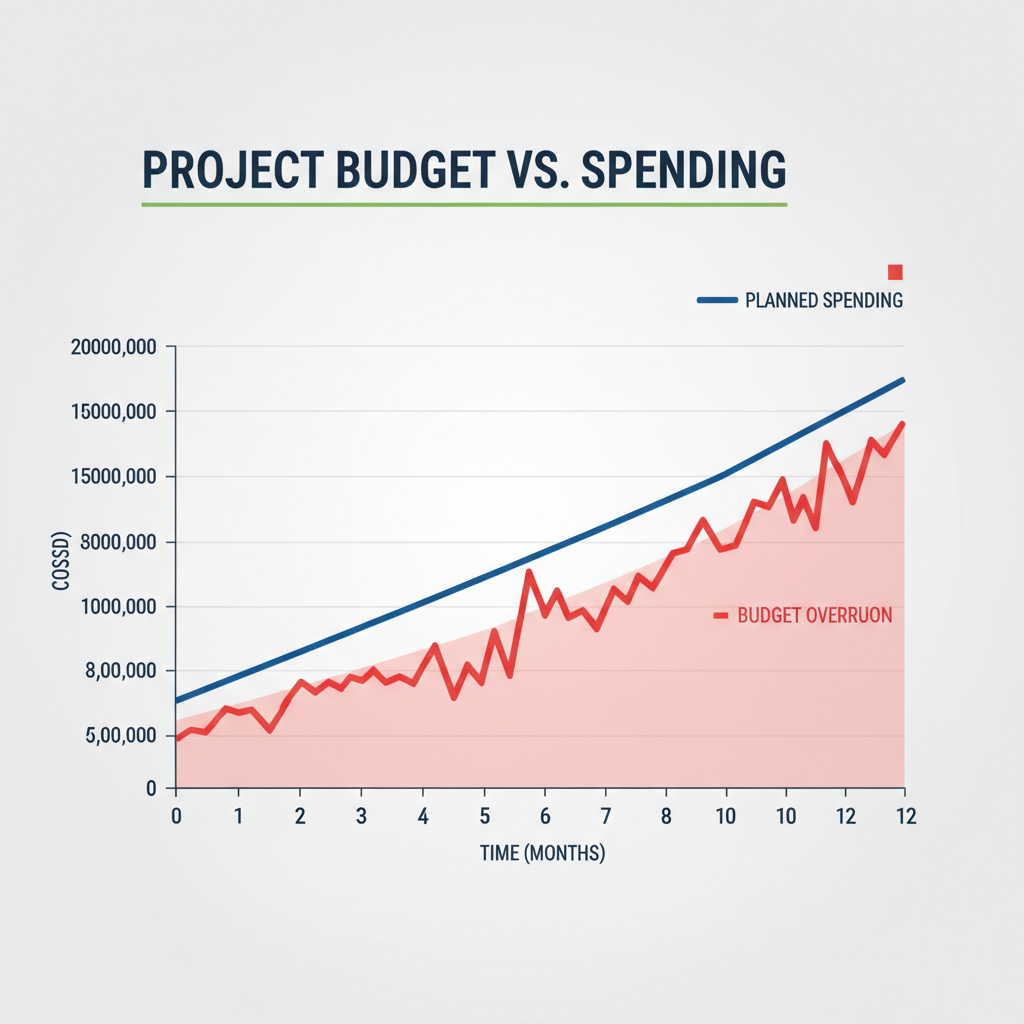
Sticking to a budget is crucial for profitability. When costs spiral out of control, it can put a serious strain on your business. Budget overruns often stem from poor planning, unexpected issues, or scope creep. The worry of exceeding your budget can be a major source of stress and sleepless nights. A graph illustrating a project's planned budget versus actual spending, showing the overrun.

How CoMng.AI Helps: CoMng.AI takes the guesswork out of budgeting with its automatic budget line generation. The AI analyzes your project scope and automatically suggests all required budget items - from personnel costs to equipment, services, and contingencies. Each line item comes with vendor recommendations, estimated amounts based on industry standards, and detailed justifications. You can even ask the AI to generate alternative budget scenarios: cost-effective, premium, or simplified approaches. Throughout project execution, CoMng.AI tracks actual spending against planned budget, provides variance reports, and forecasts potential overruns before they happen. When you need budget approval, the platform can automatically generate comprehensive justification documents with business cases, ROI analysis, and risk assessments - making it much easier to secure stakeholder buy-in.

Poor Communication: The Silent Killer

Ineffective communication is a project's worst enemy. When team members aren't on the same page, misunderstandings arise, tasks get duplicated, and crucial information gets missed. This can lead to delays, errors, and a general sense of chaos. Do you find yourself constantly chasing down information?

How CoMng.AI Helps: CoMng.AI centralizes all project communication and makes it contextual. Instead of information scattered across emails, chat apps, and meetings, everything lives in one place. The platform's automatic communication plan creator identifies stakeholders and generates tailored communication strategies. Need to send a project kickoff email, status update, or risk escalation? The AI generates professional communications based on your project data. The built-in knowledge base captures all project decisions, discussions, and insights in searchable notes. Team members can collaborate on tasks with threaded discussions, ask questions directly about specific project elements, and the AI provides context-aware answers. The platform even supports 20 languages, so global teams can work in their native languages with automatic conversion. Plus, CoMng.AI's automatic documentation and reporting means everyone always has access to current project information - no more "I didn't know" excuses.

Inefficient Resource Allocation: Wasting Precious Time and Money

Are your team members overloaded with some tasks while others are underutilized? Inefficient resource allocation leads to wasted time, increased costs, and decreased productivity. It's like trying to build a house with the wrong tools – it's going to take longer and be more difficult. Feeling like your team isn't performing at its best can be extremely frustrating.

How CoMng.AI Helps: CoMng.AI's intelligent resource management is like having a skilled project coordinator working 24/7. The platform analyzes your project requirements and automatically identifies all needed roles with specific expertise requirements and justifications. When assigning tasks, the AI recommends the best-fit team member based on their skills, experience, current workload, availability, and past performance on similar tasks. You'll get a clear view of who's overloaded and who has capacity. The AI can even analyze candidate CVs and recommend the best fit for open positions. Throughout the project, workload balancing ensures no one is burning out while others are idle. The platform's Gantt chart and resource allocation views give you complete visibility into who's working on what and when, making it easy to spot conflicts and optimize assignments. CoMng.AI also tracks which skills are being utilized and where there are gaps, helping you make better hiring and training decisions.

The Emotional Toll: It's More Than Just Work

These project management challenges aren't just about work; they impact your well-being. The stress of missed deadlines, budget overruns, and poor communication can lead to burnout, anxiety, and a general feeling of overwhelm. Remember, your mental health matters, and feeling consistently stressed about projects is a serious issue.

Common Symptoms of Project Management Pain

πŸ“‹ Common Symptoms of Project Management Pain

  • Constant firefighting and putting out 'blazes'.

  • Feeling overwhelmed and losing track of tasks.

  • Team members not understanding their roles.

  • Clients or stakeholders constantly asking for updates.

  • A general feeling of chaos and lack of control.

  • Regularly working long hours to catch up.

  • Difficulty delegating tasks effectively.

The Ripple Effect: How Problems Multiply

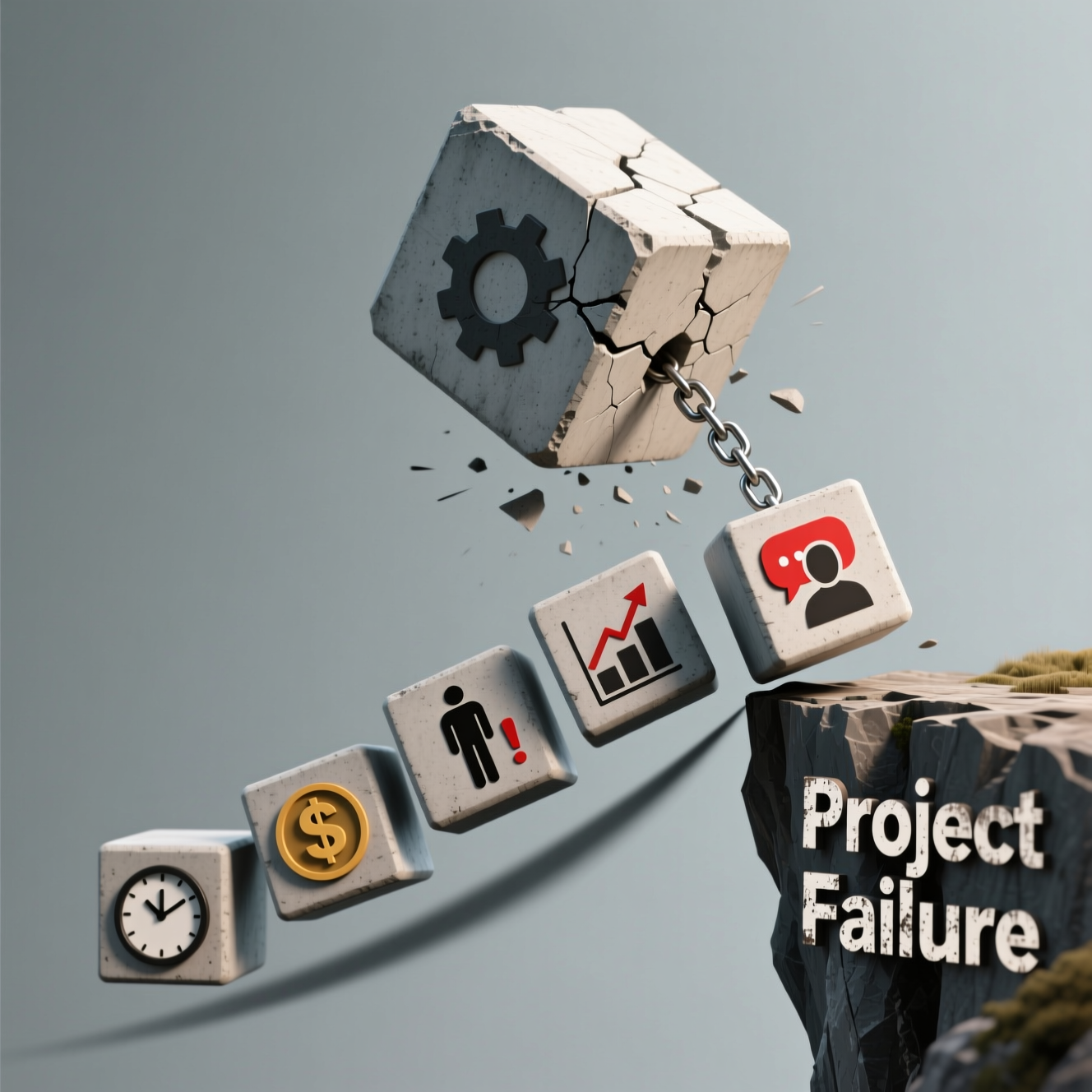
One problem often leads to another. Missed deadlines can cause budget overruns. Poor communication can lead to scope creep. It's a vicious cycle! Breaking free from this cycle requires identifying these pain points and implementing effective solutions. A visual representation of a chain reaction, showing how one project problem can trigger others.

Ready to Break Free?

If any of these challenges resonate with you, you're in the right place. This dcoument will provide you with practical strategies, tools, and insights to overcome these project management pain points and transform your skills. Let's get you back in control!

How AI Can Help: A Glimpse of the Future

The good news is that advancements in AI are revolutionizing project management! Tools like Comng.ai are designed to help you combat these challenges, from automating tasks to improving communication and providing data-driven insights. Keep reading to discover how AI can be your secret weapon.

Self-Assessment: Pinpointing Your Weaknesses

πŸ’‘ Exercise:

Take a moment to reflect on your recent projects. Which of these pain points are you experiencing the most? Write down the top three challenges you face in your current project management efforts. This self-awareness is the first step towards improvement.

Moving Forward: Relief is Possible

The challenges are real, but so are the solutions. By understanding these common pain points, you've taken the first step towards building a more efficient, successful, and less stressful project management approach. In the following sections, we'll explore actionable strategies to overcome these hurdles and achieve project management mastery!

Checklist: Recognizing the Signs of Project Management Struggles

βœ… Checklist:

  • Are deadlines consistently missed?

  • Are budgets frequently exceeded?

  • Is communication unclear or inconsistent?

  • Do team members feel overwhelmed or confused?

  • Is scope constantly changing without proper control?

  • Are you feeling stressed and burnt out?

  • Are resources being allocated inefficiently?

3. Unlocking Project Success: The Power of AI and Structured Processes

Introduces the core solution: a combination of proven project management methodologies and the intelligent application of AI tools. Positions the dcoument as a practical guide to overcoming the identified pain points.

Welcome to Project Management Mastery!

Hey there! Are you feeling overwhelmed by project deadlines, struggling with team communication, or just wishing you could get more done in less time? You're not alone! Many small business owners, project managers, and team leads face these challenges every day. That's why we created this guide: to help you unlock your project management potential and achieve real success.

The Problem: Project Management Pain Points

Let's be honest: project management can be tough. Common struggles include scope creep (projects getting bigger than planned), poor communication leading to misunderstandings, missed deadlines, budget overruns, and difficulty tracking progress. These issues can lead to stress, frustration, and ultimately, project failure. But there's good news: these problems are solvable!

Our Solution: A Powerful Combination

The key to overcoming these challenges lies in a two-pronged approach: implementing structured project management methodologies and intelligently leveraging the power of AI. This guide will walk you through both, giving you the tools and knowledge you need to succeed.

The Foundation: Project Management Methodologies

First, let's build a solid foundation. We'll explore the essential stages of project management: initiation, planning, execution, monitoring & controlling, and closure. Understanding these stages is crucial for organizing your projects and keeping them on track.

The 5 Core Stages of Project Management

πŸ“‹ The 5 Core Stages of Project Management

  • Initiation: Defining the project's purpose, goals, and scope. Identifying stakeholders and getting initial buy-in.

  • Planning: Creating a detailed project plan, including tasks, timelines, budget, and resource allocation.

  • Execution: Carrying out the project plan, managing tasks, and coordinating the team.

  • Monitoring & Controlling: Tracking progress, managing risks, and making necessary adjustments to stay on schedule and within budget.

  • Closure: Finalizing the project, documenting lessons learned, and celebrating success.

Introducing the Power of AI

Now, let's talk about the game-changer: AI. Artificial intelligence can revolutionize your project management process, automating tasks, providing valuable insights, and helping you make smarter decisions. Think of it as your intelligent project management assistant.

AI in project management isn't just about automation - it's about intelligence that understands context across 100+ business domains. Whether you're launching a software product, managing a construction project, running a marketing campaign, or leading an enterprise transformation, AI can provide industry-specific guidance that would traditionally require specialized consultants. The technology has evolved to the point where it can analyze complex project scenarios, identify risks you might miss, suggest optimal approaches, and even execute certain tasks end-to-end.

CoMng.AI: Your AI-Powered Project Partner

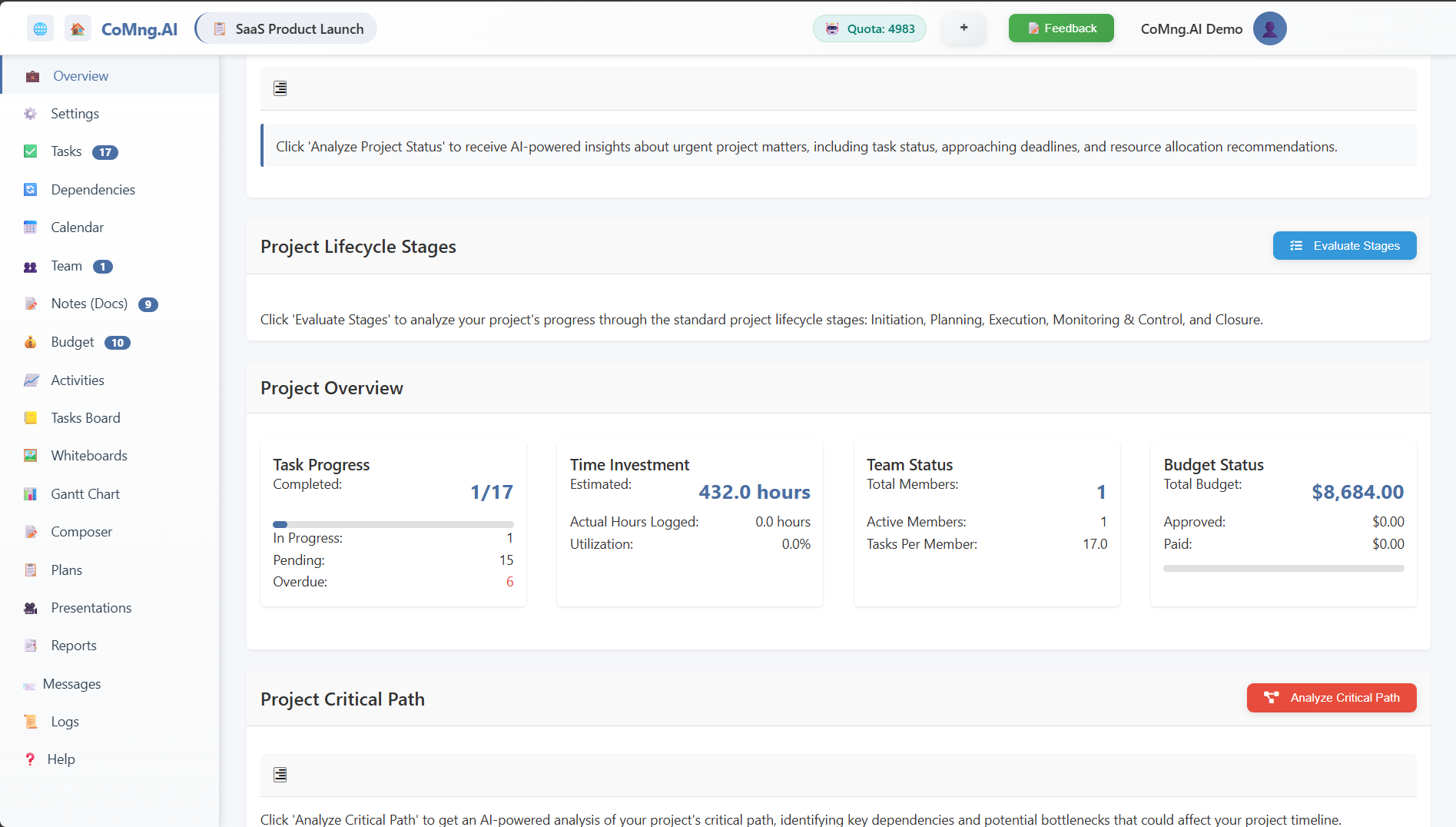
One of the most powerful AI tools available is CoMng.AI - and it's the platform we'll reference throughout this guide because it represents the future of project management. A screenshot or mockup of CoMng.ai's interface, highlighting key features like task management, progress tracking, and reporting.

What makes CoMng.AI different? It's the world's first truly AI-native platform, meaning AI isn't bolted on as an afterthought - it's built into the foundation. Here's what that means for you:

From Concept to Completion in Minutes: Describe your project idea in plain language, and CoMng.AI generates a complete project framework - goals, tasks, timelines, budgets, risks, team roles, and documentation. What normally takes weeks happens in hours.

100+ Industry Templates: Whether you're in software development, healthcare, real estate, marketing, finance, or any of 100+ business domains, CoMng.AI understands your industry's nuances and provides context-aware recommendations.

Comprehensive Project Intelligence: The platform doesn't just help with task tracking - it provides automatic risk identification, budget optimization, timeline analysis, resource allocation, document generation, presentation creation, and strategic planning. Every feature is designed to save you time and improve outcomes.

How AI Enhances Project Management

AI tools like Comng.ai can significantly enhance your project management capabilities by automating repetitive tasks, providing real-time insights, predicting potential problems, and facilitating better communication.

Benefits of Using AI in Project Management

πŸ“‹ Benefits of Using AI in Project Management

  • Automation: Automate repetitive tasks like scheduling and reporting.

  • Improved Accuracy: Reduce human error in data entry and analysis.

  • Enhanced Decision-Making: Get data-driven insights to make informed decisions.

  • Proactive Risk Management: Identify and mitigate potential risks early on.

  • Increased Efficiency: Save time and resources, allowing you to focus on strategic tasks.

  • Better Communication: Facilitate seamless collaboration and information sharing.

Combining Methodology and AI: A Winning Formula

By combining the structured approach of project management methodologies with the intelligent capabilities of AI tools like Comng.ai, you create a powerful system for project success. You'll be able to manage projects more efficiently, improve team collaboration, and deliver results that exceed expectations.

Overcoming Common Challenges

This guide will provide practical strategies for addressing common project management challenges, such as scope creep, poor communication, and missed deadlines, all while showing you how AI can help.

What's Next?

In the following sections, we'll delve deeper into each stage of project management, explore specific AI applications, and provide actionable tips and tricks to help you transform your project management skills. Get ready to take control of your projects and achieve remarkable results!

Ready to Get Started?

Let's dive in and unlock your project management potential! The next sections will equip you with the knowledge and tools you need to become a project management pro.

Key Takeaway

Successful project management hinges on a blend of structured processes and the smart application of AI. This guide provides the roadmap to achieve that.

4. Module 1: The Fundamentals of Project Management - A Solid Foundation

Covers the essential project management stages: Initiation, Planning, Execution, Monitoring & Controlling, and Closing. Provides a concise overview of each stage and its key activities.

Welcome to Module 1: Laying the Groundwork

Hey there! Welcome to the first module of Project Management Mastery! This is where we build your foundation. Think of it like laying the bricks for a sturdy house. Without a solid base, your projects are doomed to crumble. We're going to break down the core stages of project management, so you can confidently tackle any project, big or small. Ready to get started?

The Five Essential Stages: Your Project Management Roadmap

Project management, at its heart, can be broken down into five key stages. Mastering these stages is the key to success. We'll walk through each one, step-by-step, giving you a clear understanding of what's involved. These stages are: Initiation, Planning, Execution, Monitoring & Controlling, and Closing.

Stage 1: Initiation - The Genesis of Your Project

Initiation is where it all begins. This is the 'what' and 'why' stage. You're defining the project's purpose, objectives, and scope. Think of it as answering the fundamental questions: What are we trying to achieve? Why is this project important? What are the boundaries? A lightbulb representing the spark of an idea.

CoMng.AI in Action - Initiation: This is where CoMng.AI truly shines. Instead of staring at a blank template, you simply describe your project concept in a few sentences. The AI-assisted project description builder guides you through capturing essential context. Then, with one click on "Auto Create Project Objectives," CoMng.AI analyzes your description and automatically generates: strategic goals with clear definitions, measurable success metrics and KPIs, potential risks and constraints, and major milestones with realistic target dates. In 15 minutes, you have what would traditionally take days of meetings and analysis. The platform can also auto-create your project scope statement, business case with ROI analysis, stakeholder analysis with engagement strategies, and communication plan - all the critical documents for project initiation. You can customize everything the AI generates, but it gives you an exceptional starting point based on industry best practices.

Key Activities in Initiation

πŸ“‹ Key Activities in Initiation

  • Here's what you'll typically do during the initiation phase:

    • Define the Project Goals and Objectives: What specific results do you want to achieve?
    • Identify Stakeholders: Who are the people affected by or involved in the project?
    • Assess Feasibility: Is the project achievable within the given constraints (time, budget, resources)?
    • Develop a Project Charter: A formal document authorizing the project and outlining its scope, objectives, and stakeholders.

Stage 2: Planning - Charting Your Course

Planning is where you create the roadmap. This is where you figure out how you'll achieve your objectives. It involves breaking down the project into manageable tasks, estimating resources, creating a schedule, and defining the budget. A detailed project plan with timelines and task dependencies.

CoMng.AI in Action - Planning: Planning is where CoMng.AI becomes your secret weapon. The platform's automatic task generation analyzes your project objectives and creates comprehensive task lists. From your milestones, it generates all required tasks to achieve them. From your goals, it creates supporting tasks. From your identified risks, it generates mitigation tasks. Each generated task includes complete descriptions, effort estimates, resource requirements, success criteria, and automatic dependency mapping.

Need a detailed Work Breakdown Structure? CoMng.AI automatically creates three-level task hierarchies (tasks, subtasks, sub-subtasks) and can generate subtasks from any parent task. The AI identifies all required team roles with justifications and can even create recruitment tasks for unfilled positions. For budgeting, the platform analyzes your project and auto-suggests all required budget line items with vendor recommendations, estimated amounts based on industry standards, and detailed justifications. You can ask the AI for alternative budget scenarios (cost-effective, premium, or simplified approaches) to help with decision-making.

Timeline planning becomes automatic - set your milestone dates, and CoMng.AI intelligently schedules all related tasks based on dependencies, team availability, and resource constraints. The interactive Gantt chart shows you the complete timeline with critical path highlighted. If you want to explore different approaches, the AI can generate a "minimal tasks" plan that focuses only on critical deliverables, or a comprehensive plan that covers every detail. The planning that once took weeks now happens in days, and you get enterprise-level quality without needing specialized consultants.

Key Activities in Planning

πŸ“‹ Key Activities in Planning

  • Here's a breakdown of the planning stage:

    • Define the Scope: What's included and excluded from the project?
    • Create a Work Breakdown Structure (WBS): Decompose the project into smaller, more manageable tasks.
    • Develop a Schedule: Estimate task durations, dependencies, and create a timeline.
    • Estimate Costs and Create a Budget: Determine the financial resources needed.
    • Identify and Allocate Resources: Who will do what, and what tools/materials are needed?
    • Develop a Risk Management Plan: Identify potential risks and how to mitigate them.
    • Create a Communication Plan: How will you keep stakeholders informed?

Stage 3: Execution - Putting the Plan into Action

This is where the rubber meets the road! Execution is about putting your plan into action. This involves carrying out the tasks, managing resources, and coordinating the team. It's where the work actually gets done. A team working collaboratively on a project, with tools and resources in use.

Key Activities in Execution

πŸ“‹ Key Activities in Execution

  • Here's what you'll be doing during execution:

    • Manage and Coordinate the Team: Assign tasks, provide guidance, and resolve conflicts.
    • Execute the Project Plan: Follow the schedule and budget.
    • Procure Resources: Obtain the necessary materials, equipment, and services.
    • Manage Stakeholder Expectations: Keep stakeholders informed and address their concerns.
    • Conduct Team Meetings: Regular check-ins to discuss progress and address issues.

CoMng.AI in Action - Execution

During execution, CoMng.AI keeps your team organized and productive. The Kanban board provides drag-and-drop task management with columns for Pending, In Progress, Completed, Overdue, and Canceled - making it instantly clear where everything stands. Team members can view their assignments, update status, log activities with time tracking, and collaborate through task-based discussions.

What makes CoMng.AI exceptional during execution is its AI-powered task support. For any task, team members can access: step-by-step execution guides with best practices, detailed work plans for complex tasks, comprehensive risk assessments with mitigation strategies, and effort analysis to optimize resource allocation. If someone has questions about a task, the AI coaching feature provides context-specific guidance and creates knowledge base notes with the answers for future reference.

For digital deliverables like documentation, procedures, or reports, CoMng.AI's "Execute Task with AI" feature is revolutionary - the AI conducts an interactive interview to gather requirements and then completes the task end-to-end with full documentation. The platform's activity management system tracks all work performed, resources consumed, and costs incurred - giving you complete visibility. Team collaboration happens naturally through task discussions, note sharing, and collaborative whiteboards. Need to communicate with stakeholders? The AI generates professional project communications, status updates, and announcements based on your current project data.

Stage 4: Monitoring & Controlling - Keeping Things on Track

This stage is all about staying in control. You'll be tracking progress, comparing it to the plan, and taking corrective actions when necessary. Think of it as constantly checking your GPS and making course corrections. A project manager reviewing project metrics on a dashboard.

Key Activities in Monitoring & Controlling

πŸ“‹ Key Activities in Monitoring & Controlling

  • Here's what you'll be doing during monitoring and controlling:

    • Track Progress: Monitor task completion, budget, and schedule adherence.
    • Measure Performance: Use key performance indicators (KPIs) to assess progress.
    • Identify and Manage Risks: Monitor for potential issues and implement mitigation plans.
    • Manage Changes: Evaluate and approve or reject change requests.
    • Report on Progress: Communicate project status to stakeholders.

CoMng.AI in Action - Monitoring & Controlling

This is where CoMng.AI's intelligence really becomes your competitive advantage. The platform's Project Status Analyzer provides comprehensive health checks, identifying issues, bottlenecks, and risks before they become critical. You get automated reports across multiple dimensions: task progress and completion rates, timeline status and milestone achievement, budget vs. actual spending, team performance and resource utilization, and quality metrics.

The interactive Gantt chart and calendar views give you complete timeline visibility with critical path highlighting - showing exactly which tasks impact your deadline. The AI's Critical Path Analyzer not only identifies these tasks but suggests optimization strategies. When risks materialize or new ones emerge, CoMng.AI's risk management features provide comprehensive analysis with mitigation strategies and early warning indicators.

Budget tracking is automatic - CoMng.AI compares actual spending against planned budget, provides variance reports, and forecasts potential overruns. The platform's Daily Plan Generator creates optimized work plans that prioritize tasks based on urgency, dependencies, and team capacity. When you need to report to stakeholders, the AI generates professional status reports, executive summaries, presentations, and updates - all populated with your current project data. The Stages Evaluator analyzes your progress and assesses readiness for the next project phase. Every change, decision, and update is logged with complete audit trails, giving you transparency and compliance documentation.

Stage 5: Closing - Bringing it to a Successful Finish

The final stage! Closing is where you formally complete the project. This involves finalizing all activities, obtaining stakeholder sign-off, and documenting lessons learned. It's about celebrating your success and preparing for the next project. A celebratory image, like a team raising a glass or a completed project with a checkmark.

Key Activities in Closing

πŸ“‹ Key Activities in Closing

  • Here's what you'll do in the closing phase:

    • Obtain Formal Acceptance: Get sign-off from stakeholders that the project is complete.
    • Close Contracts: Finalize all contracts with vendors and suppliers.
    • Document Lessons Learned: Identify what went well, what could be improved, and document the insights for future projects.
    • Archive Project Documentation: Store all project documents for future reference.
    • Celebrate Success!: Acknowledge the team's efforts and celebrate the project's completion.

CoMng.AI in Action - Closing

CoMng.AI makes project closure efficient and comprehensive. The platform's Knowledge Base becomes your project repository - all decisions, insights, discussions, and lessons learned are already documented throughout the project lifecycle. You can export the entire project knowledge base as a professional HTML "project book" that serves as complete project documentation for stakeholders and future reference.

The AI can generate project completion reports, final presentations for stakeholders, and comprehensive project summaries that highlight achievements, challenges overcome, and lessons learned. All project data - tasks, budgets, timelines, activities, team performance - can be exported to CSV for archival or analysis. The complete audit trail provides a detailed history of every decision and change made during the project.

Project snapshots captured throughout execution show how the project evolved over time, making it easy to identify what worked and what didn't. The platform's reporting capabilities generate final performance metrics, budget reconciliation, timeline analysis, and team contribution summaries - everything you need for formal project closure and stakeholder sign-off. These insights become invaluable for future projects, and CoMng.AI's 100+ templates mean your next project can start with the lessons learned from this one already built in.

Putting it all Together: A Quick Recap

So, there you have it! The five essential stages of project management: Initiation, Planning, Execution, Monitoring & Controlling, and Closing. Remember these stages, and you'll be well on your way to project management success. In the next module, we'll dive into tools and techniques to help you excel in each of these areas. Keep going - you've got this!

Actionable Checklist: Review Your Understanding

βœ… Checklist:

    • [ ] Can you explain the purpose of each project management stage?
    • [ ] Do you understand the key activities within each stage?
    • [ ] Can you identify the stakeholders in a project?
    • [ ] Are you ready to move on to planning and execution?

5. Module 2: Project Planning: Defining Scope, Goals, and Deliverables

Explains how to define project scope, set clear goals and objectives (SMART goals), create a Work Breakdown Structure (WBS), and identify project deliverables. Includes templates or examples.

Module 2: Project Planning: Laying the Foundation for Success

Alright, let's dive into the heart of project management: planning! Think of this as the blueprint for your project. A well-defined plan is your secret weapon, helping you avoid common pitfalls and steer your project towards a successful finish. This module will equip you with the essential skills to define your project's scope, set crystal-clear goals, break down the work, and identify exactly what you need to deliver.

Defining the Project Scope: What's In and What's Out

First things first: scope. What exactly are you trying to achieve? Defining the project scope is all about clearly outlining the boundaries of your project. What work will be included, and, just as importantly, what work won't be included? This prevents scope creep (that sneaky devil that adds extra tasks and bloats your project!) and keeps everyone on the same page.

How CoMng.AI Helps with Scope Definition: This is where many projects stumble right out of the gate - defining comprehensive scope is hard work that requires experience and foresight. CoMng.AI's "Auto Create Project Scope" feature analyzes your project description and automatically generates a detailed scope statement that defines boundaries, inclusions, exclusions, success criteria, and constraints. The AI draws on its knowledge of 100+ business domains to ensure nothing important gets missed. You get clear scope documentation that would traditionally require multiple stakeholder meetings and days of refinement. The platform also creates your Expected Deliverables document, identifying all project deliverables with acceptance criteria, delivery schedules, dependencies, and quality standards. This upfront clarity prevents 90% of scope creep issues before they start.

Key Steps for Defining Project Scope

βœ… Checklist:

  • Here’s a simple checklist to get you started:

    • Identify the Project's Objectives: What are you ultimately trying to accomplish?
    • Define Project Deliverables: What tangible results will you produce?
    • List Project Requirements: What specific features or functionalities are needed?
    • Identify Constraints: What limitations exist (budget, time, resources)?
    • Outline Assumptions: What do you assume to be true throughout the project?
  • Document Exclusions: What is explicitly not* included in the project?

    • Get Stakeholder Approval: Ensure everyone agrees with the scope.

Setting SMART Goals: Your Project's North Star

Once you have a clear scope, it's time to set goals. But not just any goals! We're talking SMART goals. SMART goals are:

Specific: Clearly defined, avoiding ambiguity.

Measurable: Trackable, allowing you to monitor progress.

Achievable: Realistic and attainable.

Relevant: Aligned with the overall project objectives.

  • Time-bound: With a defined deadline.

SMART Goal Exercise

πŸ’‘ Exercise:

Let's practice! Imagine you're launching a new website. Instead of a vague goal like 'improve website traffic,' a SMART goal would be: 'Increase website traffic by 20% within three months by implementing SEO best practices and publishing two blog posts per week.' Now, try creating a SMART goal for your current project or a project you're planning.

The Power of a Work Breakdown Structure (WBS)

Think of the Work Breakdown Structure (WBS) as a project's organizational chart, but for tasks. It's a hierarchical decomposition of all the work needed to complete your project. By breaking down large tasks into smaller, more manageable pieces, you can get a clearer picture of what needs to be done, estimate effort more accurately, and assign responsibilities effectively.

Creating a WBS: Step-by-Step

Here's how to build your WBS:

  1. Identify the Project's Main Deliverables: These are the major outcomes.
  2. Break Down Deliverables into Smaller Tasks: Divide each deliverable into manageable work packages.
  3. Continue Breaking Down Tasks: Keep breaking down tasks until they are small enough to estimate and assign.
  4. Use a Visual Representation: Create a diagram (tree structure) to visualize the WBS.

WBS Example: Website Launch

Let's use our website launch example. The main deliverables might be: 'Website Design,' 'Content Creation,' and 'Website Development.' 'Website Design' could then be broken down into tasks like 'Wireframing,' 'UI Design,' and 'Logo Creation.' Keep breaking down until you have actionable tasks. [Image: A sample WBS diagram visually representing a website launch, showing the breakdown into deliverables and tasks].

Identifying Project Deliverables: The Tangible Outcomes

Deliverables are the tangible outputs of your project. These are the things you deliver to your stakeholders. They can be reports, software, websites, training materials – anything that represents the completed work. Clearly identifying your deliverables is crucial for tracking progress and ensuring you meet your project's objectives.

Common Types of Project Deliverables

πŸ“‹ Common Types of Project Deliverables

  • Here are some examples:

    • Reports: Project status reports, feasibility studies.
    • Software: Applications, websites, mobile apps.
    • Documents: User manuals, training guides, design specifications.
    • Prototypes: Working models of a product.
    • Training Materials: Presentations, workbooks, online courses.
    • Completed Products/Services: The final outcome of the project.

Using AI to Enhance Project Planning: A Sneak Peek

AI tools, like Comng.ai (wink, wink!), can significantly streamline the planning process. Imagine using AI to help you:

Generate WBS structures: Based on your project description.

Suggest SMART goals: By analyzing your objectives.

Estimate task durations: Based on historical project data.

Identify potential risks: By analyzing project plans and comparing them with similar projects.

We'll explore these AI-powered features in more detail later in this dcoument!

Your Project Planning Checklist

πŸ’‘ Exercise:

Use this checklist to kickstart your project planning:

[ ] Define the project scope (what's included and excluded).

[ ] Set SMART goals for the project.

[ ] Create a Work Breakdown Structure (WBS).

[ ] Identify all project deliverables.

[ ] Document any project constraints and assumptions.

[ ] Get approval from stakeholders for the project plan.

Next Steps: Putting Your Plan into Action

Congratulations! You've now laid the foundation for project success. In the next module, we'll move on to project scheduling and resource allocation. Get ready to put your plan into action and watch your projects thrive!

Template: Project Scope Document

Here's a simple template to help you document your project scope:

Project Name: [Enter Project Name]

Project Goal: [State the overall project goal]

Project Objectives: [List specific, measurable objectives (SMART goals)]

In Scope: [List all tasks and deliverables included in the project]

Out of Scope: [List all tasks and deliverables not included in the project]

Key Assumptions: [List any assumptions made during planning]

Constraints: [List any limitations (budget, time, resources)]

Stakeholders: [List key stakeholders and their roles]

  • Approval: [Space for stakeholder signatures and dates]

6. Module 3: Project Execution: Managing Tasks, Resources, and Teams

Focuses on the practical aspects of project execution: task assignment, resource allocation, team communication, and conflict resolution. Includes tips for effective team management.

Module 3: Project Execution - Where the Rubber Meets the Road

Alright, project champions! Module 3 is all about execution – the exciting (and sometimes hectic!) phase where your carefully laid plans spring to life. This is where you'll be actively managing tasks, juggling resources, keeping your team on track, and navigating the inevitable bumps in the road. Think of it as conducting an orchestra; you're the maestro, guiding everyone to create a harmonious masterpiece (or at least a completed project!).

Task Assignment: Who Does What, and When?

Effective task assignment is the cornerstone of successful execution. It's about matching the right tasks with the right team members, considering their skills, experience, and availability. A poorly assigned task can lead to delays, frustration, and a subpar final product. Let's look at how to nail this.

Task Assignment Checklist

πŸ“‹ Task Assignment Checklist

  • Here's your go-to checklist for assigning tasks:

    • Define the Task Clearly: Make sure everyone understands what needs to be done, the expected outcome, and any specific requirements.
    • Assess Team Skills: Know your team's strengths and weaknesses. Assign tasks that leverage their expertise.
    • Consider Workload: Don't overload anyone. Distribute tasks evenly to prevent burnout and ensure balance.
    • Set Realistic Deadlines: Work backward from the project deadline to determine individual task deadlines. Be realistic about how long tasks will take.
    • Communicate Expectations: Clearly communicate deadlines, deliverables, and any dependencies.
    • Document Everything: Keep a record of task assignments, deadlines, and any changes.

Resource Allocation: Making the Most of What You've Got

Resources aren't just people; they include budget, equipment, software, and even time. Effective resource allocation is about optimizing these resources to maximize efficiency and minimize waste. It’s about being resourceful!

Resource Allocation Strategies

πŸ“‹ Resource Allocation Strategies

    • Identify All Resources: Make a complete inventory of all resources available for the project.
    • Prioritize Resource Needs: Determine which tasks require which resources and in what order.
    • Allocate Resources Strategically: Match resources to tasks based on priority, availability, and efficiency.
    • Monitor Resource Usage: Track how resources are being used to identify potential bottlenecks or overspending.
    • Adjust as Needed: Be prepared to reallocate resources if circumstances change. Flexibility is key.

Team Communication: Keeping Everyone in the Loop

Communication is the lifeblood of any project. Without clear, consistent communication, things fall apart fast. You need to establish clear communication channels, frequency, and protocols from the get-go.

Effective Communication Channels

πŸ“‹ Effective Communication Channels

    • Regular Team Meetings: Schedule regular check-ins (daily or weekly) to discuss progress, challenges, and next steps.
    • Project Management Software: Use a project management tool (like Comng.ai!) to centralize communication, task updates, and document sharing.
    • Email & Instant Messaging: Use these for quick updates and urgent communication. Set clear expectations about response times.
    • Dedicated Communication Channels: Create separate channels for specific topics (e.g., design feedback, bug reports).
    • Choose the Right Medium: Don't over-communicate. Choose the best channel for the message. For example, critical information should be shared in a meeting or via email.

Conflict Resolution: Turning Challenges into Opportunities

Conflict is inevitable in any team environment. The key is to address it constructively and quickly. Unresolved conflict can damage morale, slow down progress, and even derail the project. Let's look at a few ways to handle it.

Conflict Resolution Steps

πŸ“‹ Conflict Resolution Steps

    • Identify the Issue: Clearly define the source of the conflict. What's the root cause?
    • Listen to All Sides: Give everyone a chance to express their views and concerns.
    • Find Common Ground: Look for areas of agreement and shared goals.
    • Brainstorm Solutions: Work together to generate potential solutions.
    • Choose the Best Solution: Select the solution that best addresses the issue and satisfies the needs of all parties.
    • Implement the Solution: Put the agreed-upon solution into action.
    • Follow Up: Monitor the situation to ensure the solution is effective.

Effective Team Management: Building a High-Performing Team

Team management goes beyond assigning tasks and resolving conflicts. It's about fostering a positive and productive work environment where team members feel valued, supported, and motivated. This is crucial for success!

Key Elements of Effective Team Management

πŸ“‹ Key Elements of Effective Team Management

    • Lead by Example: Demonstrate the behaviors you expect from your team.
    • Provide Clear Direction: Set clear goals and expectations.
    • Empower Your Team: Give team members autonomy and ownership.
    • Recognize and Reward Success: Acknowledge and celebrate achievements.
    • Provide Constructive Feedback: Offer regular feedback to help team members improve.
    • Foster Collaboration: Encourage teamwork and knowledge sharing.
    • Be Approachable: Create an open-door policy and make yourself available to your team.

Leveraging AI for Execution: Comng.ai's Superpowers

AI tools like Comng.ai can be game-changers during project execution. They can automate tasks, provide insights, and help you stay on top of everything. For example, Comng.ai can help you track progress, identify potential risks, and even generate reports automatically. [Image: a screenshot or mock-up of Comng.ai showing task management and progress tracking features]

Putting It All Together: A Real-World Scenario

Imagine you're launching a new website. You've defined the project scope and created your plan. Now, it's time to execute! You assign tasks to your team (developers, designers, content writers), allocate resources (budget, software, time), and set up regular communication channels (daily stand-ups, weekly project meetings). When a design conflict arises, you facilitate a discussion and find a compromise. Throughout the process, you use Comng.ai to track progress, manage tasks, and identify potential roadblocks. This integrated approach ensures a smooth and successful launch.

Execution Checklist: Are You Ready to Execute?

βœ… Checklist:

    • [ ] Tasks are clearly defined and assigned.
    • [ ] Resources are allocated effectively.
    • [ ] Communication channels are established.
    • [ ] A plan for conflict resolution is in place.
    • [ ] Team members understand their roles and responsibilities.
    • [ ] You're using project management software (like Comng.ai!) to track progress and manage tasks.

7. Module 4: Monitoring & Controlling: Tracking Progress and Managing Risks

Explains how to monitor project progress, track key performance indicators (KPIs), identify and mitigate risks, and implement change management processes. Introduces risk registers and project dashboards.

Welcome to Monitoring & Controlling: Keeping Your Project on Track!

Alright, you've planned your project, assembled your team, and kicked things off. Now comes the crucial part: keeping everything on track! Module 4 is all about monitoring and controlling – the processes that ensure your project stays aligned with its goals, budget, and timeline. Think of it as the project's health checkup, performed regularly to identify any issues and get things back on course.

Key Performance Indicators (KPIs): Your Project's Vital Signs

Before you can monitor, you need to know what to monitor. That's where Key Performance Indicators (KPIs) come in. KPIs are measurable values that demonstrate how effectively a project is achieving its objectives. They're like the vital signs of your project. Examples include: budget adherence, schedule variance (are you on time?), task completion rate, and quality metrics (e.g., number of bugs found).

Setting Up Your KPIs

πŸ“‹ Setting Up Your KPIs

  • Here's how to establish effective KPIs:

    • Define Your Goals: What are you trying to achieve with this project?
    • Identify Measurable Metrics: What specific data will tell you if you're succeeding?
    • Set Targets: What are your desired performance levels for each KPI?
    • Track Regularly: How often will you collect and analyze the data?
    • Review and Adjust: Are your KPIs providing the right insights? Adjust as needed.

Tracking Progress: The Heart of Monitoring

Regularly tracking progress is the cornerstone of monitoring. This involves comparing actual performance against the planned schedule and budget. Use project management software (like Comng.ai – more on that later!) to visualize progress through Gantt charts, burndown charts, and other helpful displays. These visuals make it easy to spot deviations from the plan.

Understanding Schedule Variance: Are You on Time?

Schedule variance is a critical KPI. It tells you whether your project is ahead of, behind, or on schedule. Calculate it by comparing the planned completion date of a task or the entire project with the actual completion date. A negative variance means you're behind, a positive variance means you're ahead, and zero means you're on track. Analyze the reasons for any variance.

Budget Variance: Keeping Costs in Check

Budget variance is another vital KPI. It compares the planned budget with the actual spending. Calculate it by subtracting the planned cost from the actual cost. A negative variance means you're over budget, a positive variance means you're under budget, and zero means you're on budget. Investigate any significant variances immediately to understand the causes.

Risk Management: Anticipating and Mitigating Problems

No project is without risks. Risk management is the proactive process of identifying, assessing, and mitigating potential problems. It's about being prepared for the unexpected. This includes things like: unexpected delays, team member illness, technology failures, or market changes. Ignoring risk is a recipe for disaster.

The Risk Management Process

πŸ“‹ The Risk Management Process

  • Here's a breakdown of the risk management process:

    • Identify Risks: Brainstorm potential risks. What could go wrong?
    • Assess Risks: Evaluate the likelihood and impact of each risk. Use a risk matrix (see below).
    • Plan Responses: Develop strategies to mitigate or avoid the risks.
    • Implement Responses: Put your risk mitigation plans into action.
    • Monitor Risks: Continuously track risks and adjust your plans as needed.

The Risk Matrix: Visualizing Your Risks

A risk matrix is a simple but powerful tool for assessing risks. It plots risks based on their likelihood (probability of occurring) and impact (severity of the consequences). [Image: A simple risk matrix with axes labeled 'Likelihood' and 'Impact', and cells color-coded to indicate risk levels (e.g., green for low, yellow for medium, red for high)]. High-impact, high-likelihood risks are your top priorities.

The Risk Register: Your Central Repository

A risk register is a document that lists all identified risks, along with their assessment, planned responses, and current status. It's your central repository for all things risk-related. Use project management software (like Comng.ai) to help you create and manage your risk register efficiently.

Change Management: Adapting to the Unexpected

Changes are inevitable in projects. Change management is the process of controlling and managing these changes effectively. It involves:

Identifying and Documenting Changes: Clearly define the proposed change.

Assessing the Impact: Evaluate how the change will affect the project's scope, schedule, budget, and resources.

Approving or Rejecting Changes: Establish a formal process for change approval.

Implementing Changes: Make the necessary adjustments to the project plan.

  • Communicating Changes: Keep stakeholders informed of the changes.

Project Dashboards: Your Real-Time Project Overview

Project dashboards provide a visual overview of your project's status. They display key KPIs, progress updates, and other important information in a clear and concise format. Use dashboards to quickly identify potential problems and make informed decisions. [Image: A sample project dashboard showing key KPIs like budget variance, schedule variance, task completion rate, and resource allocation].

Leveraging AI for Monitoring & Controlling: Enter Comng.ai!

AI tools like Comng.ai can significantly enhance your monitoring and controlling efforts. Comng.ai can automate KPI tracking, generate real-time dashboards, identify potential risks, and even suggest proactive mitigation strategies based on historical project data. It's like having a virtual project assistant constantly watching over your project, allowing you to focus on the bigger picture.

Module 4 Checklist: Are You Ready?

βœ… Checklist:

    • [ ] Defined your project's KPIs.
    • [ ] Established a process for tracking progress.
    • [ ] Created a risk register.
    • [ ] Implemented a change management process.
    • [ ] Considered using project management software, like Comng.ai, for monitoring and controlling.

Final Thoughts: Staying in Control

Monitoring and controlling are essential for project success. By actively tracking progress, managing risks, and adapting to change, you can keep your project on track, deliver results, and achieve your goals. Remember to leverage the power of AI tools like Comng.ai to streamline these processes and boost your efficiency!

8. Module 5: Project Closure: Finalizing Deliverables and Lessons Learned

Covers the final stage of project management: project closure, including finalizing deliverables, conducting a post-project review, and documenting lessons learned. Provides templates for project closure reports.

Module 5: Project Closure - The Grand Finale!

Alright, project champions! You've navigated the project lifecycle, battled challenges, and (hopefully!) celebrated some wins. Now it's time for the final act: Project Closure. This module is all about tying up loose ends, ensuring everything is delivered, and extracting valuable insights to make your future projects even smoother. Think of it as the victory lap and the debrief all rolled into one.

Why Project Closure Matters

Why bother with closure? Well, it's not just about ticking boxes. Proper closure: Formalizes project completion. Ensures deliverables are accepted. Provides a clear handover (if applicable). Captures valuable lessons for improvement. * Officially releases team members and resources. Skipping this step is like leaving a movie before the credits roll – you miss out on important details and the satisfaction of a job well done!

Key Steps in Project Closure

πŸ“‹ Key Steps in Project Closure

  • Here's a breakdown of the essential steps in the project closure process:

    • Finalize Deliverables: Ensure all agreed-upon deliverables are complete and meet the required standards. This includes any final testing, documentation, and sign-offs.
    • Obtain Formal Acceptance: Get formal approval from the client or stakeholders that the deliverables are accepted. This is crucial for avoiding future disputes.
    • Close Contracts: Settle all outstanding invoices and close out any contracts with vendors or suppliers.
    • Release Project Resources: Officially release team members, equipment, and any other resources used for the project.
    • Document Lessons Learned: Conduct a post-project review to identify what went well, what could be improved, and document these insights for future projects.
    • Archive Project Documentation: Store all project-related documents (plans, reports, communications) in a secure and accessible location.
    • Celebrate Success (and Learn from Challenges!): Acknowledge the team's hard work and celebrate the project's achievements. Also, don't shy away from discussing challenges – it's how we grow!

Finalizing Deliverables: The Checklist

Before you declare victory, double-check these items:

Deliverables Completed: Are all deliverables finished and ready for review?

Quality Assurance: Have all deliverables been tested and reviewed for quality?

Client Sign-Off: Has the client or stakeholder approved the deliverables?

Final Documentation: Is all final documentation (user manuals, training materials, etc.) complete and accurate?

Training (if applicable): Have any required training sessions been conducted?

Handover (if applicable): Has a proper handover of deliverables been completed to the client or operations team?

Post-Project Review: Your Project's Autopsy

The post-project review (or post-mortem) is where the real learning happens. It's a structured discussion to analyze what worked, what didn't, and how to improve future projects. It's not about assigning blame; it's about understanding and growing. The key is to be honest and open.

Key Questions for Your Post-Project Review

πŸ“‹ Key Questions for Your Post-Project Review

  • Here are some crucial questions to guide your post-project review:

    • What were the project's objectives, and were they achieved?
    • What went well during the project? What were the successes?
    • What challenges or issues did we encounter?
    • How did we handle those challenges?
    • Were there any unexpected risks or opportunities?
    • How effective was our project plan?
    • Were the resources (budget, time, personnel) managed effectively?
    • How well did the team communicate and collaborate?
    • What could we have done differently?
    • What lessons have we learned that we can apply to future projects?

Template: Project Closure Report

Create a Project Closure Report. This document summarizes the project's performance, lessons learned, and recommendations for future projects. [Image: a template for a project closure report, with sections for project overview, deliverables, budget summary, schedule performance, lessons learned, and recommendations]. A basic structure for a Project Closure Report should include the following sections:

  • A basic structure for a Project Closure Report should include the following sections:

    • Executive Summary: A brief overview of the project's outcome.
    • Project Overview: Project goals and objectives.
    • Deliverables: Summary of completed deliverables and their acceptance.
    • Budget Summary: A review of the project's financial performance (actual vs. planned).
    • Schedule Performance: An assessment of the project's adherence to the schedule (actual vs. planned).
    • Risk Management: Review of risks and their impact on the project.
    • Lessons Learned: Key takeaways from the project, both positive and negative.
    • Recommendations: Suggestions for improving future projects.
    • Sign-Off: Signatures of key stakeholders.

Lessons Learned: The Golden Nuggets

The 'Lessons Learned' section is the heart of your post-project review. Be specific and provide actionable insights. For example, instead of saying 'Communication was poor,' say 'We should have used a dedicated project management tool with integrated communication features.' This level of detail makes it easier to implement improvements in the future.

Leveraging AI for Project Closure

Can AI help with project closure? Absolutely! Tools like Comng.ai can analyze project data to identify trends, highlight areas for improvement, and even generate parts of your closure report. [Image: a screenshot or mock-up of Comng.ai analyzing project data and generating a report]. You can use AI to analyze meeting minutes, emails, and project documentation to identify patterns and surface key insights. This can save you time and provide a more data-driven understanding of your project's performance.

Actionable Tip: AI-Powered Lessons Learned

Try using AI to analyze your project's communication logs (emails, chat transcripts). Feed the data into a tool like Comng.ai and ask it to identify the most frequent topics discussed, the sentiment of the conversations, and any potential communication bottlenecks. This can provide valuable insights into your team's collaboration and communication effectiveness.

Archiving Project Documentation: Keeping it Safe

Once the project is complete, it's crucial to archive all project documentation. This includes the project plan, requirements documents, design specifications, meeting minutes, status reports, and any other relevant files. Store these documents in a secure and accessible location (e.g., a cloud-based storage system or a shared network drive) with proper version control. Ensure that the archive is easily searchable so you can retrieve information when needed.

Celebrating Success: Acknowledge the Wins!

Don't forget to celebrate the project's successes! Recognize the contributions of your team members and acknowledge the achievements. This can be as simple as a team lunch, a thank-you email, or a formal presentation to stakeholders. Celebrating success boosts morale, reinforces positive behaviors, and creates a sense of accomplishment. [Image: a team celebrating a project completion]. Make sure the team knows their efforts were valued!

Project Closure Checklist

βœ… Checklist:

  • Use this checklist to ensure you've covered all the bases during project closure:

    • [ ] Final Deliverables Completed and Approved
  • [ ] Contracts Closed [ ] Resources Released

    • [ ] Post-Project Review Conducted
    • [ ] Lessons Learned Documented
    • [ ] Project Documentation Archived
    • [ ] Project Closure Report Completed
    • [ ] Team Recognized and Celebrated

Congratulations! You've Reached the Finish Line!

You've now completed Module 5 and are one step closer to Project Management Mastery! By following these steps, you can ensure a smooth and successful project closure process. Remember to document your learnings, celebrate your successes, and use AI tools like Comng.ai to boost your efficiency. Now go forth and conquer those projects!

9. Module 6: AI-Powered Project Management: Leveraging Comng.ai and Other Tools

Explores how AI tools like Comng.ai can streamline project management tasks: automating tasks, improving communication, predicting risks, and providing data-driven insights. Highlights specific features and benefits.

Welcome to the Future: AI in Project Management

Alright, project management rockstars! We've covered the fundamentals, the planning, the execution... but now it's time to blast off into the future! This module is all about how Artificial Intelligence (AI) is revolutionizing project management, and how you can harness its power to become even more efficient and effective. Think of AI as your super-powered project management assistant – it's here to make your life easier and your projects more successful.

Why AI is a Game-Changer

Let's be honest, project management can be a whirlwind of tasks, deadlines, and potential pitfalls. AI offers some seriously impressive advantages. It can automate tedious tasks, free up your time for strategic thinking, predict potential roadblocks before they happen, and provide data-driven insights that help you make smarter decisions. This translates to better results, happier teams, and projects that stay on track.

Introducing CoMng.AI: Your AI Project Management Sidekick

We're going to dive deep into a fantastic AI tool called CoMng.AI. [Image: A screenshot of the Comng.ai interface showing a project dashboard with various features highlighted, like task assignment, progress tracking, and risk assessment]. CoMng.AI isn't just another project management tool with some AI features bolted on - it's the world's first truly AI-native platform, built from the ground up with intelligence at its core.

Here's what makes CoMng.AI different: When you start a new project in traditional tools, you face a blank screen and have to manually create everything. With CoMng.AI, you describe your project concept in a few sentences, and the AI generates a complete project framework in minutes - goals, objectives, success metrics, risks, milestones, tasks with dependencies, team roles, budget line items, and documentation. What would normally take weeks of expert work happens in hours, and you get enterprise-level quality without needing specialized consultants.

The platform understands context across 100+ business domains - from software development to healthcare, real estate, marketing, finance, construction, and beyond. Whether you're launching a product, running a marketing campaign, managing a construction project, or leading a digital transformation, CoMng.AI provides industry-specific intelligence and recommendations that would traditionally require domain experts.

Key Features of CoMng.AI

πŸ“‹ Key Features of CoMng.AI

  • CoMng.AI boasts an impressive range of features that can transform your project management approach. Here are the key capabilities:

    • Automatic Project Generation: AI analyzes your project description and automatically creates complete project objectives (goals, success metrics, risks, milestones), comprehensive task lists with dependencies and effort estimates, required team roles with justifications, and budget line items with vendor recommendations and amounts.
    • Intelligent Task Management: Automatic task generation from your objectives, three-level task hierarchy (tasks, subtasks, sub-subtasks), AI-powered task execution guides and work plans, comprehensive risk assessment for each task, and effort analysis with resource optimization. For digital deliverables, the AI can even execute tasks end-to-end.
    • Smart Scheduling & Timeline Optimization: Automatic timeline arrangement based on dependencies, team availability, and resource constraints. When milestones change, AI automatically adjusts related tasks. Interactive Gantt charts with critical path analysis show you exactly which tasks impact your deadlines.
    • Comprehensive Risk Management: Automatic risk identification across all project elements with probability and impact assessment, mitigation strategies and contingency plans, early warning indicators, and automatic task creation for risk mitigation.
    • Advanced Budget Planning: AI suggests all required budget items based on project scope and industry standards, generates detailed justifications with ROI analysis, provides alternative budget scenarios (cost-effective, premium, simplified), and tracks actual spending with variance reports and forecasting.
    • Team Management & Optimization: Automatic role identification with required expertise, AI-powered team member assignment recommendations based on skills, workload, availability, and past performance, CV analysis for candidate evaluation, and workload balancing across the team.
    • Comprehensive Documentation: AI generates 40+ professional document types including communications, business plans, work plans, presentations, proposals, and reports - all populated with your project data.
    • Knowledge Base & Collaboration: Centralized project knowledge repository, multiple note types with AI enrichment, voice notes with transcription, collaborative whiteboards, what-if scenario analysis, and task/note discussions for team collaboration.
    • Visual Project Management: Kanban boards for task flow, interactive Gantt charts with dependencies, calendar views, mindmap visualization, and roadmap builder for strategic planning.
    • Automated Reporting & Analytics: Project status analyzers, team performance reports, financial tracking, quality metrics, critical path analysis, daily plan generation, and comprehensive executive summaries.
    • Multilingual Support: Create and manage content in 20 languages, perfect for global teams where members can work in their native languages with automatic conversion.
    • Mobile Capabilities: Full mobile access via Progressive Web App, work offline, capture photos and voice notes, log activities on-the-go, and manage all project aspects from your phone.

Automating Tasks: Saving Time and Effort

One of the biggest benefits of using AI in project management is automation. CoMng.AI takes this to an entirely new level. Beyond just sending reminders and generating reports, the platform can:

Automatic Project Setup: Instead of spending weeks creating project structures, CoMng.AI generates complete frameworks in minutes. From a simple project description, it creates goals, metrics, risks, milestones, comprehensive task lists, team roles, and budget items - all automatically.

Intelligent Task Generation: The AI analyzes your project objectives and automatically creates all required tasks to achieve them. Each task comes with descriptions, effort estimates, dependencies, resource requirements, and success criteria. Need subtasks? The AI can break down any task into detailed sub-tasks and sub-subtasks, creating complete work breakdown structures automatically.

Automatic Timeline Optimization: Set your milestone dates, and CoMng.AI intelligently schedules all related tasks based on dependencies, team availability, and resource constraints. When things change, the AI automatically recalculates and adjusts the entire timeline - no manual rework needed.

Budget Automation: The AI analyzes your project and automatically suggests all required budget line items with vendor recommendations, estimated amounts based on industry benchmarks, and detailed justifications. Need alternative scenarios? Ask for cost-effective, premium, or simplified budget approaches.

Documentation Generation: CoMng.AI can automatically generate 40+ types of professional documents - from project kickoff emails and status reports to business plans, presentations, and stakeholder communications - all populated with your current project data.

AI Task Execution: For digital deliverables like documentation, procedures, or reports, CoMng.AI can execute tasks end-to-end. The AI interviews you to gather requirements, then completes the task with full documentation. This means less time spent on administrative work and more time focused on strategic value.

Predicting Risks: Staying Ahead of the Curve

AI excels at analyzing data and identifying patterns. CoMng.AI's risk management capabilities go far beyond simple tracking - they provide proactive intelligence that keeps you ahead of problems.

Automatic Risk Identification: The AI analyzes every aspect of your project - objectives, tasks, timelines, team composition, budget, dependencies - and automatically identifies potential risks you might miss. Each risk comes with a description, category, probability assessment (low, medium, high), impact severity rating, and early warning indicators to watch for.

Comprehensive Risk Analysis: For any task or project element, you can request a complete risk assessment. The AI analyzes potential obstacles, estimates their likelihood and impact, provides specific mitigation strategies, suggests contingency plans, and identifies warning signs that the risk is materializing.

Mitigation Planning: CoMng.AI doesn't just identify risks - it helps you address them. The platform can automatically generate tasks for risk mitigation, create detailed action plans, assign risk owners, and track mitigation progress. You can even set up escalation procedures for high-impact risks.

Critical Path Analysis: The AI automatically identifies your project's critical path - the sequence of tasks that directly impact your final deadline. You'll know exactly which tasks cannot be delayed without pushing back your delivery date, allowing you to focus attention where it matters most.

Early Warning System: Throughout project execution, CoMng.AI monitors for risk indicators and provides early warnings when tasks are at risk of running late, budgets are trending toward overruns, or resource constraints are emerging. Getting a heads-up about a potential delay before it impacts your deadline – that's the power of AI!

Improving Communication: Keeping Everyone in the Loop

Effective communication is crucial for project success. CoMng.AI transforms project communication by centralizing it and making it contextual and intelligent. [Image: A mockup of Comng.ai's communication interface, showing team members interacting, notifications, and task updates.]

Automatic Communication Planning: The platform's AI can generate comprehensive communication plans that identify all stakeholders, define communication channels and frequency, create stakeholder-specific strategies, and provide templates for all communication types. You'll never wonder "who needs to know what and when."

AI-Generated Communications: Need to send a project kickoff email? Status update? Risk escalation to management? Stakeholder feedback request? CoMng.AI automatically generates professional communications based on your project data. Just select the type of communication, customize if desired, and send. The AI ensures consistency, completeness, and appropriate tone.

Contextual Collaboration: Instead of information scattered across email, Slack, Teams, and meetings, CoMng.AI keeps everything in context. Team members can discuss specific tasks right where the work happens, ask questions about project elements and get AI-powered answers, collaborate on whiteboards for visual brainstorming, and share notes with threaded discussions.

Knowledge Base Integration: All project decisions, insights, and discussions are captured in the searchable knowledge base. The AI can answer questions like "What did we decide about the deployment strategy?" or "Why did we choose vendor X?" by referencing the complete project history.

Multilingual Collaboration: With support for 20 languages, global teams can work in their native languages. Project managers can work in English while team members create content in Spanish, German, Chinese, or any supported language - the platform handles translation automatically.

External Sharing: Need to share information with clients or stakeholders outside your organization? CoMng.AI lets you securely share tasks, notes, or whiteboards via password-protected links with real-time updates. Stakeholders always see current information without needing platform access.

Data-Driven Insights: Making Smarter Decisions

AI tools like CoMng.AI provide valuable data-driven insights into your project's performance, transforming raw data into actionable intelligence.

Comprehensive Project Analysis: The Project Status Analyzer provides complete health checks of your project, identifying issues, bottlenecks, and risks before they become critical. It analyzes progress against plan, evaluates timeline adherence, reviews budget performance, assesses team utilization, and provides specific recommendations for corrective actions.

Multi-Dimensional Reporting: CoMng.AI automatically generates reports across multiple dimensions: Project Reports (task progress, timeline status, budget analysis, executive summaries), Team Reports (performance analytics, resource utilization, workload distribution, individual contributions), Financial Reports (budget vs. actual, cost forecasting, ROI metrics), Quality Reports (success criteria achievement, deliverable acceptance rates), and Strategic Reports (project health dashboards, dependency analysis, critical path status, predictions).

Daily Plan Generation: The AI creates optimized daily work plans that prioritize tasks based on urgency, dependencies, and team capacity. It balances workload across team members and adapts to changing priorities and constraints - essentially acting as your intelligent project coordinator.

Stages Evaluation: As you progress through project phases, the AI analyzes readiness for the next stage, evaluates stage gate criteria compliance, identifies gaps that need addressing, and recommends actions before stage transitions.

Performance Forecasting: Based on current progress, team velocity, and historical patterns, CoMng.AI forecasts project completion dates, predicts potential budget overruns, estimates resource needs for upcoming phases, and identifies optimization opportunities.

What-If Scenario Analysis: Need to explore alternatives? The AI can analyze different scenarios - what if we add two more developers? What if we cut feature X? What if the deadline moves up by two weeks? You get impact analysis on timeline, budget, resources, and risk for each scenario, helping you make informed decisions with confidence.

Hands-on Exercise: Exploring Comng.ai's Risk Prediction

πŸ’‘ Exercise:

  1. Sign up for a free account of Comng.ai (or a similar AI project management tool).
  2. Create a sample project within the tool.
  3. Enter some basic project information, including tasks, deadlines, and team members.
  4. Explore the risk prediction features. How does the tool identify potential risks?
  5. Experiment with different scenarios (e.g., delaying a task) and observe how the risk assessment changes.
  6. Take notes on how you would address each of the identified risks.
  7. Assess each project risk and examine risk register document created by Comng.AI
  8. Explore the task specific risk analysis

Other AI Tools to Explore

πŸ“‹ Other AI Tools to Explore

  • While Comng.ai is a great example, the AI project management landscape is constantly evolving. Here are a few other tools you might want to explore:

    • Monday.com (with AI integrations): Popular project management platform with AI features.
    • Asana (with AI integrations): Another well-known platform with AI capabilities.
    • ClickUp (with AI integrations): Offers AI-powered task suggestions and automation.
    • Trello (with AI Power-Ups): Integrates with AI tools via Power-Ups.

Integrating AI into Your Workflow: Practical Steps

So, how do you actually integrate AI into your project management routine? Here are some practical steps:

  1. Assess Your Needs: Identify the areas where you struggle the most (e.g., task management, reporting, communication).
  2. Research AI Tools: Explore different AI project management tools and compare their features and pricing.
  3. Start Small: Begin by using AI for a few specific tasks or projects. Don't try to overhaul everything at once.
  4. Train Your Team: Ensure your team understands how to use the new AI tools and their benefits.
  5. Monitor and Evaluate: Track the impact of AI on your project performance and make adjustments as needed.

The Future of Project Management is Here

AI is transforming the way projects are managed, offering unprecedented levels of efficiency, accuracy, and insight. By embracing these tools and techniques, you'll not only streamline your workflow but also unlock your potential as a project management leader. Embrace the change, experiment, and see how AI can revolutionize your projects! [Image: A futuristic image of a project manager interacting with a holographic project dashboard, symbolizing the future of project management].

Key Takeaways: AI-Powered Project Management

βœ… Checklist:

    • AI tools like Comng.ai can automate tasks, predict risks, and improve communication.
    • AI provides data-driven insights for smarter decision-making.
    • Start small and gradually integrate AI into your workflow.
    • Explore various AI project management tools and find the best fit for your needs.
    • Train your team and monitor the impact of AI on your project performance.

10. Real-World Examples: Case Studies of Successful Projects

Presents real-world examples and case studies showcasing how effective project management and AI tools have led to successful project outcomes, including improved efficiency, cost savings, and timely delivery.

Introduction: Seeing Project Management in Action

Let's dive into some real-world examples! Nothing beats seeing how effective project management, especially when combined with AI, can transform projects from potential headaches into resounding successes. We'll look at case studies across different industries, highlighting how strategic planning, smart tool usage, and AI integration led to impressive results. Get ready to be inspired and learn how to apply these strategies to your own projects!

Case Study 1: Streamlining Software Development with AI

Imagine a small software development company struggling with project delays and budget overruns. They implemented a project management system combined with Comng.ai. This AI tool helped them with task prioritization, risk assessment, and resource allocation. The result? A 30% reduction in project completion time and a 15% decrease in development costs. They also saw a significant improvement in team morale due to clearer task assignments and reduced bottlenecks. [Image: A chart comparing project timelines before and after implementing AI, showing a significant reduction in time.]

Key AI Applications in the Software Case Study

πŸ“‹ Key AI Applications in the Software Case Study

  • Here's how AI specifically helped in this software development project:

    • Automated Risk Assessment: AI identified potential project risks early on, allowing for proactive mitigation strategies.
    • Intelligent Task Prioritization: The system analyzed task dependencies and resource availability to optimize task order.
    • Resource Allocation Optimization: AI ensured that the right people were assigned to the right tasks, maximizing efficiency.
    • Progress Tracking and Reporting: AI-powered dashboards provided real-time insights into project progress, alerting project managers to potential issues.

Case Study 2: Revamping a Marketing Campaign with Enhanced Efficiency

A marketing agency was tasked with launching a new product campaign, facing tight deadlines and a complex workflow. They utilized project management software and integrated Comng.ai to automate repetitive tasks, such as social media scheduling and email marketing. This freed up their team to focus on creative strategy and campaign optimization. The outcome? A 20% increase in campaign engagement and a 10% reduction in marketing spend. [Image: A before-and-after visual of a marketing campaign dashboard, showing improved metrics.]

The Marketing Agency's AI-Powered Wins

In this marketing case, AI played a vital role in:

Automating Social Media Scheduling: Saving time and ensuring consistent content delivery.

Personalized Email Marketing: AI-driven segmentation led to higher open and click-through rates.

Performance Analysis: AI provided data-driven insights into campaign effectiveness, enabling real-time adjustments.

Content Generation and Optimization: Some AI tools were used to help generate initial content drafts and optimize for search engines.

Case Study 3: Construction Project Success: On Time and Under Budget

A construction company was managing a complex building project. They used a project management platform and Comng.ai to track progress, manage resources, and identify potential delays. AI-powered predictive analytics helped them anticipate problems before they arose. This resulted in the project being completed two weeks ahead of schedule and 8% under budget. [Image: A side-by-side comparison of the construction project's planned and actual timelines, showcasing the early completion.]

How AI Transformed the Construction Project

πŸ“‹ How AI Transformed the Construction Project

  • Here's how AI contributed to the construction project's success:

    • Predictive Analytics: AI predicted potential delays based on weather patterns, material availability, and labor scheduling.
    • Resource Management: AI optimized the allocation of equipment and personnel, reducing downtime.
    • Progress Monitoring: Real-time progress tracking and issue identification allowed for prompt intervention.
    • Budget Management: AI helped to identify potential cost overruns and implement cost-saving measures.

Common Threads: Key Takeaways from the Case Studies

What do these case studies have in common? They all demonstrate the power of effective project management principles combined with the capabilities of AI. They show that by planning carefully, choosing the right tools, and leveraging AI, you can improve efficiency, reduce costs, and deliver projects on time and within budget.

Your Turn: Applying These Lessons

Now, consider your own projects. What challenges are you facing? How could AI tools like Comng.ai help you overcome them? Use the insights from these case studies as a starting point for transforming your project management approach. Think about how you can implement these strategies to achieve similar success in your own projects. [Image: A checklist template to help the user assess their current project management practices.]

Actionable Steps: Analyzing Your Projects

πŸ’‘ Exercise:

  1. Identify a Recent Project: Think about a project you've completed or are currently working on.
  2. Assess the Challenges: What were the biggest hurdles you faced (delays, budget overruns, communication issues)?
  3. Brainstorm AI Solutions: How could AI have helped you overcome those challenges (e.g., automated scheduling, risk assessment)?
  4. Plan for Implementation: Outline the steps you would take to integrate AI tools into your project management process. This can be using tools like Comng.ai or others.
  5. Set Goals: Define specific, measurable, achievable, relevant, and time-bound (SMART) goals for your next project.

Final Thoughts: The Future of Project Management

These case studies are just a glimpse of what's possible. As AI technology continues to evolve, its role in project management will only grow. Embrace these tools, experiment with new strategies, and you'll be well on your way to becoming a project management master. The key is to continuously learn, adapt, and integrate the power of AI into your workflow. [Image: A futuristic image of a project management dashboard with AI-powered features.]

11. Essential Project Management Tools & Resources

Provides a curated list of essential project management tools (beyond Comng.ai), including project management software, collaboration platforms, and communication tools. Includes links and brief descriptions.

Beyond Comng.ai: Your Project Management Toolkit

So, you're ready to level up your project management game! While Comng.ai is a fantastic AI-powered assistant (and we'll dive deeper into that later!), it's just one piece of the puzzle. This section is all about equipping you with a well-rounded toolkit. Think of it as your project management survival kit, packed with essential tools and resources to help you conquer any project, big or small.

Project Management Software: Your Central Hub

πŸ“‹ Project Management Software: Your Central Hub

  • Project management software is the heart of your operation. It’s where you plan, track, and collaborate. Here are a few top contenders, each with its own strengths:

    • Asana: [Image: A screenshot of Asana's interface showing tasks, deadlines, and team assignments] Great for task management, team collaboration, and visualizing progress. User-friendly interface, ideal for beginners. Free and paid plans available.
    • Trello: [Image: A screenshot of Trello's Kanban board with cards and columns] Simple, visual, and based on the Kanban method. Perfect for managing workflows and visualizing project stages. Highly customizable and intuitive. Free and paid plans available.
    • Monday.com: [Image: A screenshot of Monday.com's colorful and customizable project dashboard] Offers a highly visual and customizable interface with robust features for project planning, tracking, and automation. Great for teams of all sizes. Paid plans only.
    • ClickUp: [Image: A screenshot of ClickUp's interface, showing multiple views (list, board, calendar, etc.)] A feature-rich platform with a wide range of views and customization options. Suitable for complex projects and teams with specific needs. Free and paid plans available.
    • Jira: [Image: A screenshot of Jira's interface, showing issue tracking and project workflows] Primarily designed for software development teams, but also suitable for other project types. Offers advanced features and integrations. Paid plans only.

Collaboration Platforms: Keeping Everyone Connected

Successful projects thrive on seamless communication. These platforms are essential for keeping your team connected, sharing information, and making decisions efficiently.

    • Slack: [Image: A screenshot of Slack's interface, showing channels, direct messages, and file sharing] The go-to platform for real-time communication. Create channels for different projects, teams, or topics. Integrates with many other tools. Free and paid plans available.
    • Microsoft Teams: [Image: A screenshot of Microsoft Teams' interface, showing chats, video calls, and file sharing] A comprehensive platform that combines chat, video conferencing, file sharing, and project management features. Part of the Microsoft 365 suite. Paid plans required.
    • Google Workspace (formerly G Suite): [Image: A screenshot of Google Workspace, showing Google Meet, Google Drive, and other apps] Provides a suite of collaboration tools, including Gmail, Google Drive, Google Calendar, and Google Meet. Essential for document sharing and communication. Paid plans available.

Communication Tools: Clear and Concise Communication

Beyond collaboration platforms, these tools help ensure clear and effective communication.

    • Zoom: [Image: A screenshot of Zoom's interface, showing a video call with multiple participants] For video conferencing and webinars. Ideal for meetings, presentations, and team check-ins. Free and paid plans available.
    • Google Meet: [Image: A screenshot of Google Meet's interface, showing a video call] Google's video conferencing tool, integrated with Google Workspace. Great for quick meetings and presentations. Paid plans available.
    • Email (Gmail, Outlook, etc.): [Image: A screenshot of an email inbox] Still essential for formal communication, project updates, and sharing documents. Use email templates to save time and ensure consistency.

File Sharing and Storage: Securely Sharing Your Work

Keep your project files organized and accessible with these options.

    • Google Drive: [Image: A screenshot of Google Drive's interface, showing folders and files] Cloud storage for documents, spreadsheets, presentations, and more. Easy sharing and collaboration features. Free and paid plans available.
    • Dropbox: [Image: A screenshot of Dropbox's interface, showing folders and files] Another popular cloud storage option with excellent file sharing and syncing capabilities. Free and paid plans available.
    • OneDrive: [Image: A screenshot of OneDrive's interface, showing folders and files] Microsoft's cloud storage solution, integrated with Microsoft 365. Excellent for users of the Microsoft ecosystem. Paid plans available.

Diagramming and Visualization Tools: Making Complex Ideas Clear

Sometimes, a visual representation is worth a thousand words. These tools help you create diagrams, flowcharts, and other visuals to communicate project plans and processes effectively.

    • Lucidchart: [Image: A screenshot of Lucidchart's interface, showing a flowchart] A powerful diagramming tool for creating flowcharts, org charts, and other visuals. Integrates with other tools. Paid plans available.
    • Miro: [Image: A screenshot of Miro's interface, showing a collaborative whiteboard with sticky notes and diagrams] A collaborative online whiteboard platform for brainstorming, planning, and visualizing ideas. Free and paid plans available.
    • Canva: [Image: A screenshot of Canva's interface, showing a presentation design] Although known for graphic design, Canva can also be used to create simple diagrams and visuals for your projects. Free and paid plans available.

Budgeting and Financial Tracking: Staying on Track Financially

Managing project finances is crucial for success. These tools will help you monitor your budget and track expenses.

    • Microsoft Excel/Google Sheets: [Image: A screenshot of a spreadsheet showing a budget and expenses] Excellent for creating basic budgets, tracking expenses, and generating reports. Free and paid (for advanced features) options available.
    • QuickBooks/Xero: [Image: A screenshot of a accounting software's interface showing a budget and expenses] More comprehensive accounting software for managing project finances, invoicing, and generating financial reports. Paid plans required.

Choosing the Right Tools: A Quick Checklist

Don't feel like you need to use every tool on this list! Start with the basics and add more as your projects become more complex. Here's a quick checklist to guide your tool selection:

Project Complexity: How complex is your project? Choose tools with the appropriate features.

Team Size: How many people are on your team? Some tools are better suited for larger teams.

Budget: What's your budget for project management tools? Consider free options or start with a basic plan.

Ease of Use: Choose tools that are easy to learn and use, especially if you're new to project management.

  • Integration: Make sure the tools you choose integrate with each other and with other tools you already use.

Remember, the best tools are the ones that help you and your team work most effectively!

CoMng.AI: The Platform That Changes Everything

While traditional project management tools have their place, CoMng.AI represents a fundamental shift in how project management is done. Once you have experience with basic tools, CoMng.AI becomes the platform where you can achieve enterprise-level results without the enterprise-level complexity or cost. Let's explore a real-world example of the difference CoMng.AI makes.

Real-World Example: Software Product Launch

The Scenario: A mid-sized software company needs to launch a new SaaS product in 3 months. The project manager has a general concept but no detailed plan.

Traditional Approach: The project manager would spend 2-3 weeks creating the project framework manually - multiple meetings to identify required tasks, manual timeline creation with frequent conflicts, risk identification happening too late (after issues arise), budget surprises throughout execution, and documentation created at the end if at all. Timeline: 4-6 weeks of planning before execution even begins.

The CoMng.AI Approach:

Day 1 - Project Setup (2 hours): The project manager describes the product launch concept in CoMng.AI. The AI generates comprehensive project objectives automatically: 8 strategic goals (market penetration, revenue targets, etc.), 12 success metrics and KPIs, 15 identified risks with mitigation strategies, and 6 major milestones with realistic dates.

Day 1 - Task Generation (1 hour): The AI automatically generates 85 tasks across all areas: product development tasks (testing, bug fixes, documentation), marketing tasks (campaign planning, content creation, PR), sales tasks (sales enablement, pricing strategy, pipeline building), and operations tasks (infrastructure, support setup, legal compliance). Each task includes effort estimates, dependencies, and success criteria.

Day 2 - Team Planning (2 hours): AI identifies 12 required roles for the launch. The project manager assigns 8 existing team members. AI creates 4 recruitment tasks for missing roles and suggests optimal task assignments based on skills.

Day 2 - Budget Planning (1 hour): AI generates 28 budget line items with justifications: Marketing spend $45,000, Development $30,000, Sales enablement $15,000, Operations $12,000. The manager reviews and approves the budget.

Day 3 - Documentation (1 hour): AI generates launch announcement email, executive stakeholder report, team kickoff presentation, and risk escalation templates ready for contingencies.

Day 3 Onward - Execution: Team uses Kanban board for task management, Gantt chart shows critical path (development β†’ QA β†’ marketing), AI provides task execution guides for complex tasks, activity tracking captures time and progress, and weekly AI-generated status reports keep stakeholders informed.

The Outcome: Planning completed in 3 days vs. 4-6 weeks (93% time reduction), comprehensive risk mitigation from day one, all team members have clear responsibilities, budget approved upfront with no surprises, professional documentation ready for all stakeholders, launch stays on schedule and hits target date, and 30% reduction in launch issues due to thorough planning.

Value Delivered: 5 weeks saved in planning time, $50,000+ saved by catching risks early, higher team confidence and clarity, better stakeholder communication, and professional project execution from day one.
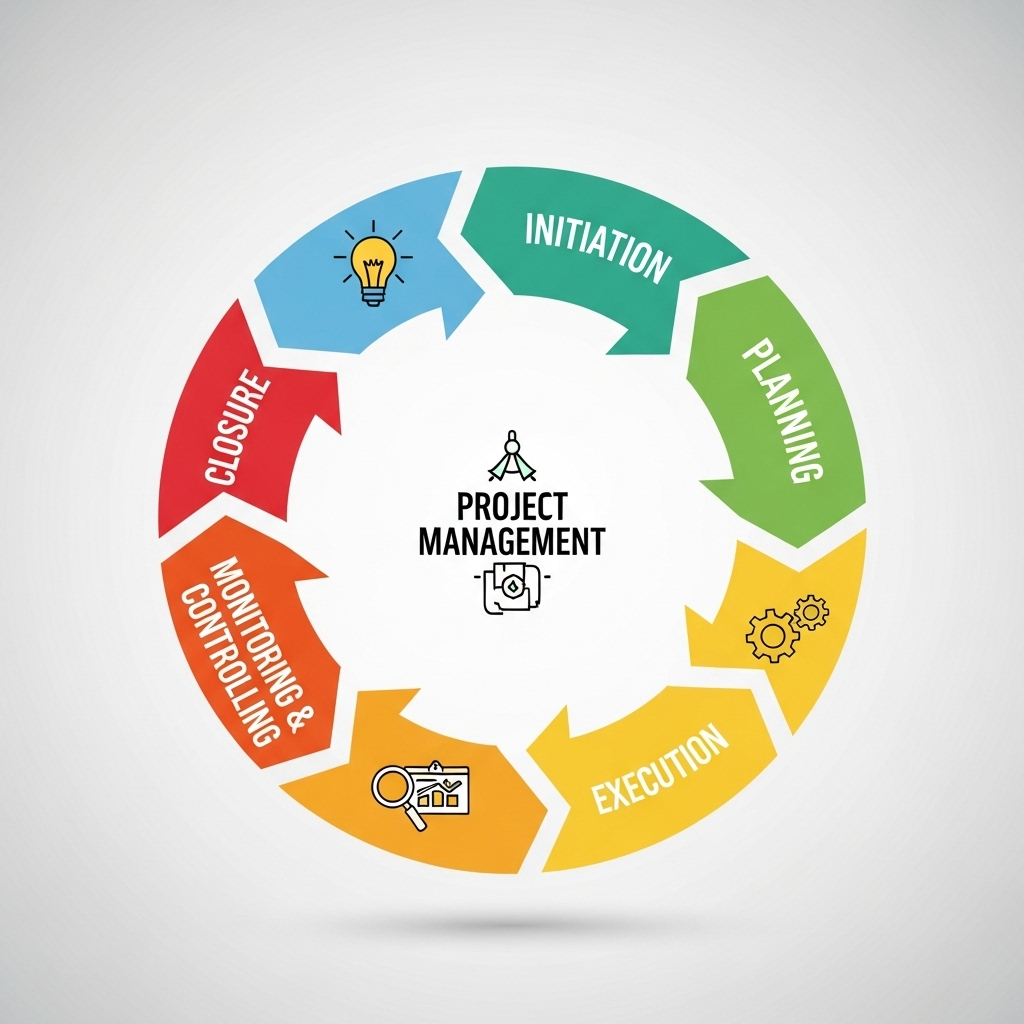
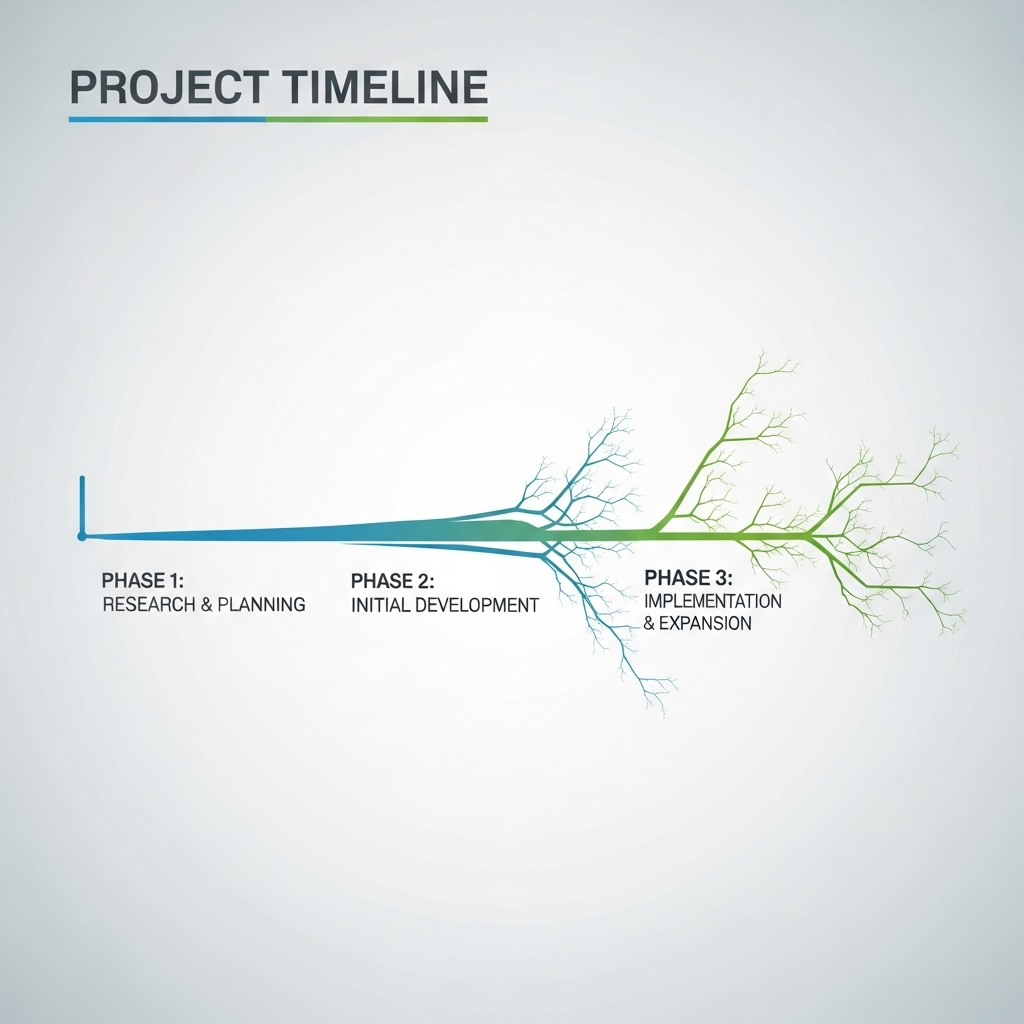
Why CoMng.AI Is The Platform to Use

This real-world example illustrates why CoMng.AI is becoming the go-to platform for professionals who want real AI value in their work. It's not about replacing your expertise - it's about amplifying it. You bring the vision and domain knowledge, CoMng.AI brings the structured intelligence, automation, and comprehensive planning that would traditionally require a team of specialists.

Whether you're managing a small project or leading an enterprise transformation, CoMng.AI gives you the tools to compete at the highest level. It's accessible pricing makes enterprise-level capabilities available to teams of all sizes, and its AI-native architecture means you're working with technology purpose-built for intelligent project management, not legacy systems with AI features bolted on.

The platform supports you through every stage: automatic project setup that eliminates blank-page syndrome, intelligent planning that catches issues before they become problems, execution support that keeps teams productive and coordinated, comprehensive monitoring that gives you complete visibility, and documentation/reporting that happens automatically rather than being an afterthought.

Leveraging AI: Your Next Step

Once you have a solid foundation with project management fundamentals, CoMng.AI becomes your force multiplier. The platform helps you automate tasks, analyze data, make better decisions, and achieve results that would traditionally require much larger teams and longer timeframes. Let's move on to see how you can start implementing these concepts in your own projects today.

12. Actionable Steps: Start Mastering Your Projects Today

Offers a concise summary of the key takeaways and provides actionable steps for readers to implement immediately. Encourages readers to apply the learned concepts to their own projects.

Recap: Your Project Management Power-Up

Alright, you've made it this far! You've explored the project management lifecycle, understood the importance of planning, and seen how AI can be your secret weapon. Now, let's put it all into action. This section is all about taking what you've learned and applying it to your projects right now.

Step 1: Define Your Project's Core

πŸ“‹ Step 1: Define Your Project's Core

  • Start with the basics. Before diving into the details, make sure you've clearly defined:

    • Project Goal: What are you trying to achieve?
  • Scope: What's included and excluded* from this project?

    • Deliverables: What tangible results will you produce?
    • Stakeholders: Who are the key people involved?

Exercise: The 5-Minute Project Brief

πŸ’‘ Exercise:

Grab a piece of paper (or open a document) and answer these questions about your current project (or a project you're planning): What's the goal? What are the 3-5 most important things we need to do? Who is responsible? What is the deadline? This simple exercise can instantly clarify your project's purpose.

Step 2: Plan with Precision (and AI's Help!)

Planning is the heart of project success. Break down your project into smaller, manageable tasks. Estimate how long each task will take. Consider dependencies (what tasks must be completed before others?). And here's where AI shines: Use tools like CoMng.AI to revolutionize your planning process.

The CoMng.AI Planning Advantage: Instead of spending days or weeks creating project plans manually, describe your project concept in CoMng.AI and let the AI generate: comprehensive task lists with dependencies already mapped, realistic effort estimates based on industry data, complete risk assessments with mitigation strategies, budget recommendations with vendor suggestions, team roles with required expertise, and timeline optimization that considers all constraints. What you get is not a basic template - it's an intelligent, industry-specific project framework that would typically require weeks of expert work.

Leveraging AI for Complete Project Setup

Try this with CoMng.AI: Input your project concept and objectives. Click "Auto Create Project Objectives" to generate goals, metrics, risks, and milestones. Then use "Auto Generate Tasks" to create comprehensive task lists from your objectives - tasks from milestones, tasks from goals, tasks from metrics, and mitigation tasks from risks. Each generated task includes complete descriptions, effort estimates, resource needs, success criteria, and automatic dependency mapping. Review and customize as needed, and you've got an enterprise-level project plan in a fraction of the usual time. [Image: A screenshot of Comng.ai's interface showing a project scope input and a generated task list.]

Step 3: Choose the Right Tools

πŸ“‹ Step 3: Choose the Right Tools

  • The right tools can make or break a project. Here's the smart approach:

    • For Simple Projects: Basic tools like Trello, Asana, or spreadsheets work fine for straightforward task tracking and small teams.
    • For Complex Projects: Traditional PM software like Monday.com or Microsoft Project provide structure but still require significant manual setup and ongoing management.
    • For AI-Native Project Management: CoMng.AI is purpose-built for professionals who want real AI value. Unlike tools that bolt AI onto legacy systems, CoMng.AI is AI-native from the ground up - meaning automatic project generation, intelligent task management, comprehensive risk analysis, budget optimization, and professional documentation all happen automatically. It's the difference between having a tool that helps you track work versus having an intelligent platform that actively helps you plan, execute, and succeed.
    • Communication: CoMng.AI includes built-in collaboration features, but you can also integrate Slack or Microsoft Teams for communication.
    • Our Recommendation: Start with CoMng.AI. It includes everything you need - from initial project setup through final delivery - and its AI capabilities will give you a significant competitive advantage.

Step 4: Communicate, Communicate, Communicate!

Keep your team and stakeholders in the loop. Regular updates, clear communication channels, and a willingness to address concerns are essential. Consider daily stand-up meetings (even short ones!) to track progress and address roadblocks.

Actionable Checklist: Your First Project Management Steps

βœ… Checklist:

    • [ ] Create a free CoMng.AI account at https://comng.ai/ws/
    • [ ] Define your project's goal and scope in CoMng.AI's project description.
    • [ ] Use "Auto Create Project Objectives" to generate goals, metrics, risks, and milestones.
    • [ ] Use "Auto Generate Tasks" to create comprehensive task lists with dependencies.
    • [ ] Review and customize the AI-generated project framework.
    • [ ] Add team members and use AI recommendations for task assignments.
    • [ ] Use the budget auto-suggestion feature to create comprehensive budget plans.
    • [ ] Set up your Gantt chart and Kanban board for execution.
    • [ ] Explore the Knowledge Base for storing project insights and decisions.
    • [ ] Start tracking progress and let CoMng.AI generate automated status reports!

Step 5: Embrace Iteration and Adaptability

Projects rarely go exactly as planned. Be prepared to adjust your plans as needed. Regularly review your progress, identify any issues, and make necessary changes. AI tools can help you predict and adapt to unexpected challenges.

Step 6: Monitor and Evaluate

Track your progress against your plan. Use your chosen tools to monitor task completion, budget, and timelines. After the project is complete, conduct a post-project review. What went well? What could be improved? Use this feedback to refine your project management process for future projects.

Your Next Steps

Don't just read this guide – use it! Start applying these steps to your projects today. Experiment with AI tools like Comng.ai. The more you practice, the better you'll become at project management. You've got this!

Bonus Tip: Start Small and Build Confidence

If you're new to project management, don't try to tackle a massive, complex project right away. Start with a smaller, simpler project to gain experience and build your confidence. Success breeds success!

Ready to Take Control?

You now have the knowledge and tools to transform your project management skills. Embrace the journey, be proactive, and watch your projects – and your career – thrive!

13. Take the Next Step: Further Your Project Management Journey

Includes a clear call to action (CTA) encouraging readers to sign up for a newsletter, request a demo of Comng.ai, or explore other related resources. Reinforces the value of continued learning.

You've Got the Foundation – Now, Let's Build!

Congratulations! You've made it through this guide and have a solid understanding of project management fundamentals and how AI can give you a boost. But the learning doesn't stop here. Project management is a constantly evolving field, and the best project managers are always seeking ways to improve and stay ahead of the curve.

Why Continuous Learning Matters

Think of project management like a muscle. The more you use it, the stronger it gets. Continuous learning allows you to refine your skills, adapt to new methodologies (like Agile or Waterfall), and leverage the latest tools and technologies – including the power of AI. This ongoing development is crucial for career advancement and consistently delivering successful projects.

Next Steps: Your Personal Project Management Growth Plan

πŸ“‹ Next Steps: Your Personal Project Management Growth Plan

  • Here's how you can continue your project management journey:

    • Stay Updated: Subscribe to industry blogs, newsletters (like ours!), and podcasts to stay informed about the latest trends and best practices.
    • Network with Peers: Join online forums, attend webinars, or connect with other project managers on LinkedIn to share experiences and learn from each other.
    • Seek Mentorship: Find an experienced project manager who can offer guidance and support as you navigate your projects.
    • Practice, Practice, Practice: Apply what you've learned to your projects, no matter how small. Every project is an opportunity to hone your skills.
    • Explore Advanced Certifications: Consider pursuing certifications like PMP (Project Management Professional) or CAPM (Certified Associate in Project Management) to demonstrate your expertise.
    • Experiment with AI Tools: Don't be afraid to try out different AI tools like Comng.ai and see how they can streamline your workflow.

Unlocking the Power of AI in Project Management

AI is rapidly transforming project management, and CoMng.AI is at the forefront of this revolution. This isn't just incremental improvement - it's a fundamental shift in how professional project management is done. By building the platform AI-native from day one, CoMng.AI delivers capabilities that traditional tools simply cannot match. But how do you get started?

The answer is simpler than you think: Start with your next project. Instead of opening a blank template and spending days or weeks on setup, describe your project concept in CoMng.AI and let the AI generate your complete project framework in minutes. From there, you customize and refine based on your specific needs. You're not replacing your expertise - you're amplifying it with intelligent automation and industry-specific knowledge that would traditionally require a team of specialists.

Step 1: Embrace Automation

One of the biggest time-wasters in project management is repetitive tasks. AI can automate many of these, freeing up your time for strategic thinking and team collaboration. Think about tasks like progress tracking, report generation, and even basic communication with team members. [Image: A graphic illustrating the automation of project tasks using AI.]

Step 2: Harness Data-Driven Insights

AI excels at analyzing large datasets. Use AI tools to identify patterns, predict potential risks, and make data-driven decisions. This can lead to more accurate project forecasts, better resource allocation, and proactive problem-solving. [Image: A chart or graph showing how AI can provide project insights.]

Step 3: Supercharge Communication

AI-powered tools can help improve communication within your team. From automated meeting summaries to intelligent chatbots that answer common questions, AI streamlines information flow and ensures everyone is on the same page. [Image: A mock-up of a team communication interface with AI features highlighted.]

Discover CoMng.AI: The Platform That Delivers Real AI Value

CoMng.AI is specifically designed to be the platform professionals turn to when they want real AI value in their work. Unlike traditional project management tools that added AI features as an afterthought, CoMng.AI is AI-native from the ground up. This fundamental architectural difference is why the platform can deliver capabilities others can't:

Automatic Project Generation: Complete project frameworks created in minutes rather than weeks - goals, tasks, budgets, timelines, risks, team roles, and documentation all generated automatically from your project concept.

Industry Intelligence: AI that understands 100+ business domains and provides context-aware recommendations specific to your industry, not generic one-size-fits-all templates.

End-to-End Support: From initial project conception through final delivery, the AI actively helps at every stage - planning, execution, monitoring, and closure.

Accessible Excellence: Enterprise-level project management capabilities without requiring dedicated specialists or expensive consultants. Small teams can now compete at the highest level.

Visit https://comng.ai/ws/ to create your free account and experience the difference AI-native project management makes. Your first project will demonstrate why this is the platform for professionals who want results, not just another tool.

Ready to Experience the Future of Project Management?

We're excited for you to continue your journey. Your next step is to experience how AI-native project management can transform your work. Here's how to get started:

Start Free with CoMng.AI Today

The best way to understand the difference is to experience it firsthand. Create your free CoMng.AI account at https://comng.ai/ws/ and set up your first project. Here's what to try:

1. Create a New Project: Describe your project concept in a few sentences - what you're trying to achieve, key constraints, and target outcomes.

2. Click "Auto Create Project Objectives": Watch as the AI generates comprehensive goals, success metrics, risks, and milestones tailored to your specific project.

3. Use "Auto Generate Tasks": Let the AI create detailed task lists from your objectives - complete with descriptions, dependencies, effort estimates, and resource requirements.

4. Explore the Features: Check out the Gantt chart showing your critical path, review the automatically identified risks, explore budget suggestions, try the AI-powered document generation, and experiment with the knowledge base.

5. Invite Your Team: Add team members and see how the AI recommends optimal task assignments based on skills and availability.

Within an hour, you'll have a comprehensive project framework that would traditionally take weeks to create. That's the power of AI-native project management.

Join the Community of Forward-Thinking Project Managers

Thousands of project managers, team leads, and business owners are already using CoMng.AI to deliver better results in less time. They've discovered that professional project management doesn't require years of training, expensive consultants, or complex enterprise software. It requires the right platform - one built from the ground up to amplify human intelligence with artificial intelligence.

Visit https://comng.ai/ws/ and see why CoMng.AI is becoming the platform professionals turn to when they want real AI value in their project management work.

Your Success Starts Now

Don't wait to take the next step. The future of project management is here, and it's powered by AI. Start your journey towards project management mastery today! We're here to help you every step of the way.

Thank You!

Thank you for downloading this guide! We hope you found it valuable. We're confident that you'll be able to apply the concepts you've learned and see improvements in your project management skills. Remember, the key is continuous learning and embracing the power of AI. Good luck, and happy project managing!

14. Appendix: Project Management Templates & Checklists

Provides downloadable templates and checklists to assist readers in implementing the project management methodologies. Examples include project charter template, risk register template, and communication plan checklist.

Welcome to Your Project Management Toolkit!

Alright, you've made it to the good stuff! This appendix is your treasure chest of ready-to-use templates and checklists. Think of them as your secret weapons to conquer any project, big or small. We've crafted these resources to make your life easier, streamline your workflow, and help you stay organized every step of the way. Download them, adapt them to your needs, and watch your project management prowess soar!

Note About CoMng.AI: While we provide these templates for manual use, it's worth mentioning that CoMng.AI automatically generates all of these documents for you - project charters, risk registers, communication plans, work breakdown structures, stakeholder analysis, budget templates, and more. The AI creates them populated with your project-specific data, not as blank templates. This is one of the key advantages of AI-native project management - professional documentation happens automatically throughout the project lifecycle rather than being a manual burden. However, understanding these templates helps you appreciate what CoMng.AI is doing behind the scenes and ensures you can customize the AI-generated outputs to perfection.

Project Charter Template: Your Project's Blueprint

Before you even think about kicking off a project, you need a solid foundation. That's where the Project Charter comes in. This template helps you define your project's purpose, objectives, stakeholders, and high-level scope. It's the official authorization for your project and sets the stage for success.

[Image: A mock-up of a Project Charter template, showing sections for project name, objectives, stakeholders, scope, and approval signatures.]

Key Sections of Your Project Charter

πŸ“‹ Key Sections of Your Project Charter

  • Your Project Charter template will typically include these key sections:

    • Project Name & Overview: A concise description of the project.
    • Project Objectives: What you aim to achieve (SMART goals are your friends!).
    • Stakeholders: Who's involved and their roles.
    • Scope: What's included and excluded from the project.
    • Deliverables: The tangible outputs of the project.
    • High-Level Schedule: Key milestones and deadlines.
    • Budget: Estimated costs.
    • Risks & Assumptions: Potential roadblocks and underlying beliefs.
    • Approval Signatures: Official authorization to proceed.

Risk Register Template: Anticipate & Mitigate

Projects are rarely without bumps in the road. A Risk Register helps you identify potential problems before they become disasters. This template provides a structured way to document potential risks, their likelihood, impact, and mitigation strategies. Being proactive is key to avoiding project derailment.

[Image: A mock-up of a Risk Register template, showing columns for Risk Description, Likelihood, Impact, Mitigation Strategy, and Owner.]

Using Your Risk Register Effectively

πŸ“‹ Using Your Risk Register Effectively

  • Populate your Risk Register with:

    • Risk Description: A clear and concise description of the potential problem.
    • Likelihood: How likely is this risk to occur? (Use a scale, e.g., Low, Medium, High).
    • Impact: What's the potential impact if this risk occurs? (Use a scale, e.g., Low, Medium, High, or monetary value).
    • Mitigation Strategy: What actions will you take to reduce the likelihood or impact of the risk?
  • Contingency Plan: What will you do if* the risk occurs?

    • Risk Owner: Who's responsible for managing this risk?
    • Status: Track the progress of your mitigation efforts.

Communication Plan Checklist: Keep Everyone in the Loop

Effective communication is the lifeblood of any successful project. This checklist helps you create a communication plan that ensures everyone is informed, engaged, and on the same page. It prevents misunderstandings, keeps stakeholders happy, and fosters a collaborative environment.

[Image: A mock-up of a Communication Plan Checklist, showing items like frequency of communication, communication methods, and audience.]

Essential Elements of Your Communication Plan

βœ… Checklist:

  • Use this checklist to build your communication plan:

    • Identify Stakeholders: Who needs to be informed?
    • Define Communication Frequency: How often will you communicate?
    • Choose Communication Methods: Email, meetings, project management software, etc.?
    • Determine Communication Content: What information needs to be shared?
    • Assign Communication Responsibilities: Who's responsible for communicating what?
    • Establish a Communication Schedule: When will communications be sent?
    • Document Everything: Keep a record of all communications.
    • Review and Adjust: Regularly evaluate and refine your plan.

Project Status Report Template: Keep Track of Progress

A Project Status Report keeps stakeholders informed about project progress, including accomplishments, challenges, and upcoming activities. This template allows you to present project information in a concise and structured way.

[Image: A mock-up of a Project Status Report template, showing sections for project status, key accomplishments, upcoming activities, and issues.]

Key Components of a Project Status Report

πŸ“‹ Key Components of a Project Status Report

  • Your Project Status Report template will typically include:

    • Project Summary: A brief overview of the project.
    • Progress to Date: What has been accomplished?
    • Key Accomplishments: Highlight major achievements.
    • Upcoming Activities: What's planned for the next period?
    • Timeline: Schedule updates.
    • Budget: Budget status.
    • Issues and Risks: Any challenges or potential problems.
    • Next Steps: What actions are needed?
    • Overall Project Status: (e.g., Green, Yellow, Red)

Meeting Agenda Template: Run Effective Meetings

Meetings can be time-wasters if not structured properly. This template helps you create focused and productive meetings.

[Image: A mock-up of a Meeting Agenda template, showing sections for meeting title, attendees, agenda items, and time allocated.]

Creating a Winning Meeting Agenda

πŸ“‹ Creating a Winning Meeting Agenda

  • Key elements to include:

    • Meeting Title and Date: Clearly identify the meeting.
    • Attendees: List all participants.
    • Objectives: What are you trying to achieve?
    • Agenda Items: List topics for discussion.
    • Time Allocation: Estimate time for each item.
    • Pre-reading: Any materials participants need to review beforehand.
    • Action Items: List follow-up tasks and owners.

Change Request Template: Managing Scope Creep

Scope creep can derail a project. This template helps you manage changes effectively, ensuring they are properly assessed and approved.

[Image: A mock-up of a Change Request template, showing sections for change request details, impact assessment, and approval.]

Key Components of a Change Request

πŸ“‹ Key Components of a Change Request

  • A Change Request typically includes:

    • Change Request Number: For tracking.
    • Project Name: Identify the project.
    • Requestor: Who is requesting the change?
    • Description of Change: What needs to be changed?
    • Reason for Change: Why is this change necessary?
    • Impact Assessment: How will this change affect scope, schedule, budget, and resources?
    • Proposed Solution: How to implement the change?
    • Approval: Space for approvals.

Download Your Templates Now!

You're now equipped with the tools to build a strong project management foundation. Download these templates and checklists now, and start implementing them in your projects. Remember to adapt them to your specific needs and processes. Good luck, and happy project managing!

15. Conclusion: Your Path to Project Management Success

Summarizes the key benefits of mastering project management and using AI tools. Reinforces the value proposition and motivates readers to continue their journey towards project management excellence.

Recap: You've Got the Blueprint!

Congratulations! You've made it to the end of our journey through project management mastery. You've explored the essential stages, learned about crucial tools, and discovered the incredible power of AI to supercharge your projects. Remember, project management isn't just about ticking boxes; it's about leading, collaborating, and delivering exceptional results.

The Power of Project Management: Why It Matters

Let's quickly recap why mastering project management is so vital. Effective project management means smoother workflows, happier teams, and ultimately, a more successful business. It allows you to deliver projects on time, within budget, and to the highest quality standards. It’s about turning ideas into reality, efficiently and effectively.

Key Takeaways: Your Project Management Toolkit

πŸ“‹ Key Takeaways: Your Project Management Toolkit

  • Here's a quick refresher on the key elements we've covered:

    • Planning is Paramount: Defining scope, setting goals, and creating a realistic plan are your foundations.
    • Tools of the Trade: Understanding and utilizing project management software, communication platforms, and other essential tools.
    • AI's Game-Changer: Exploring how AI can streamline tasks, automate processes, and enhance decision-making (especially with tools like Comng.ai).
    • Teamwork Makes the Dream Work: Fostering collaboration, clear communication, and a positive team environment.
    • Adapt and Thrive: Embracing flexibility and adapting to changes throughout the project lifecycle.

Embrace the AI Advantage

AI tools, like Comng.ai, are no longer a futuristic concept; they're a present-day necessity for project managers who want to stay ahead of the curve. They can automate tedious tasks, provide data-driven insights, and free you up to focus on strategic thinking and leadership. Consider AI your secret weapon for project success.

Beyond the Basics: Continuous Learning

Project management is a constantly evolving field. The best project managers are always learning, adapting, and seeking new knowledge. Continue to explore new tools, methodologies, and AI-powered solutions to refine your skills and stay at the forefront of project management excellence.

Your Next Steps: Putting Knowledge into Action

βœ… Checklist:

  • Here's a checklist to help you get started:

    • [ ] Review Your Current Projects: Identify areas for improvement based on what you've learned.
    • [ ] Explore AI Tools: Research and experiment with AI-powered project management tools like Comng.ai.
    • [ ] Refine Your Processes: Streamline your project workflows and communication strategies.
    • [ ] Invest in Training: Consider further training or certifications to enhance your skills.
    • [ ] Share Your Knowledge: Mentor others and contribute to the project management community.

Visualize Your Success

[Image: A visual representation of a project manager standing on a mountain peak, with a team celebrating at the base. The sun is rising, symbolizing success and achievement.]

The Benefits: What's in It for You?

By implementing these strategies, you'll experience a range of benefits, including increased efficiency, reduced stress, improved team morale, and, most importantly, the satisfaction of delivering successful projects that meet and exceed expectations. You'll become a more valuable asset to your team and organization.

Overcoming Challenges: Project Management Hurdles

Remember that every project will have its challenges. Don't be discouraged by setbacks. Instead, use them as learning opportunities. Analyze what went wrong, adjust your approach, and move forward with renewed determination. Embrace the iterative process and celebrate small victories along the way.

Your Journey Continues...

This dcoument is just the beginning. Your journey to project management mastery is an ongoing process. Keep learning, keep experimenting, and keep pushing yourself to become the best project manager you can be. The possibilities are endless!

Ready to Take Control?

Now is the time to take control of your projects and your career. Apply what you've learned, embrace the power of AI, and watch your project management skills soar. The future of project management is here, and you're ready to lead the way!

Call to Action: Start Today!

Download Comng.ai (if applicable) and start applying the techniques and tools you've learned. Visit our website for more resources, templates, and training opportunities. Your project management success story starts now!

Thank You and Farewell

Thank you for joining us on this journey. We hope this dcoument has provided you with valuable insights and actionable strategies. We wish you all the best in your project management endeavors! We are confident that with these insights, you will be on your way to project management success.

Final Thoughts: The Power of Proactive Planning

Remember, the best project managers are proactive planners. They anticipate potential problems, develop contingency plans, and stay one step ahead of the curve. Embrace this mindset, and you'll be well on your way to project management success.